Automated Emails to Your Customers by Ascend
Last updated: October 20, 2026
This is a guide that will teach you:
Overview of emails sent to your customers
How to see the emails that Ascend sends to your customers
Overview of Automated Emails
Ascend has the ability to send automated emails to your customers that are branded to your company. For information about how to set up branding, click here.
Smart reminder campaign: this campaign must be triggered by you, and are sent to your customer before they've made a payment to remind them to pay.
Ascend does not automatically trigger email notifications when you create a program or create an endorsement.
Reminders stop sending when a payment is made or when the final email in the sequence is triggered.
Transactional emails: these emails are sent when a customer submits payment or when a refund is sent to them. You are not able to customize these emails.
Premium finance emails: these emails are sent when an insured chooses the premium finance option and are not customizable.
How to View Emails Sent to Customers
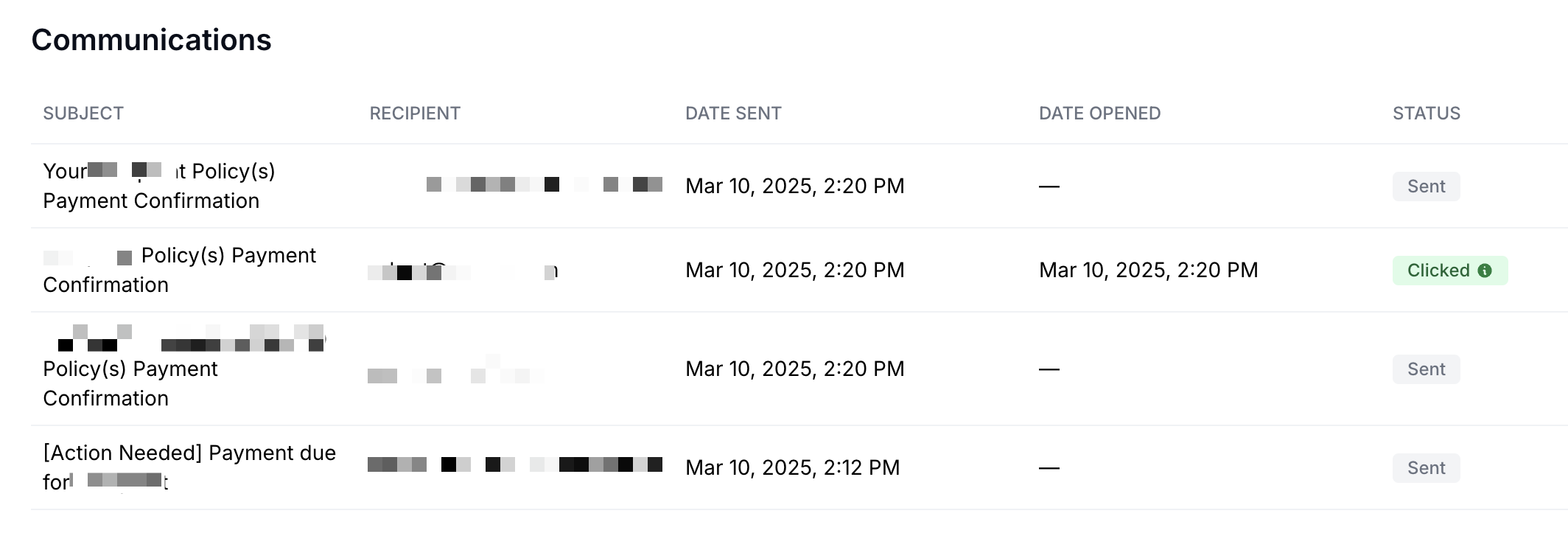
A record of all email communications that Ascend has sent to your customer for any program, one-time payment, or installment plan, is published in the Communications section at the bottom of the page.
To preview a copy of the email your customer received, click on the title of the email row and the email preview will open up in a new tab. If your browser has pop-up blockers enabled, you may have difficulty opening email previews.
Date Sent and Date Opened timestamps are published alongside the email subject, as well as a status indicator if the insured has clicked on the email:
Smart Reminder Campaign
The Smart Reminder Campaign helps your team save time by automatically following up with customers that haven't made their payment yet. These emails are only sent if you click the "Start email campaign" button:

When you click "Start email campaign" you'll see a popup that will tell you how many follow ups will be sent, the cadence at which they'll be sent, and allows you to schedule when the first email is going to be sent:
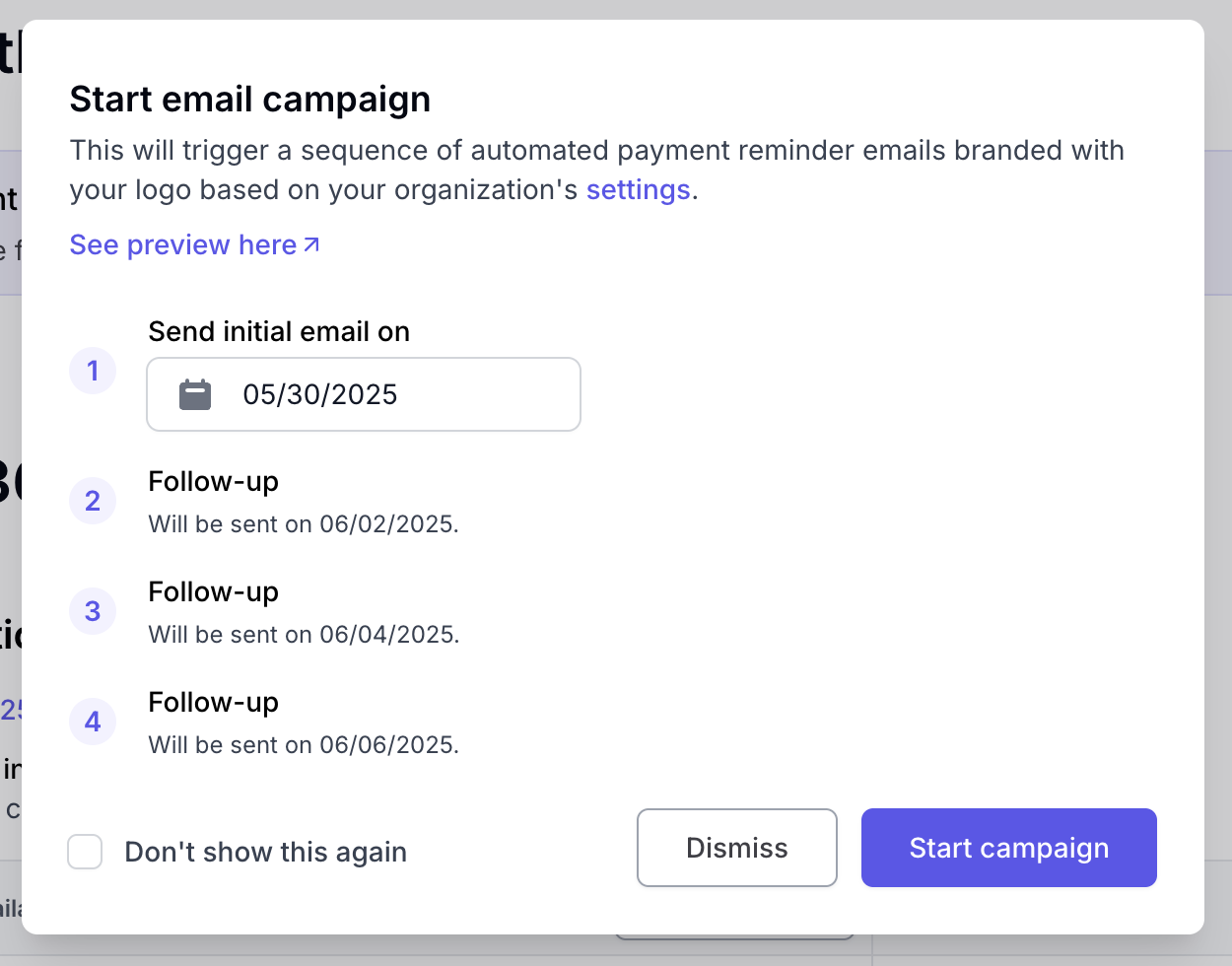
Scheduling the first email is helpful if you're billing for a renewal far in advance and don't want your customer to immediately start receiving the emails (but don't want to forget to bill them 😉)
The Smart Reminder Campaign will send your customer automated emails with your company's branding that follow this general structure, including a button that will allow them to make their payment online:
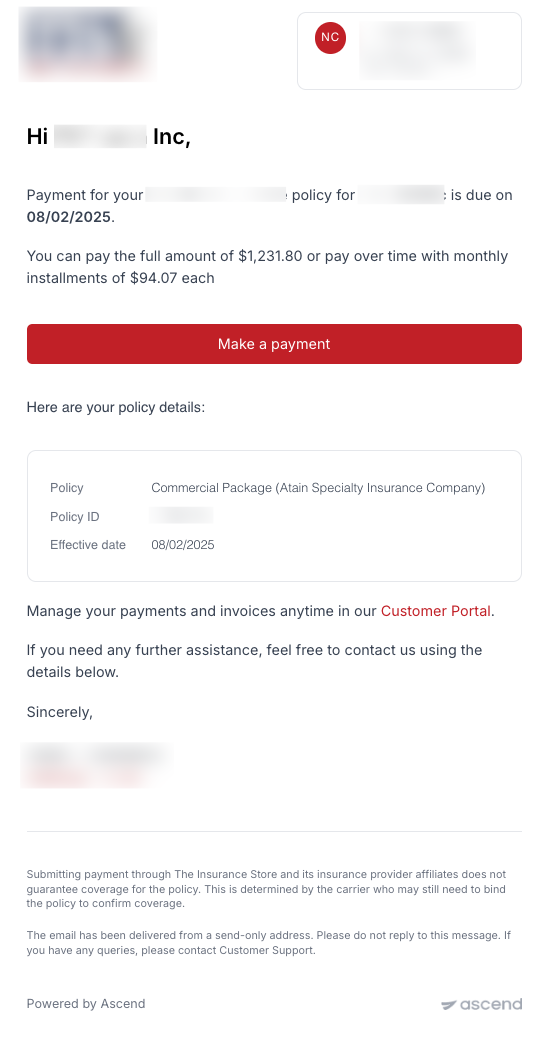
The final email that is sent, regardless of your company's settings, will contain the subject line Final Reminder [Action Needed].
If you want to customize how many emails are sent or how far apart each email is sent, your company's admin(s) can do that here: https://dashboard.useascend.com/settings/customer-experience?type=email-schedule
If for any reason you need to stop or restart the email campaign, you can select that under Manage campaign

Transactional Emails
Transactional emails are submitted when payments are submitted or failed, and when refunds are issued or fail.
Payments
Payment Processing (ACH only)
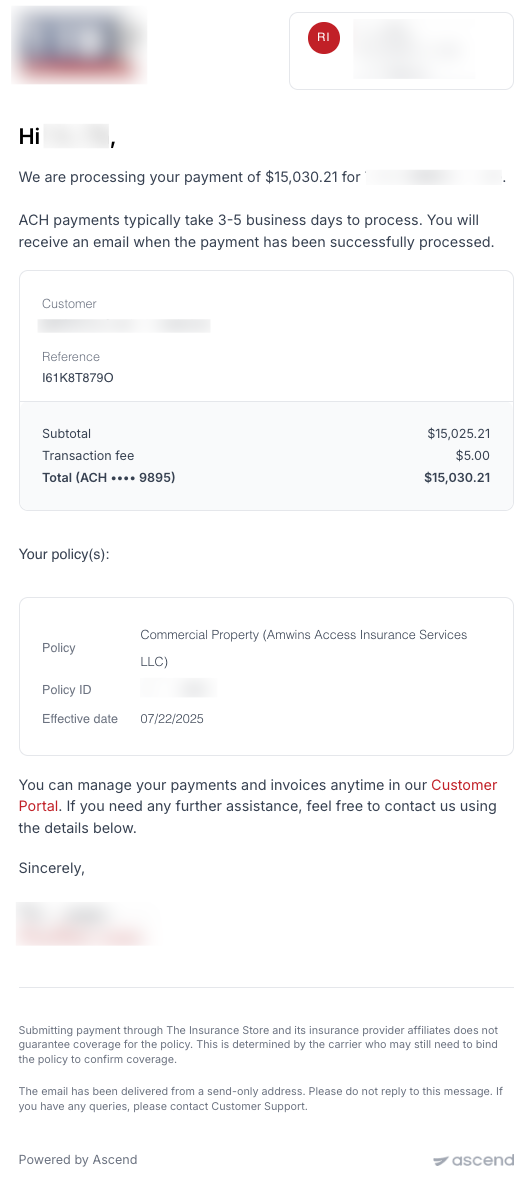
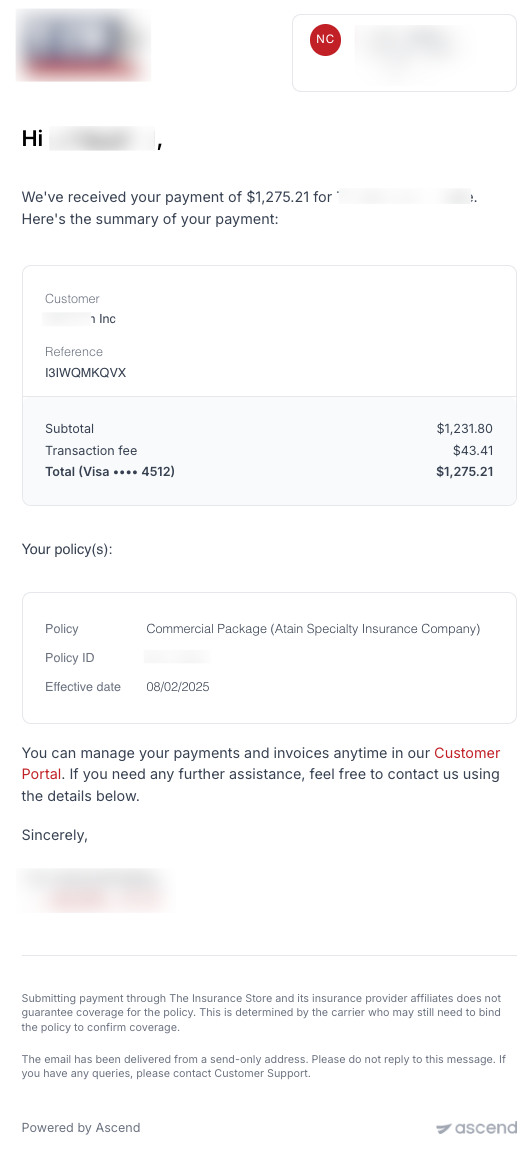
Payment Cleared (ACH & Credit Card)
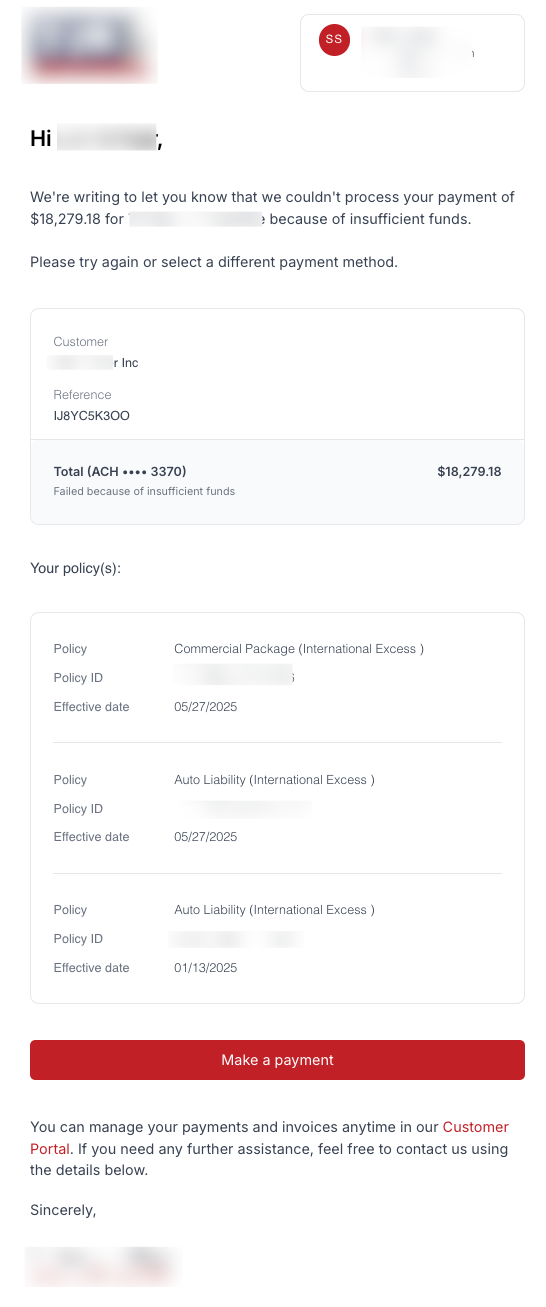
Payment Failed
This email is sent if any ACH payment fails, or if a credit card payment for monthly installment autopay fails.
If a credit card payment fails when attempting to make the down payment or payment in full, the error is shown to the customer on the payment website.
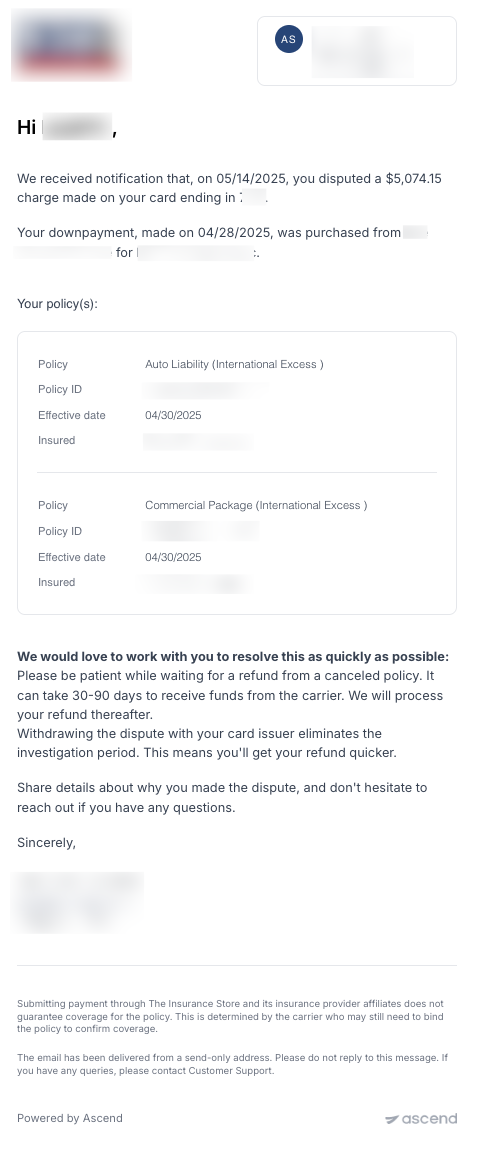
Disputed Payment
This email is sent if your insured disputes a payment made with a credit card. For more information on disputes please see here.
Refunds
For more information on refunds, please see here.
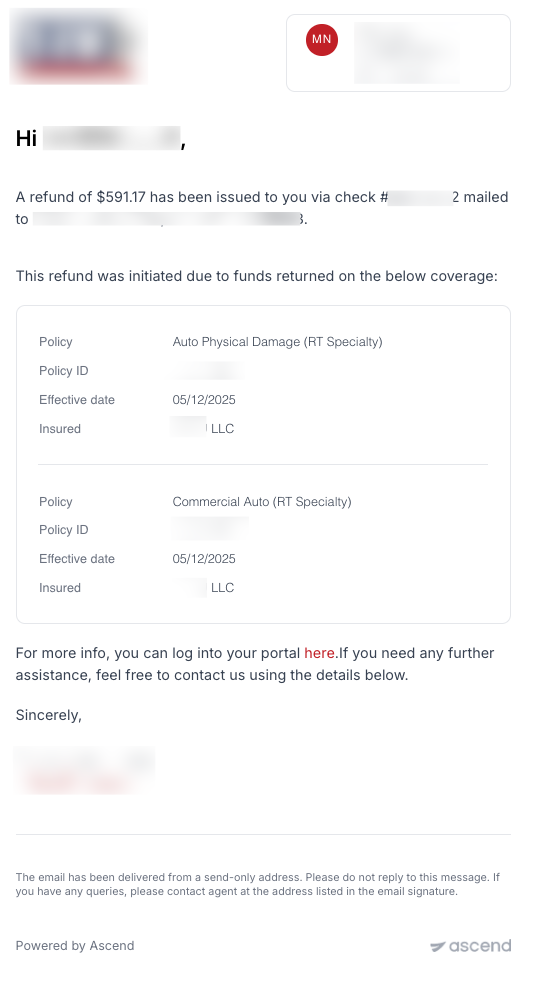
Refund initiated
Refund failed
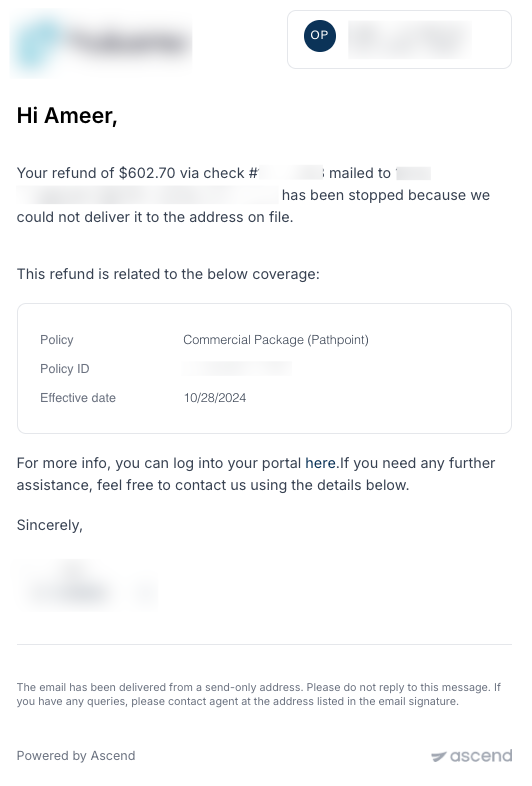
Uncashed refund reminder
Premium Finance Emails
Upcoming Payment Reminder - Autopay On
If your insured is on autopay, they will receive a single reminder 3 days before their due date.
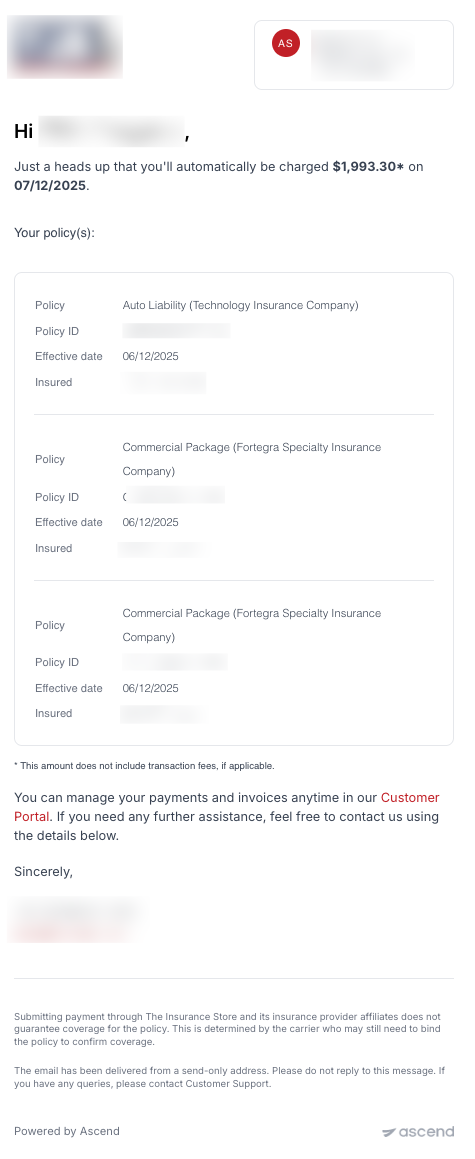
Upcoming Payment Reminder - Autopay Off
If your insured is not on autopay, they will receive 6 reminders starting 20 days before their due date.
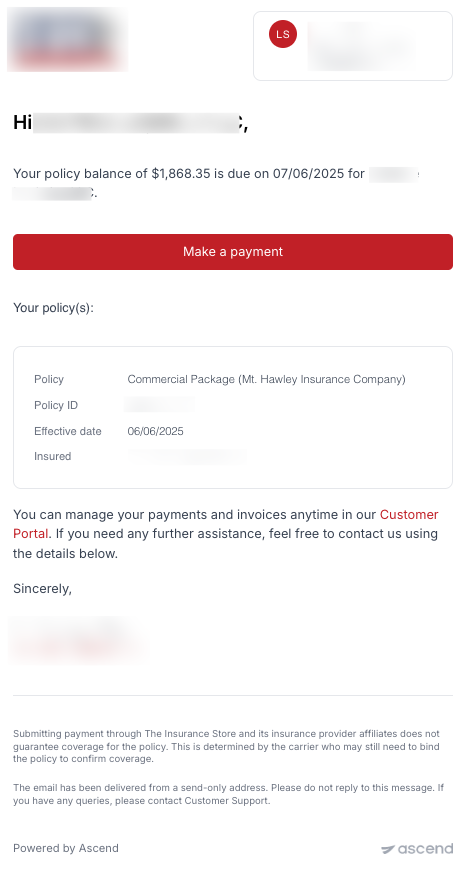
Overdue Payment Reminder
If your insured goes overdue on their finance agreement, they will receive one email per day for five days reminding them that they are overdue, which will include the amount of the late fee and the date the late fee will be applied if they do not pay.
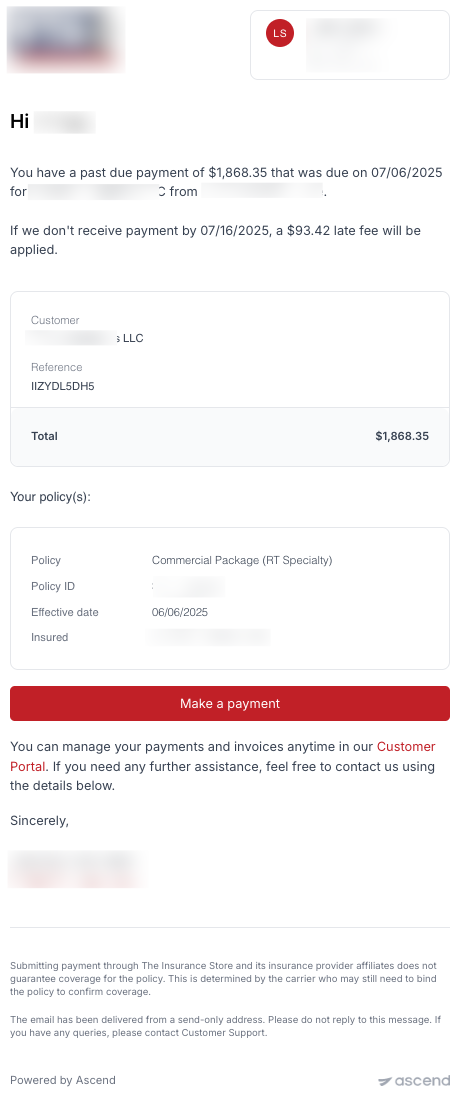
Pending Cancelation Notice
If your insured does not pay, they will receive four daily email reminders that their loan is at risk of cancelation starting on the day that Ascend issues the notice of intent to cancel. Timing varies by state and can be found here.
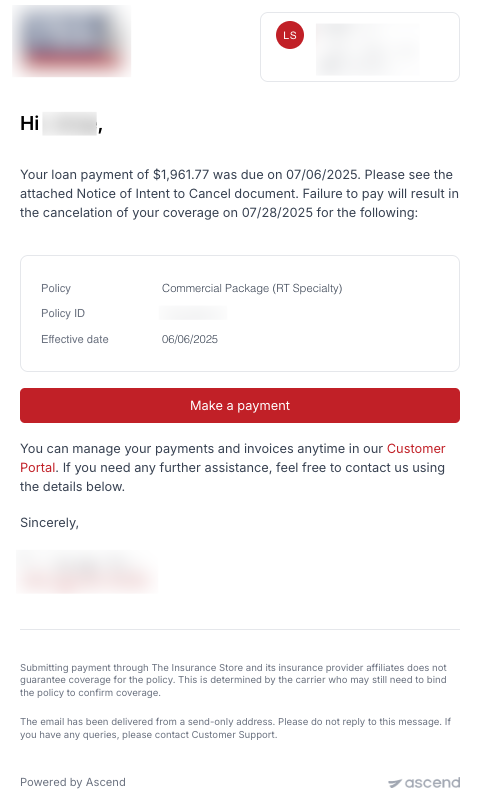
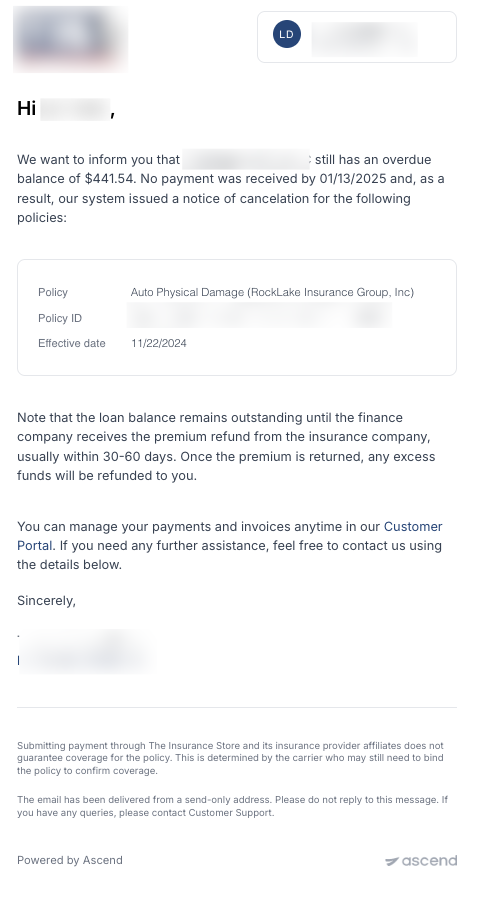
Loan Cancelation Notice
When Ascend issues a notice of cancelation (NOC), we will also send an email to your insured informing them of the cancelation.
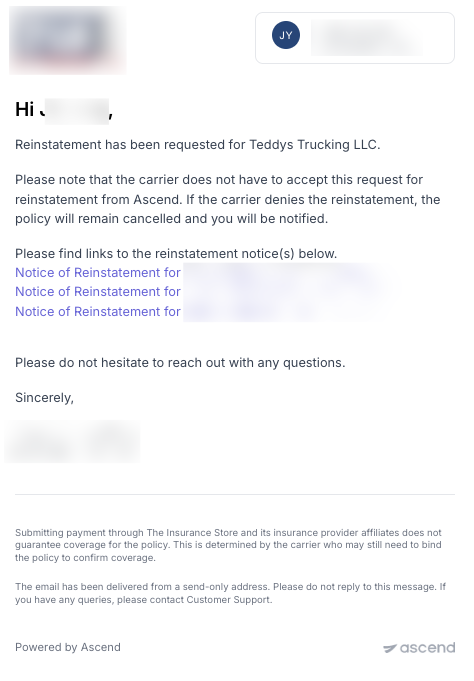
Loan Reinstatement Notice
If your insured reinstates their loan, Ascend will send an email that contains links to all of the reinstatement requests we issue to the carrier/wholesaler. More information on reinstatements can be found here
Other Emails
If you use Ascend's Installment Plans feature, we use the same upcoming/overdue payment reminders that are used for premium financing installment plans. We do not send cancelation emails for non-financed installment plans.
Contact Us
Need more help? Contact us at [email protected] for more help.