Email Customization
Last updated: June 28, 2026
This is a guide that will teach you:
What are Ascend's email customization capabilities
How to configure email customization for your organization
How email customization will impact the experience for your customer and organization
What is email customization?
We know the emails that are sent to your customers are an extension of your brand and critical to your ability to collect payments in a timely manner. Not all customers are the same and we recognize it's important to be able to customize the communications that are sent to them.
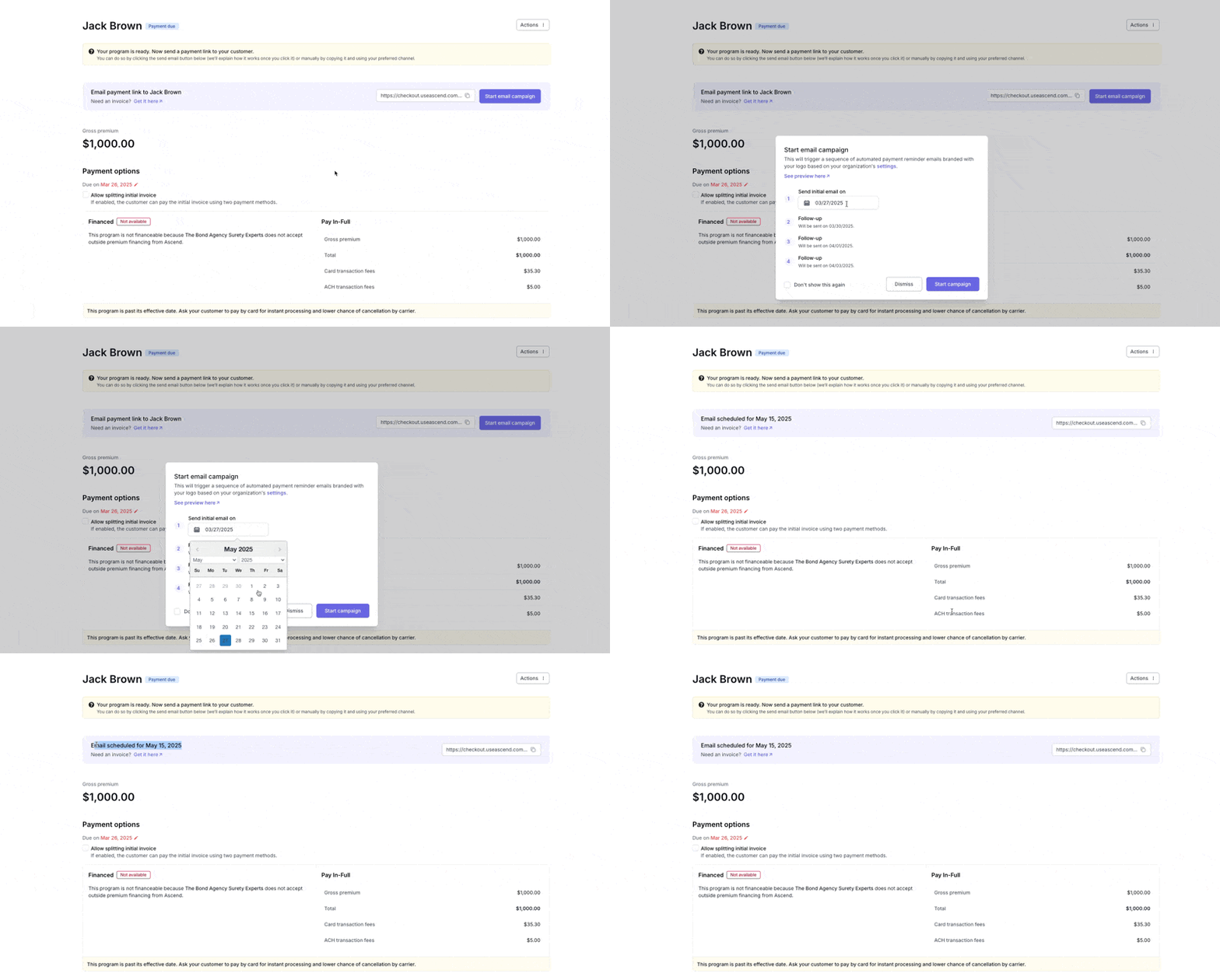
This is the first release of our Email Customization product, and new customization options will be added over time.
This feature is accessible to all users, but configuration can only be completed by users with Admin permission
What can be customized?
First Email Scheduling – Schedule when the first email is sent (either today or a future date).
Number of Emails Sent - Control the number of follow ups that are sent to your customers (up to 7).
Timing in Between Emails - Control the number of days in between follow ups (Ascend always checks the payment status before sending an additional follow up).
How do I enable these customization features?
Visit Settings > Customer Experience here: https://dashboard.useascend.com/settings/customer-experience
Click "Email Schedule" to adjust the number of follow ups or the cadence of the follow ups:
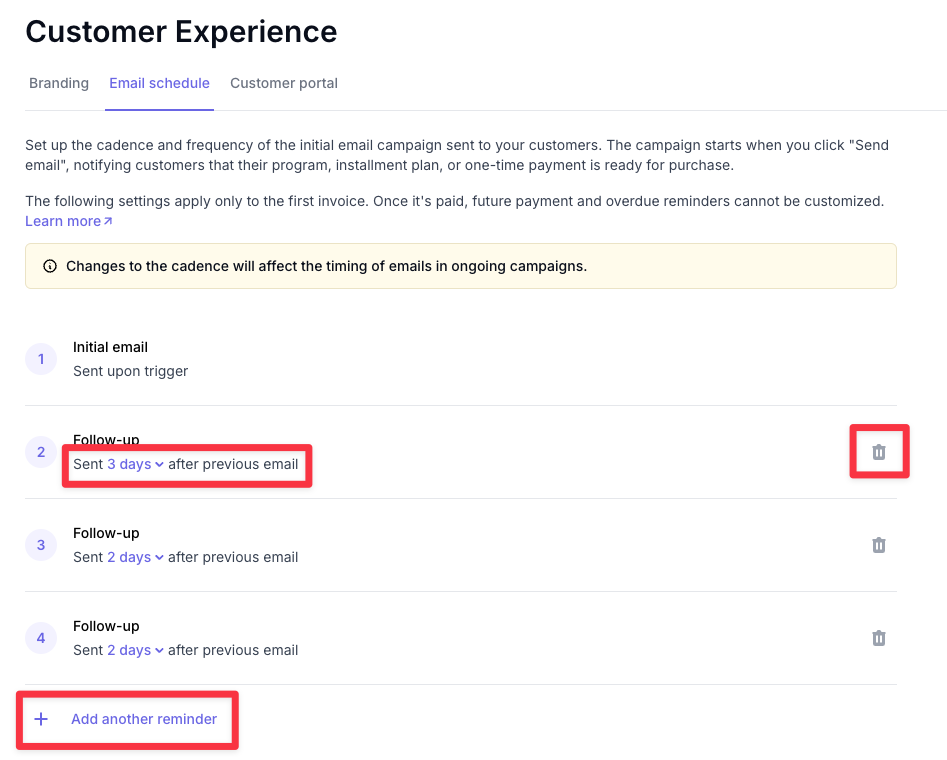
Note that changes made here are global and affect all emails sent on all programs, one-time payments, and installment plans.
Contact Us
Need more help? Contact us at [email protected] for more help.