Direct Bill Automation without Deposits
Last updated: February 14, 2026
Direct Bill Automation
This guide will cover:
What Ascend's Direct Bill Automation product streamlines
Overview
Ascend’s Direct Bill Automation platform streamlines statement reconciliation by automating:
Statement fetching and ingestion
Matching and exception handling
Posting back to your AMS.
Statement Fetching and Ingestion
Ascend streamlines statement retrieval by automatically fetching digital statements and offering a simple upload workflow for hard‑copy statements.
Statements can be forwarded by email or uploaded through the Inbox or Statements dashboard.
Inbox:
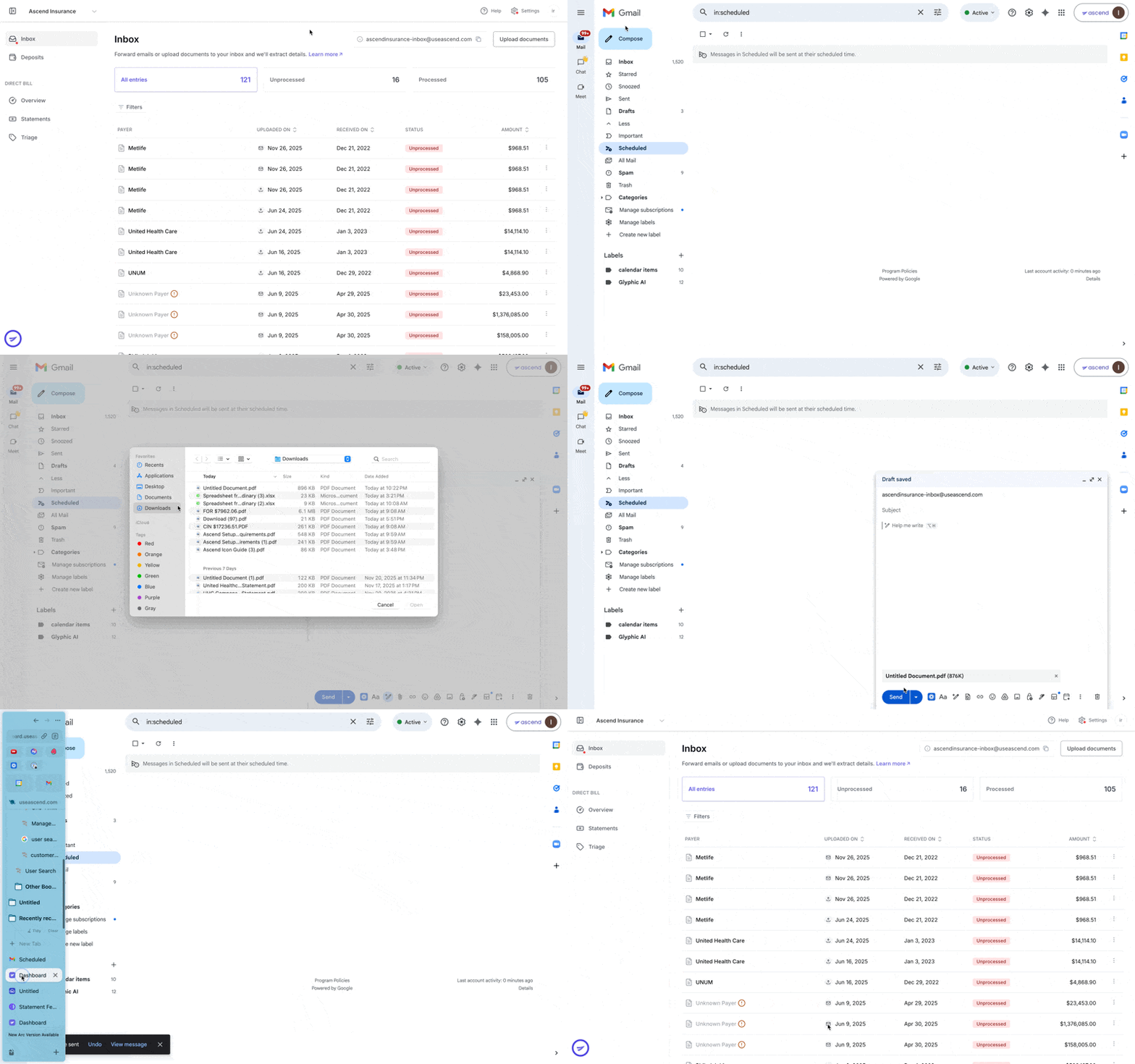
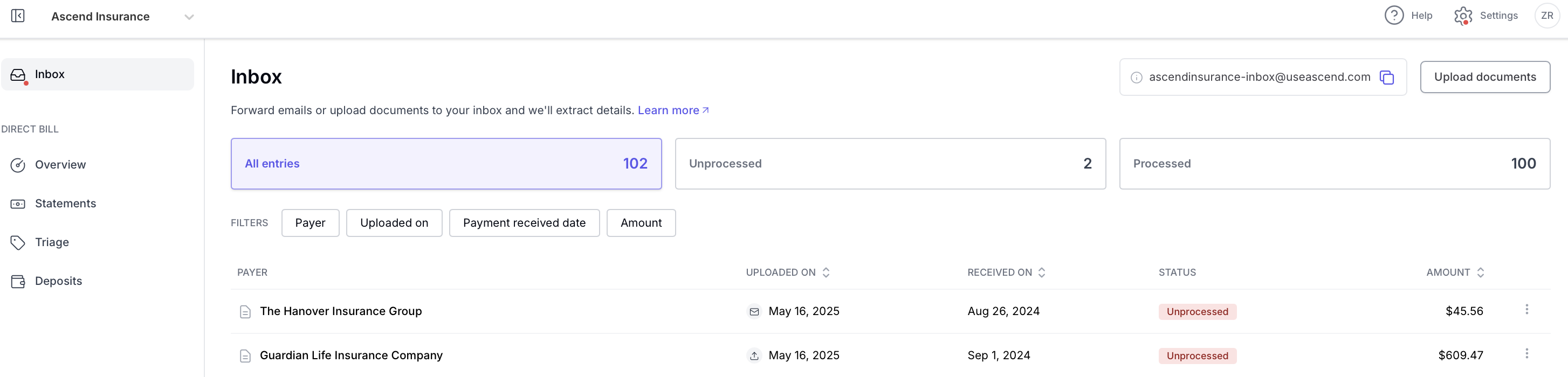
Statement Ingestion:
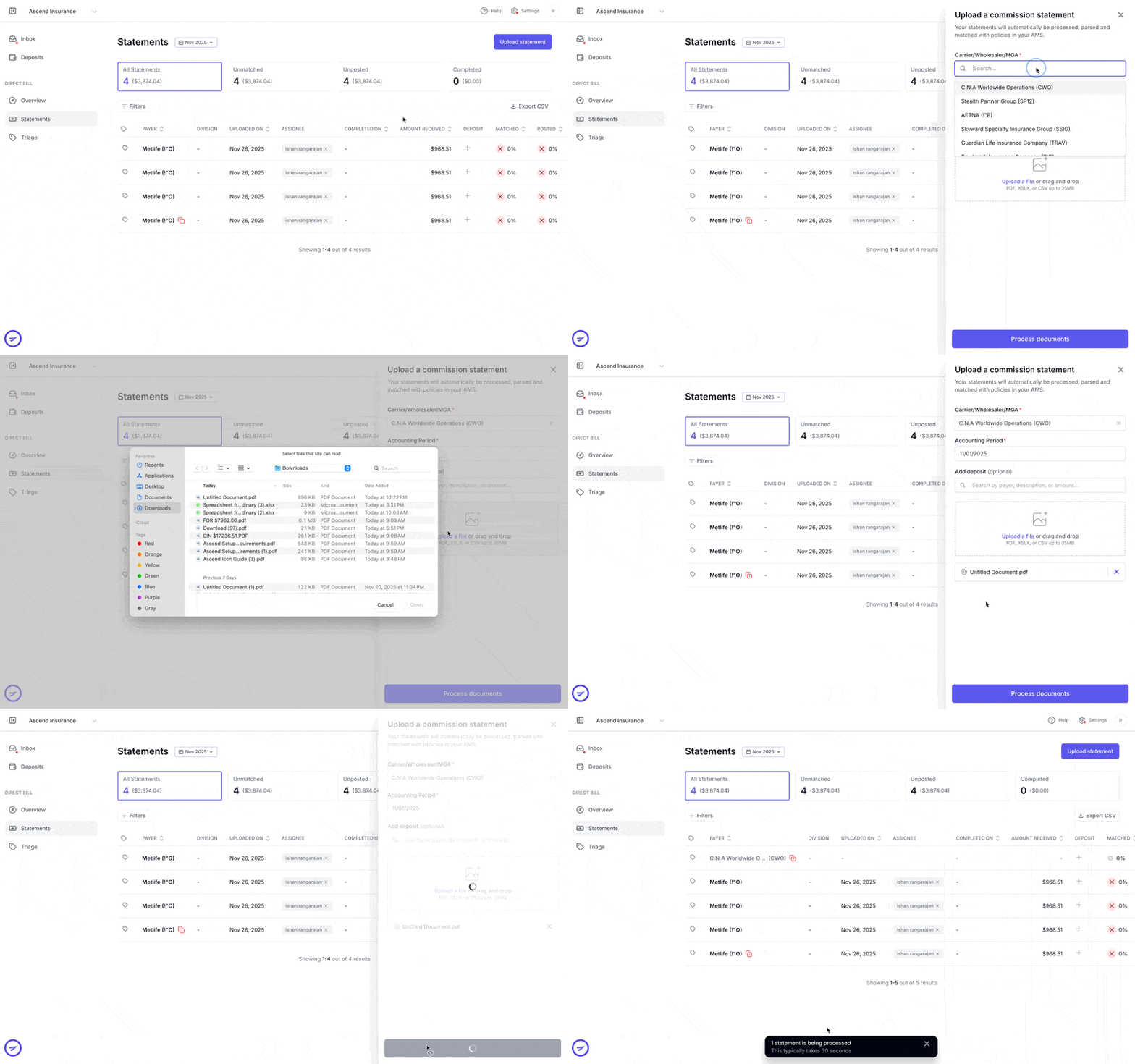
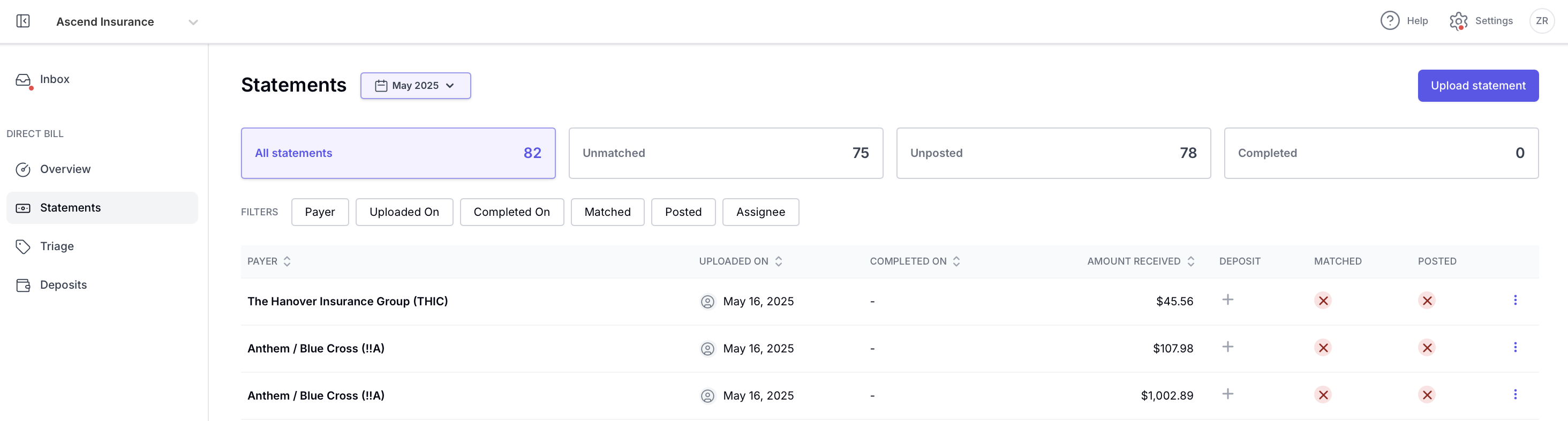
For more information on statement fetching and ingestion, click here.
Matching and Exception Handling
Ascend reconciles entry data that matches your AMS data. For any entries that are not auto-matched, you can choose from suggested matches, flag items for review, assign work to teammates, or collaborate via in-app email.
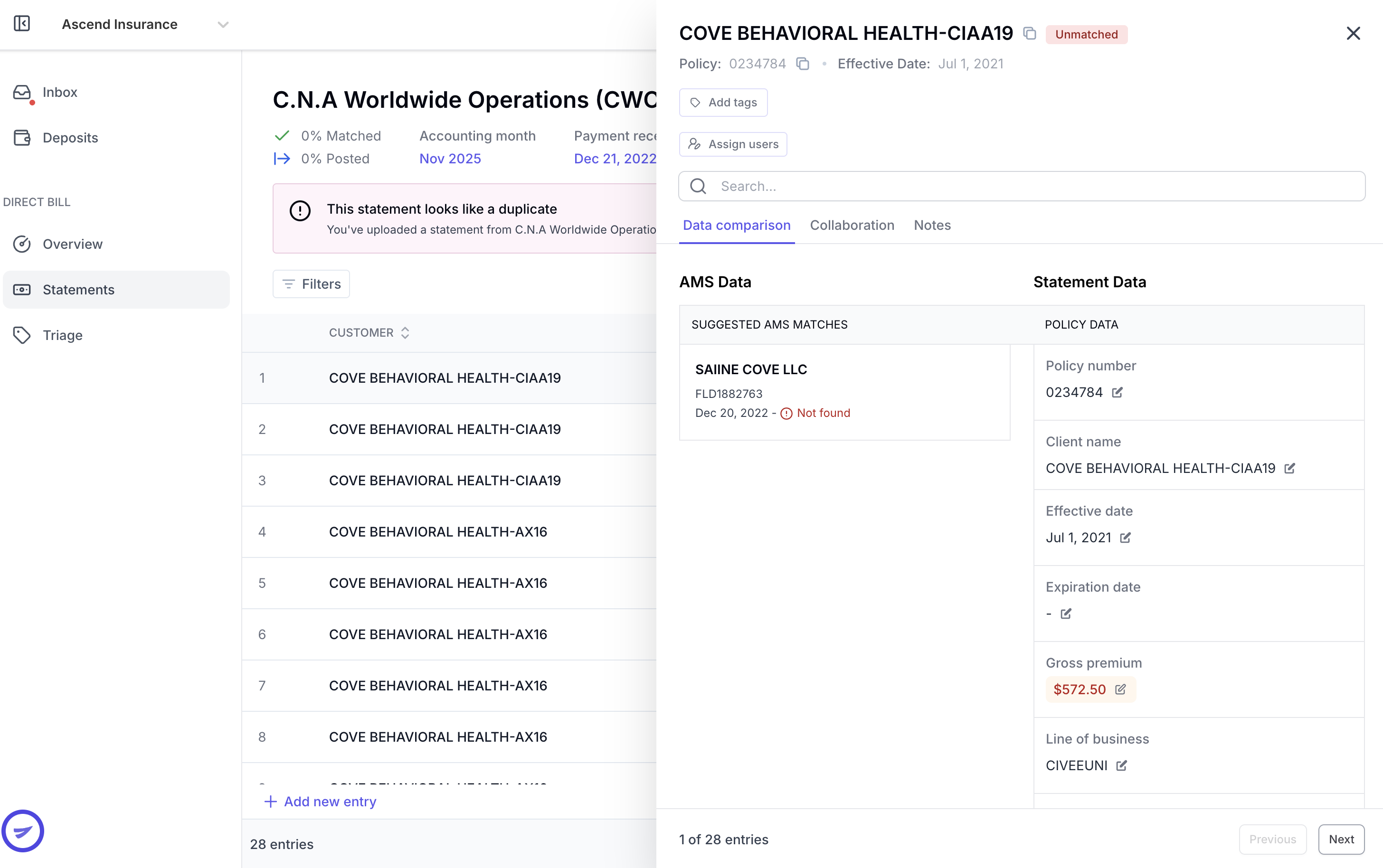
For more information on matching and exception handling, click here.
Posting to Your AMS
Ascend integrates directly with your AMS and allows you to post statements to suspense or progress in your AMS.

For more information on posting back to your Epic, click here.
Contact Us
Need more help? Contact us at [email protected] for more help.