Uploading Lockbox Files
Last updated: October 7, 2026
Direct Bill Automation
This guide covers:
What a lockbox file is
How to upload a file containing multiple Direct Bill statements
Overview
A lockbox file contains multiple Direct Bill commission statements in a single file.
Instead of manually separating the statements before uploading, you can upload the entire file to Ascend. Ascend automatically separates it into individual statements, saving time and making each statement available for reconciliation.
Upload a Lockbox File
Open the Inbox.
Click Upload Documents in the top-right corner.
Drag and drop the lockbox file into the pop-up window.
In the Upload to dropdown, select Direct bill batch.
Click Upload documents.
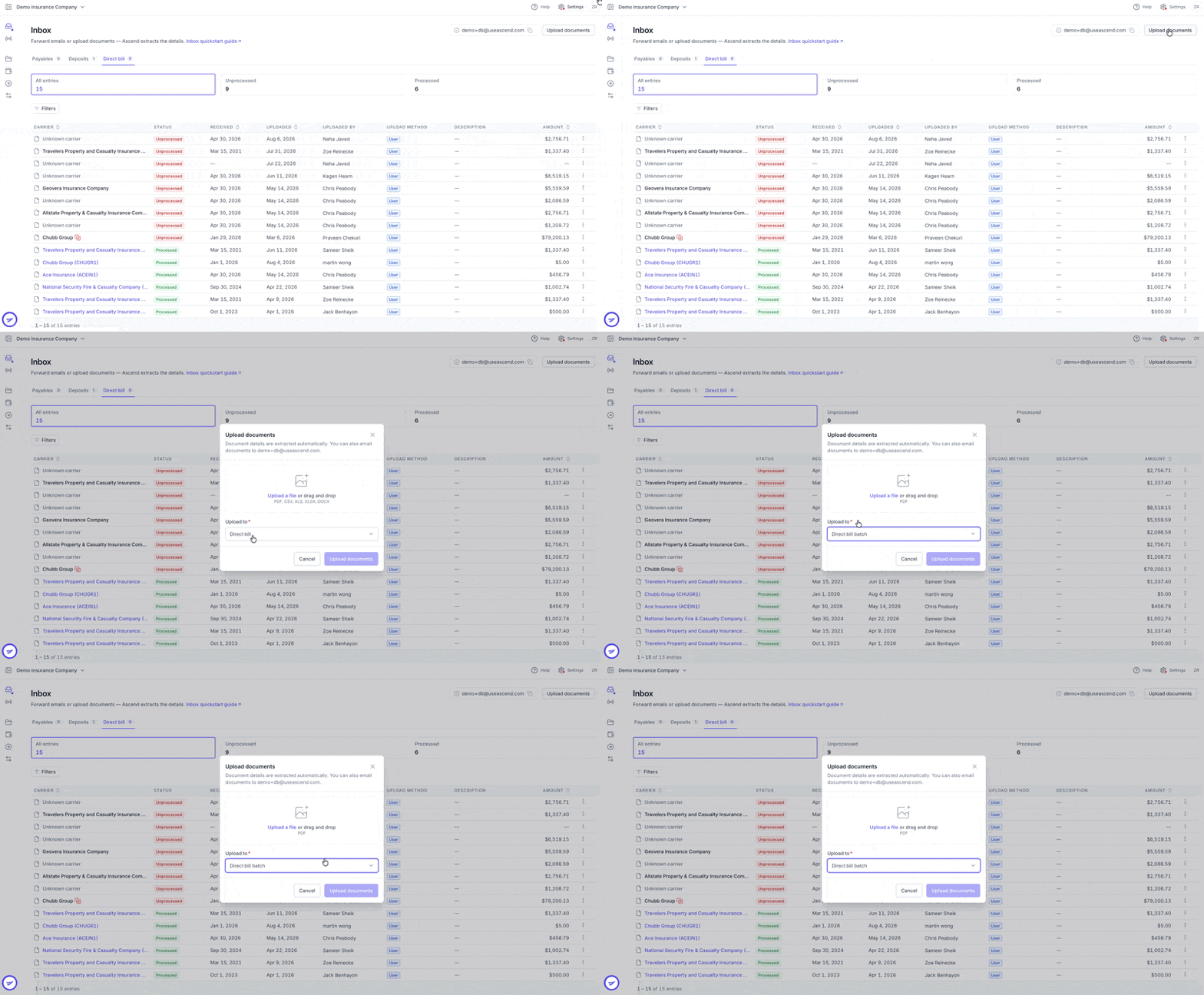
Ascend will automatically separate the file into individual statements for processing.
Contact Us
Need more help? Contact us at [email protected] for more help.