How to correct wholesaler/MGA/carrier?
Last updated: March 19, 2026
This is a guide that will teach you:
How to correct wholesaler/MGA/carrier in case program was created incorrectly
How funds will get sent to the correct wholesaler/MGA/carrier
Step-by-step Guide
Visit dashboard.useascend.com and log in with your email address
If you are unable to log in, please contact [email protected]
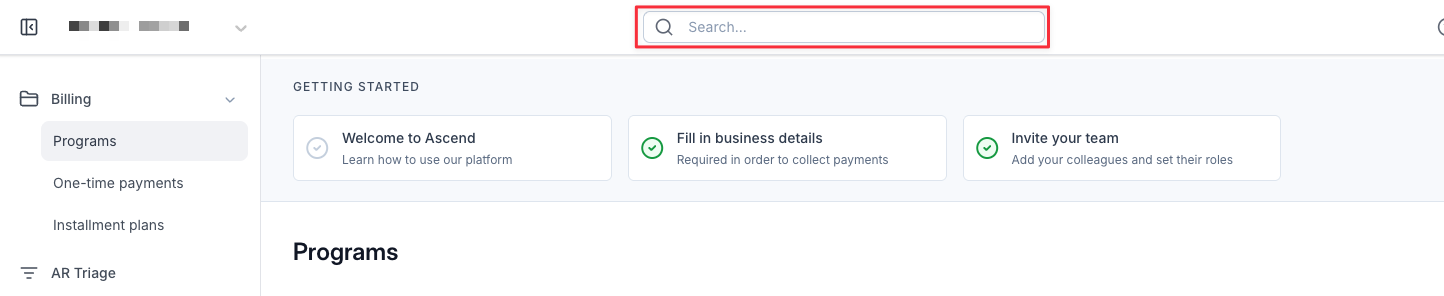
Search for the program for which you need to correct the wholesaler/MGA/carrier
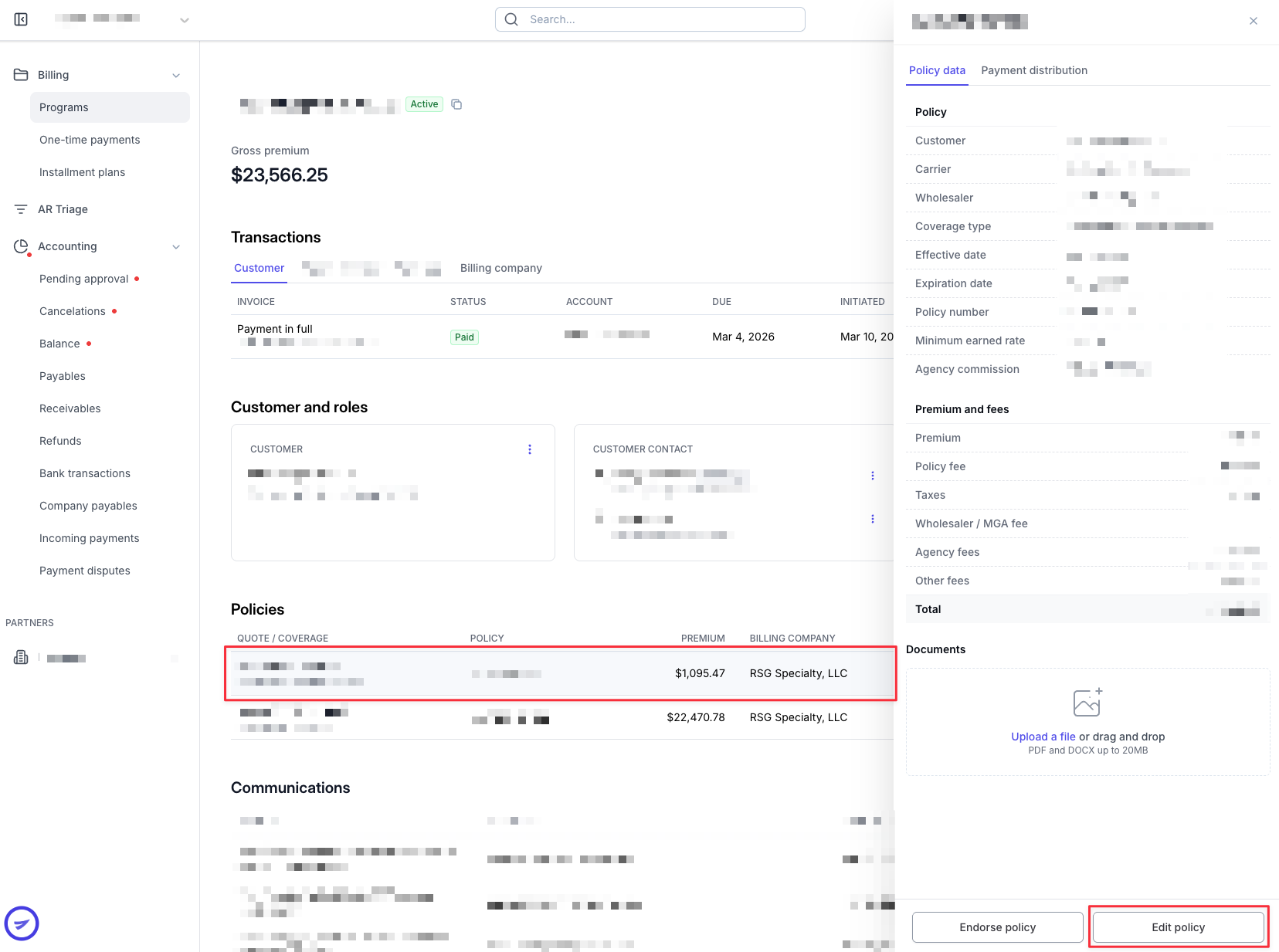
Scroll down to "Policies" section, click on the policy that needs to be corrected, and then click on "Edit Policy" in the drawer
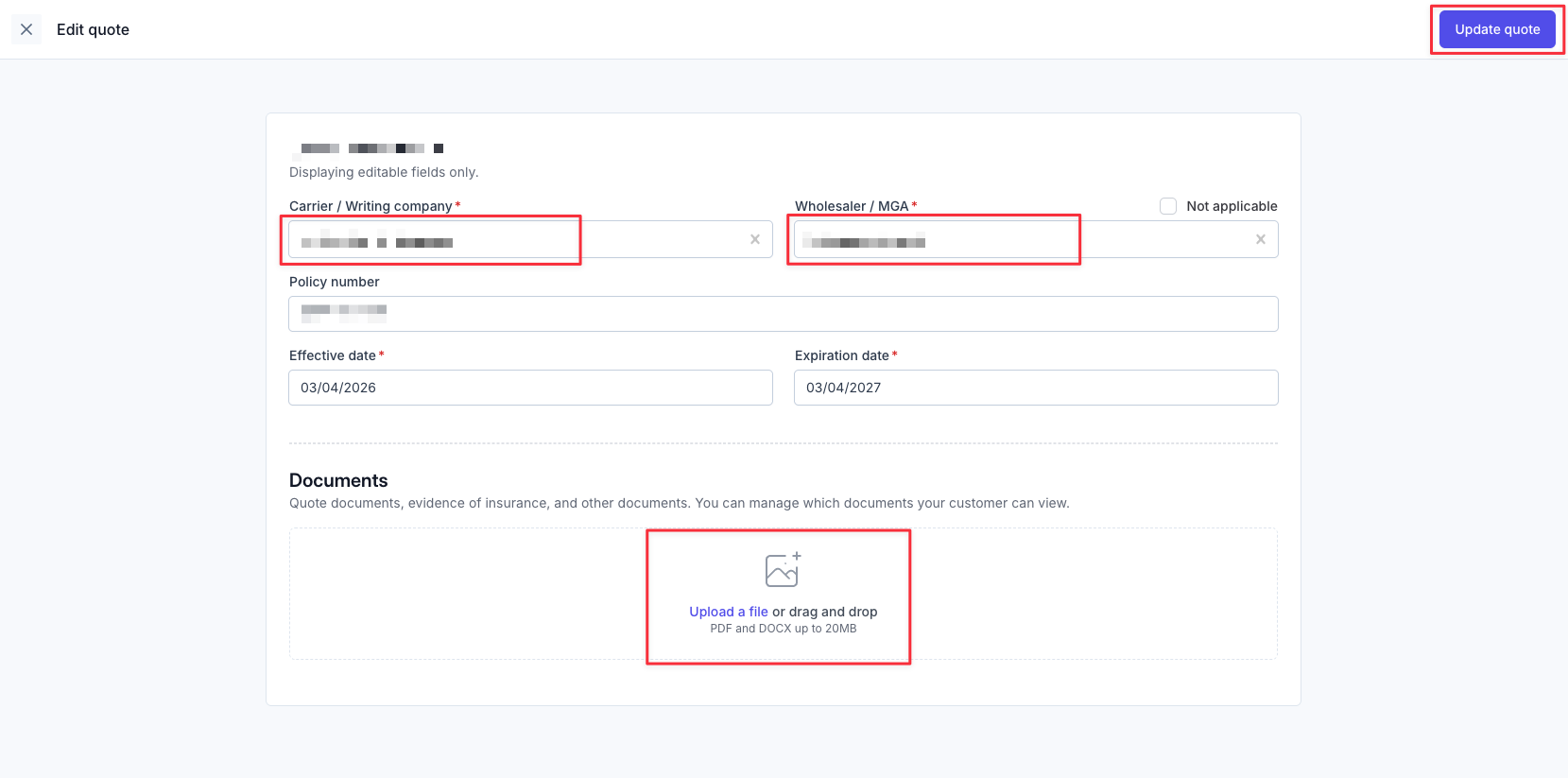
Enter the correct wholesaler/MGA/carrier
Upload the updated invoice which reflects the correct wholesaler/MGA/carrier.
Click Update quote once done
You should now see the updated wholesaler/MGA/carrier under policy details
When will funds get sent to the updated wholesaler/MGA/carrier?
Scenario 1: No payouts have gone out yet
In this case, Ascend will automatically send the funds to the updated wholesaler/MGA/carrier upon receiving the downpayment
Scenario 2: Payouts have already gone out to the old wholesaler/MGA/carrier
Please contact Ascend support at [email protected] to notify us of this
Once Ascend is notified, we will claw back the funds sent to the old wholesaler/MGA/carrier
Once Ascend receives the funds, we will re-route it to the updated wholesaler/MGA/carrier
FAQs
Can Ascend front funds to the updated wholesaler/MGA/carrier?
Ascend cannot front funds but in case there is urgency and your agency would like to front the funds to the updated wholesaler/MGA/carrier, this is possible.
Please let our Support team know and share proof of payment in case of a financed policy. Once we receive the refund, we will re-route it to your agency instead.
What if my agency receives the refund from the old wholesaler/MGA/carrier?
Please notify Ascend support and we will create an invoice for you to pay the updated wholesaler/MGA/carrier through our system.
Contact Us
Need more help? Contact us at [email protected] for more help.