Priority Bind with Ascend
Last updated: September 2, 2026
This is a guide that will teach you:
What is Priority Bind
How to process a Priority Bind Policy
FAQs
Priority Bind allows you to collect payment from your insured and issue payment to the wholesaler/carrier on the same day. This is intended to be used in pay-to-bind scenarios that typically pop up in the trucking vertical, specifically for companies like American Team Managers (ATM), Paramount General Agency (PGA), or Brazos Specialty Risk (BSR), and Trinity Underwriting Managers (TUMI).
Please note Ascend is no longer able to finance policies issued by Prime Insurance.
Setup for this feature is required before you can use it. Please contact Ascend support to set up this feature before you try using it.
Step-by-Step Instructions
Contact Ascend support with the name of the company that requires Priority Bind
Ascend will configure the feature in your account.
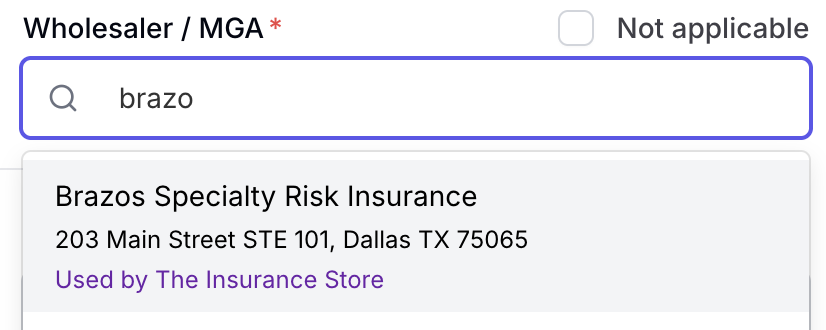
Once configured, create the program specifically with the carrier or wholesaler with the “Used by Your Agency” text in purple underneath.
Once the program is created, you should toggle payment methods to only allow credit card (or wire if enabled for your company), this will force the insured to pay instantly
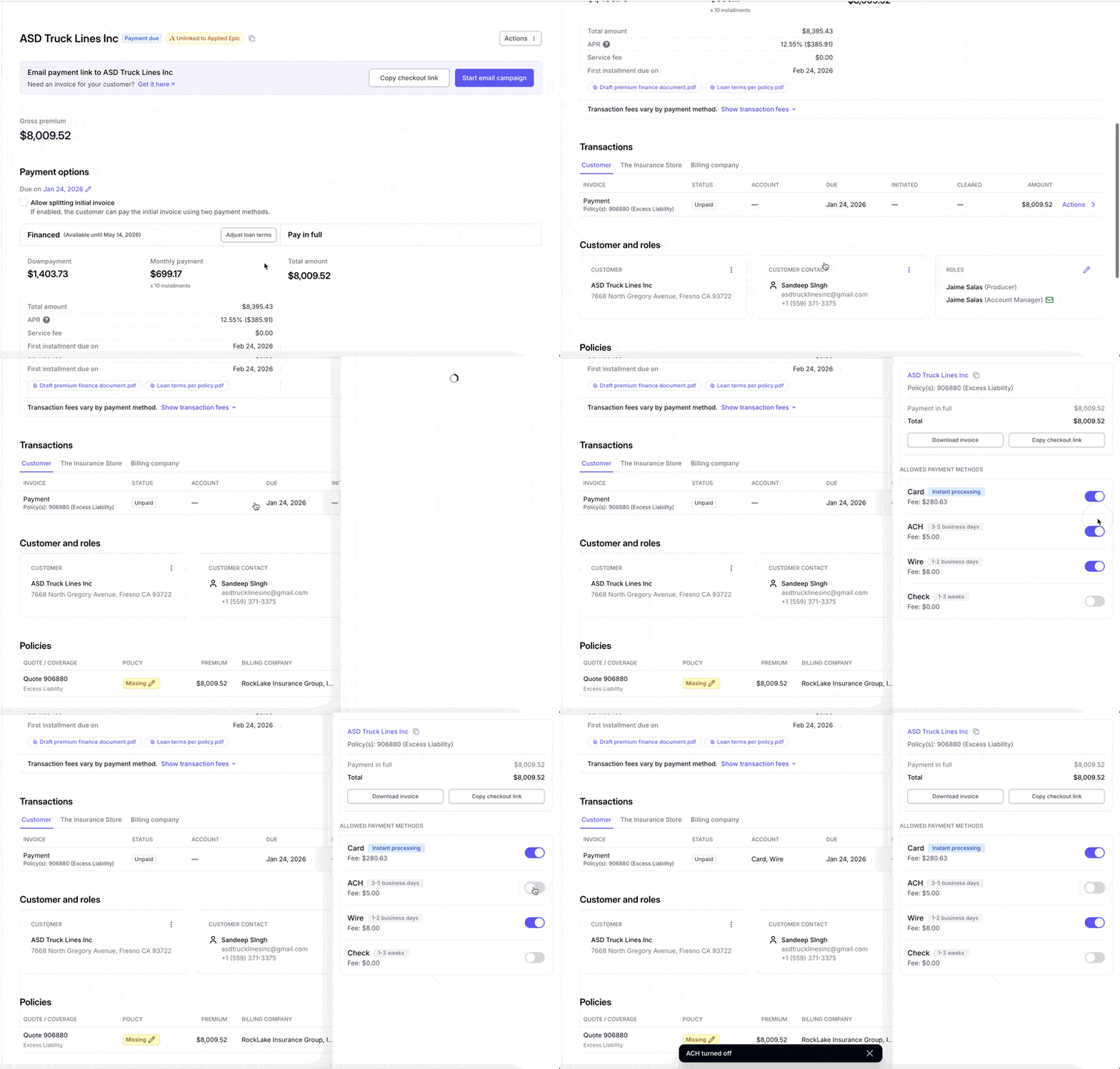
From there, send the payment link to your insured using the “Send Email” button

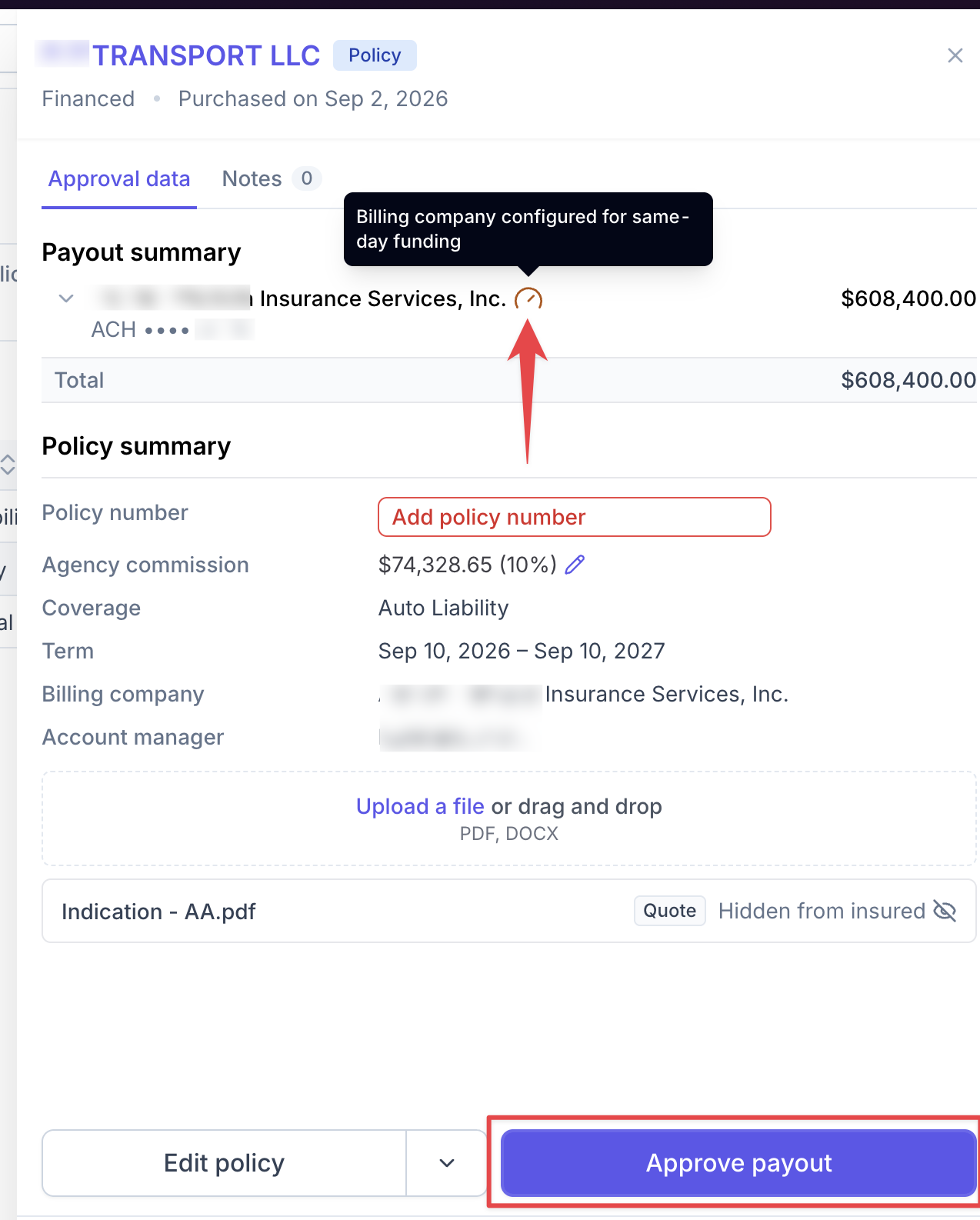
Once the insured pays, an Accounting or Admin user will need to approve the payout to the wholesaler or carrier
Clicking “Approve payout” will release net premium funds to the company within 1 hour.
You can verify a company is set up for priority bind by the yellow "speedometer" icon that appears next to the company's name in payout approval. The "Approve payout" button is also clickable without entering a policy number.
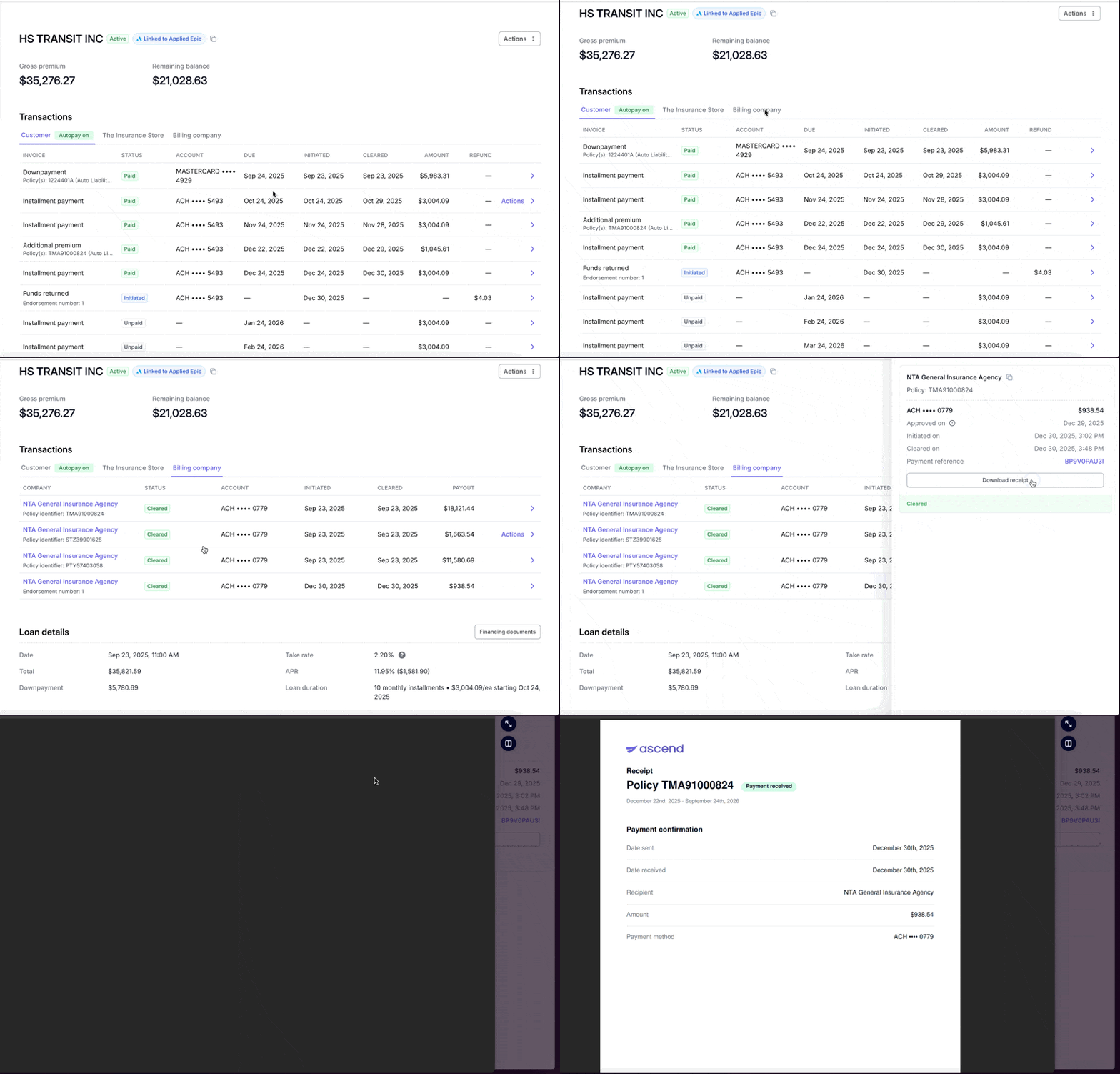
Once funds have been sent, you are able to download payment confirmations that can be shared with the company if necessary.
How-to Guide
Contact Us
Need more help? Contact us at [email protected] for more help.