AMS360 Notification Service Setup
Last updated: July 25, 2026
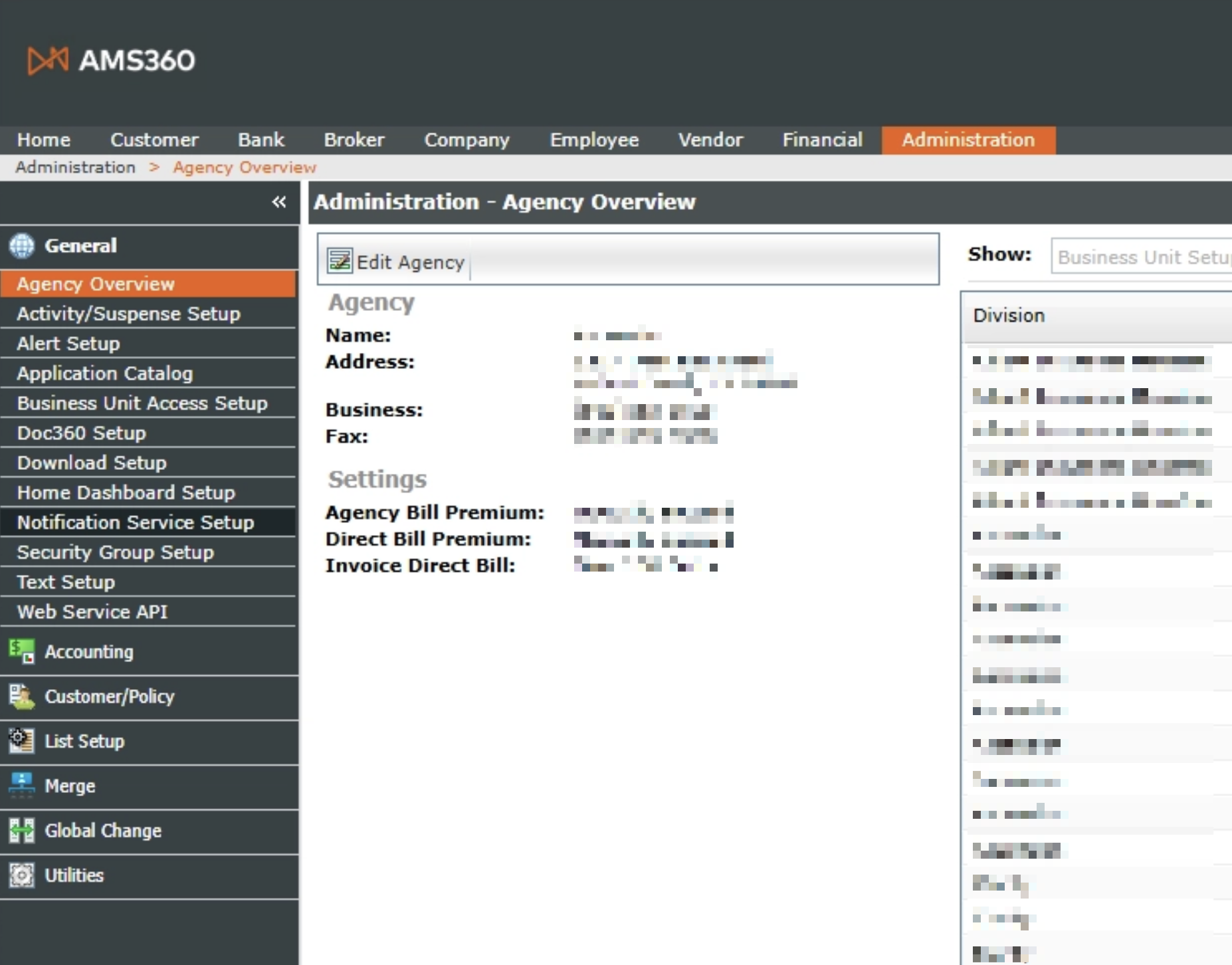
Go to
AdministrationTabin side bar, navigate to
General → Notification Service Setup
In the pop-up notification service window, click
Newto create a new notification service client
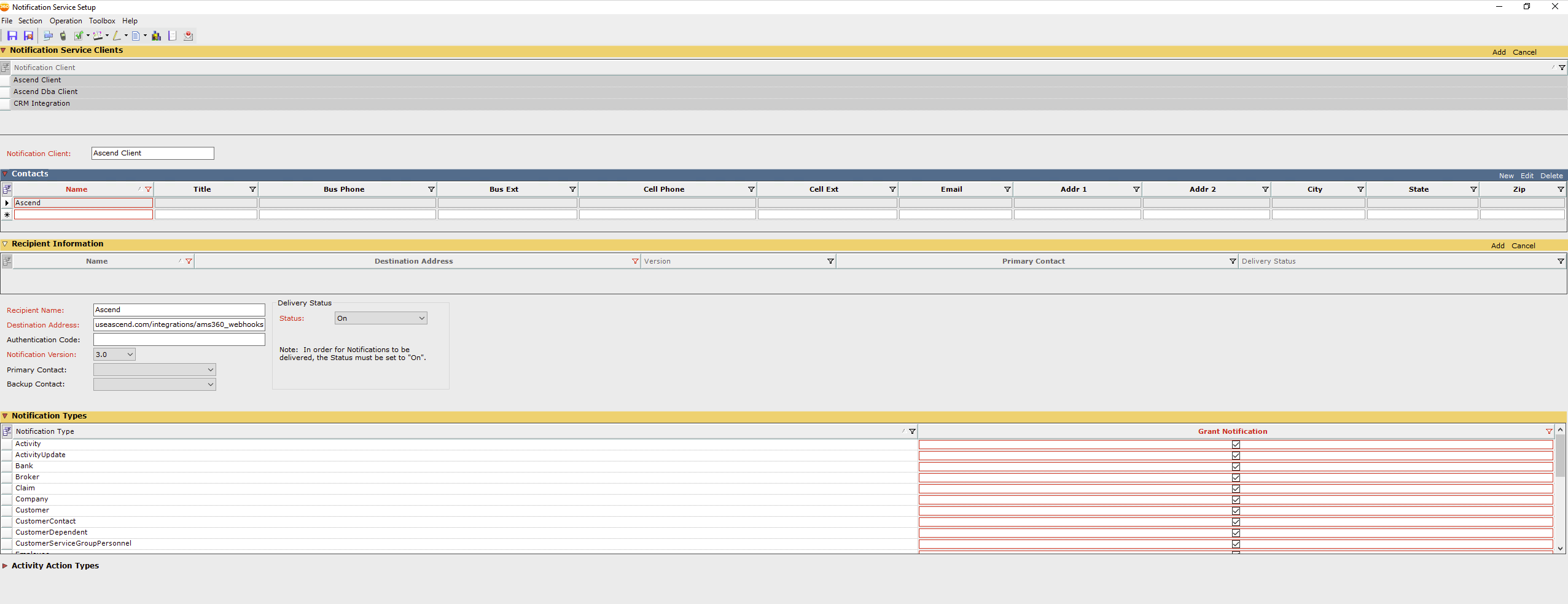
Complete field
Notification ClientEnter
Ascend Client
Under
Contacts, clickNewFill out the following information:
Name:
AscendEmail: developers+[agency name]@useascend.com
Under
Recipient Information, clickNewFill out the following information:
Recipient Name:
AscendDestination Address:
https://api.useascend.com/integrations/ams360_webhooksNotification version:
3.0Delivery status:
On
Under
Notification TypesCheck for the
Grant NotificationcolumnBroker
Customer
Company
LineOfBusiness
Policy
PolicyContact
PolicyTransactionPremium
Click
Addfor Recipient InformationClick
Saveup top
Contact Us
Need more help? Contact us at [email protected] for more help.