Using the Ascend Partner Dashboard to Make Payments to MGAs & Wholesalers
Last updated: July 21, 2025
This is a guide that will teach you:
How to use the Ascend dashboard to make payments
Agency Bill with Ascend
When an MGA, wholesaler, or carrier you work with uses Ascend for their agency billing, you have the ability to use Ascend's partner dashboard to submit a payment.
This action requires Admin or Accounting permissions. If you are unable to complete this action or otherwise need assistance, please reach out to [email protected].
Step-by-Step Guide
Log in to dashboard.useascend.com
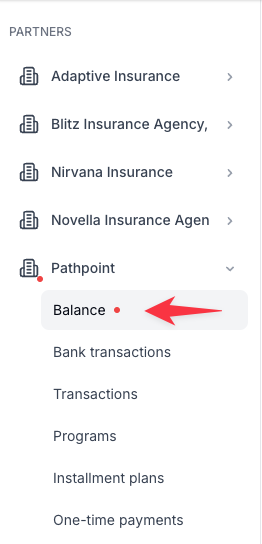
Select the "Balance" tab of the MGA / Wholesaler you want to pay
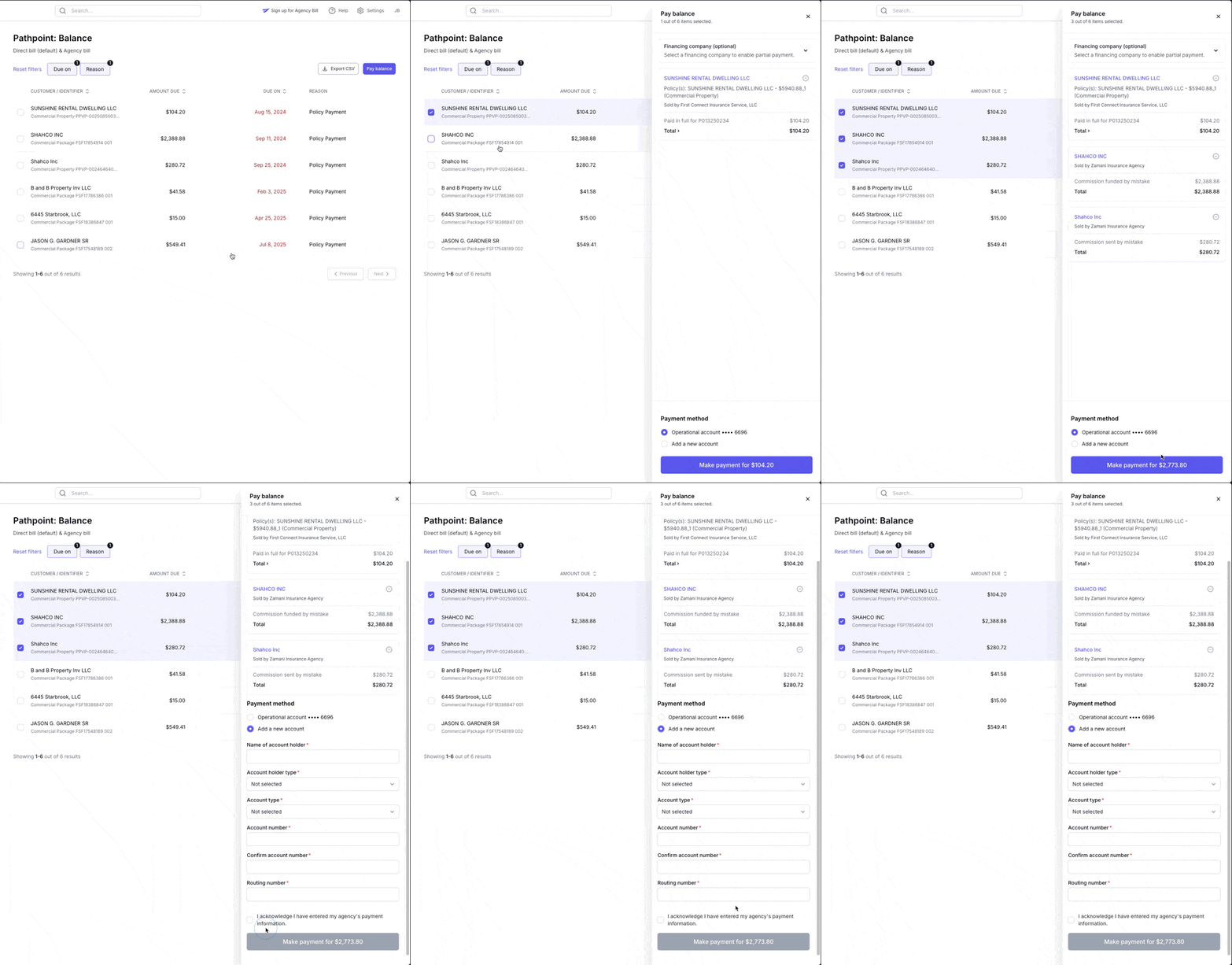
Select the policy (or policies) you want to pay for by clicking the checkbox next to the insured's name.
If you want to pay for all policies on a page, click the purple "Pay Balance" button in the top right corner
This will allow you to enter your company's bank account information to initiate the payment.
If you want to save your banking information for future payments, see more information here.
If you are trying to make a down payment on a financed policy, see more information here.
Contact Us
Need more help? Contact us at [email protected] for more help.