How to View and Download Payment Confirmations
Last updated: September 26, 2025
This is a guide that will teach you:
How to access Ascend to view client/company payment history
How to download PDF confirmations
Login at dashboard.useascend.com
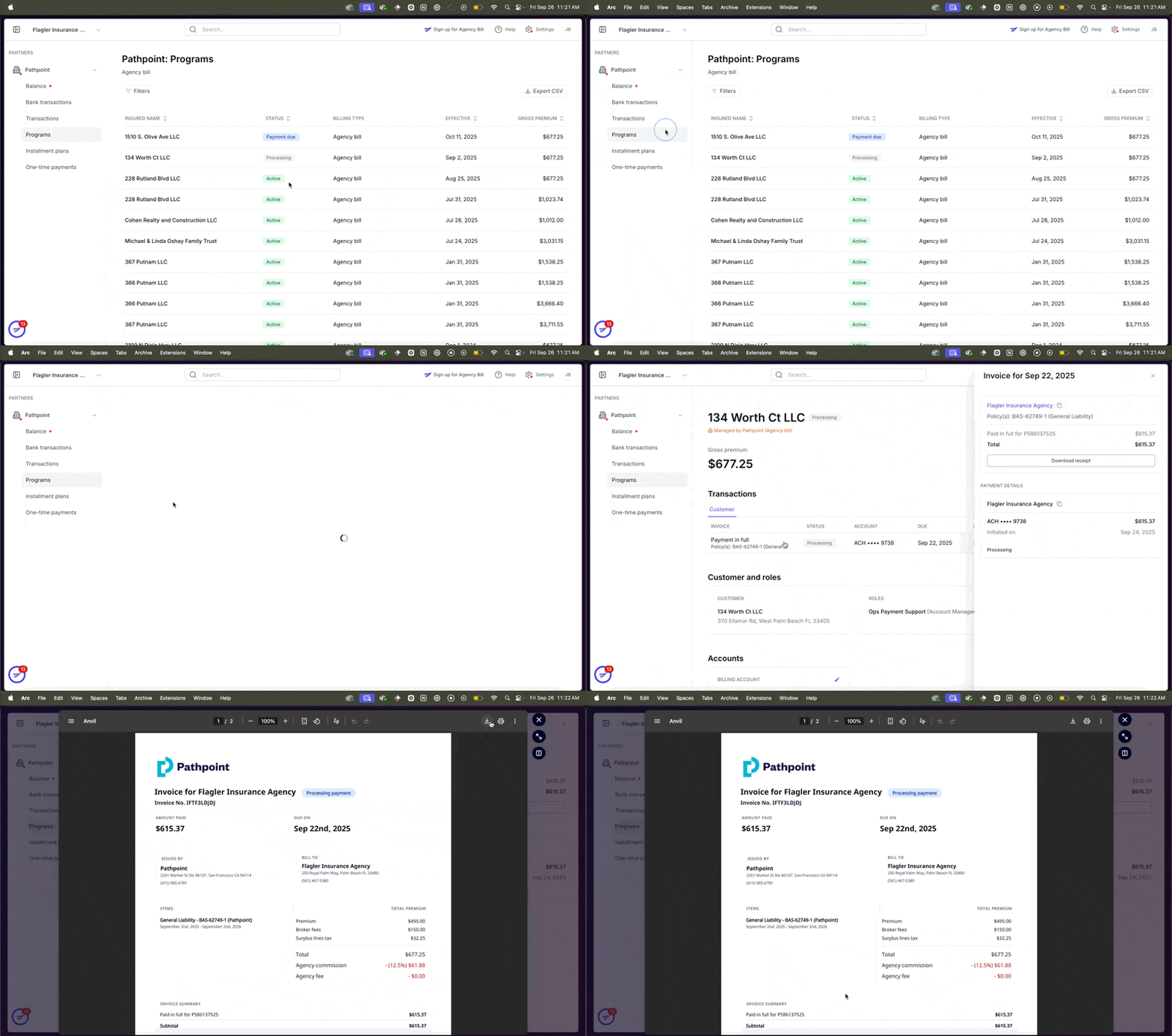
Navigate to the "Programs" section of the relevant partner
Select the client you want the confirmation for
Click on the payment in question, which will open a sidebar
Click "Download receipt" which will generate a PDF confirmation of the payment
If no payment has been submitted yet, you will be able to download an invoice
If you aren't able to log in to Ascend, please contact [email protected]
Contact Us
Need more help? Contact us at [email protected] for more help.