Setting Up Statement Fetching
Last updated: September 3, 2026
Direct Bill Automation
This guide explains:
How to set up automated statement fetching in Ascend
Where fetched statements appear once they are available
Overview
Ascend can automatically check your carrier portal logins every weekday (Monday through Friday) to determine whether new statements have been posted. When one or more new statements are detected, Ascend securely fetches them and places them directly into your Ascend Inbox—no manual downloads required.
Statement Fetching Setup
Follow the steps below to enable statement fetching:
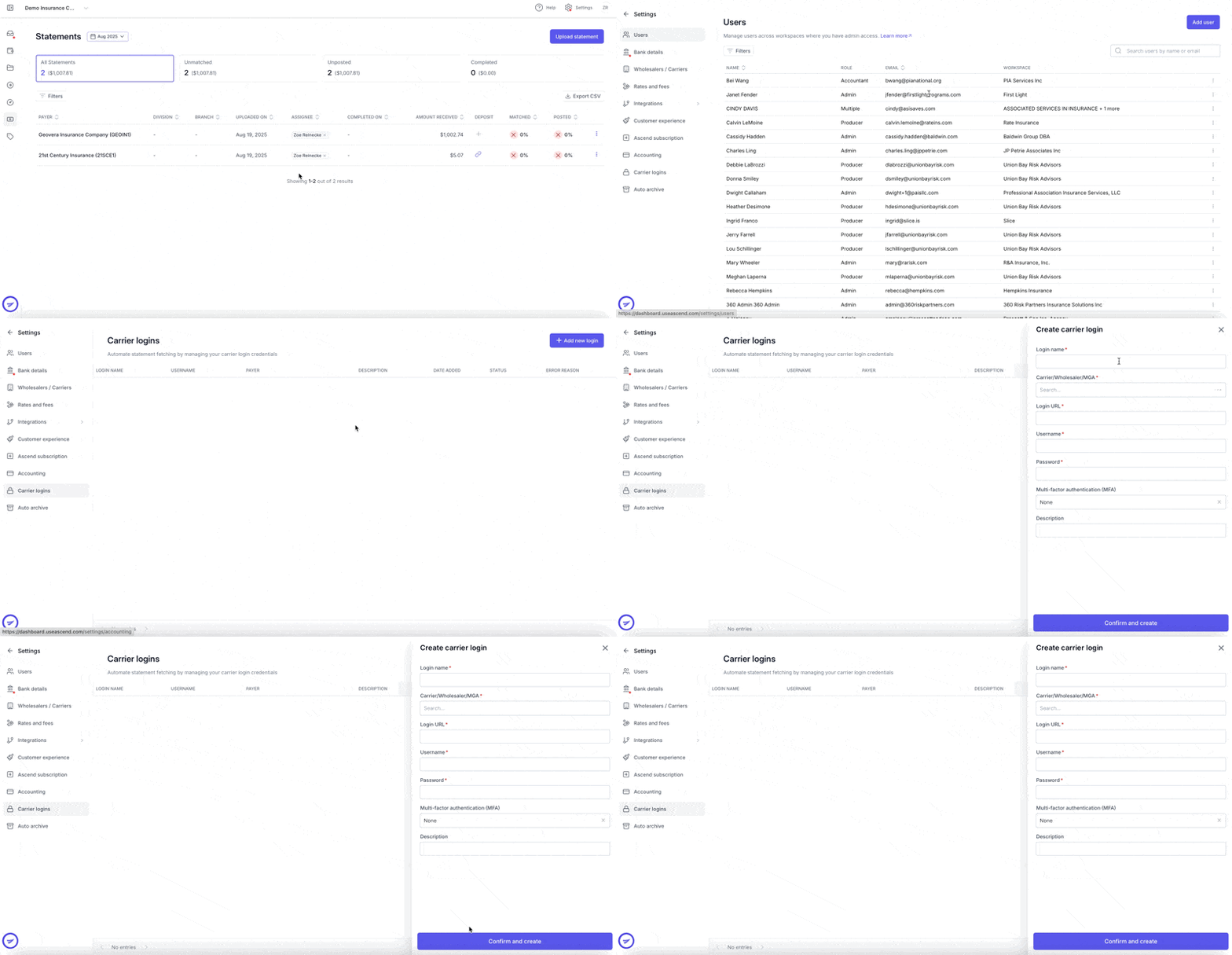
Navigate to your Ascend dashboard: https://dashboard.useascend.com
On the login page, enter your email address.
Check your email for the one-time verification code sent by Ascend.
Enter the one-time code on the Ascend login page to sign in.
Once logged in, click Settings in the top-right corner of the page.
In the left-hand menu, select Carrier Logins.
Click + Add New Login.
Enter the required carrier login details and save.
After carrier logins are added, there is a five (5) business day setup period before Ascend begins automatically checking the carrier portal.
Statements in Ascend
Fetched statements are delivered to the Ascend Inbox.
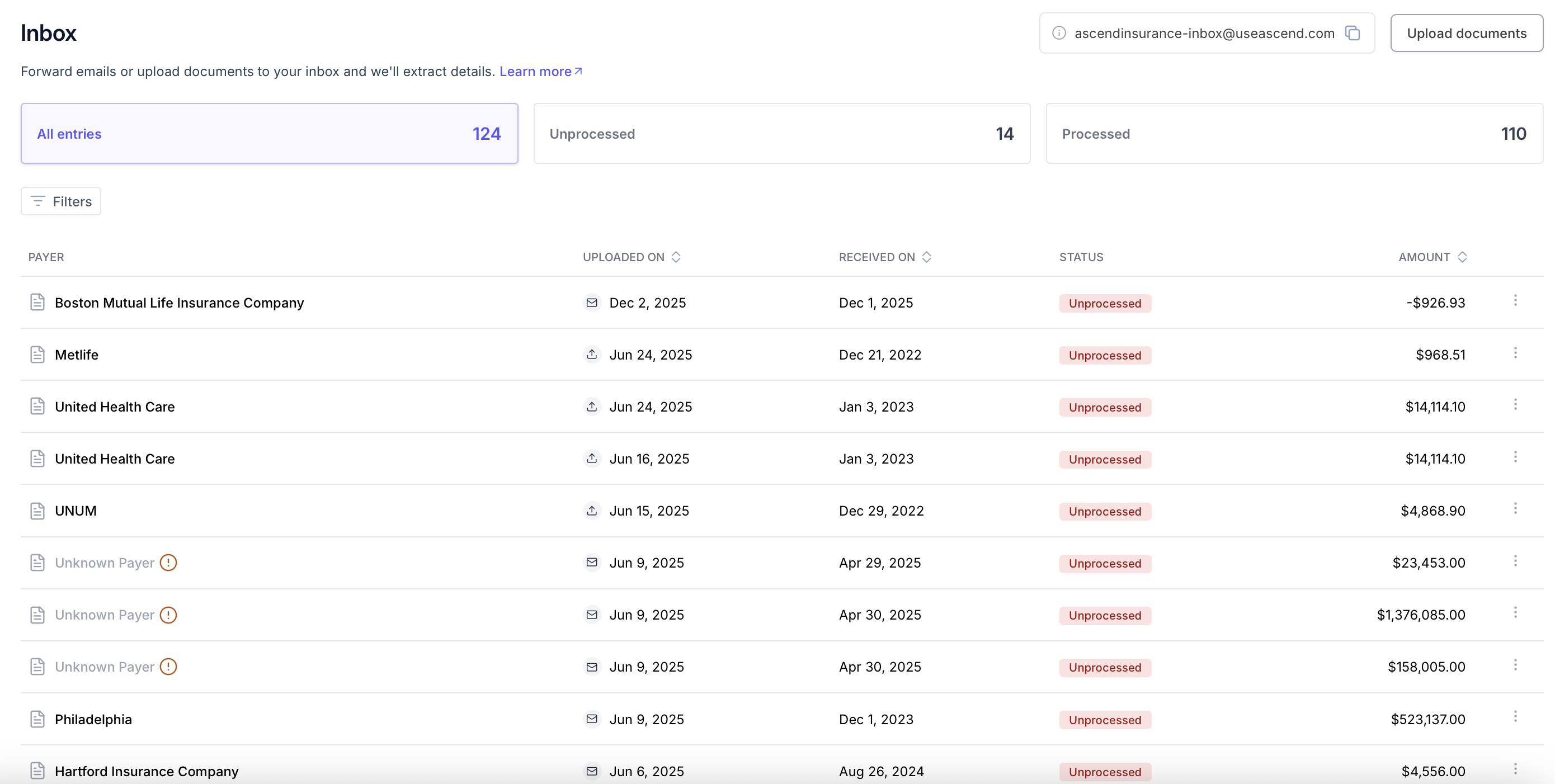
Statements retrieved through carrier logins are marked with a cloud icon, indicating they were automatically fetched.
Frequently Asked Questions
1. Does Ascend support MFA?
Yes. Ascend supports statement fetching for carrier logins that require email-based MFA. Please contact your Customer Success Manager for assistance with setup.
2. How often does Ascend check carrier logins?
Ascend checks carrier portals every weekday, Monday through Friday.
3. Do I need to create a separate login for Ascend?
No. Use an existing carrier login that is already associated with your agency.
4. What happens if I need to update my password?
Ascend does not automatically update login credentials. If a password update is required, you will receive a notification prompting you to update the credentials in the Settings dashboard.
5. Can Ascend fetch statements for multiple agency codes?
Yes. Ascend can fetch statements tied to multiple agency codes. Please note this in the Description field when adding the carrier login.
Contact Us
Need more help? Contact us at [email protected] for more help.