Identifying Entries Ready to Post
Last updated: September 3, 2026
Direct Bill Automation
This guide explains:
How Ascend identifies entries that are ready to post
How to use the Unposted filter on the Statements Dashboard
Which entries and amounts are included in the filtered results
Overview
Ascend regularly syncs with your agency management system (AMS) to retrieve updated policy information and identify new matching opportunities. When updated information allows an unmatched statement entry to be matched, Ascend automatically completes the match.
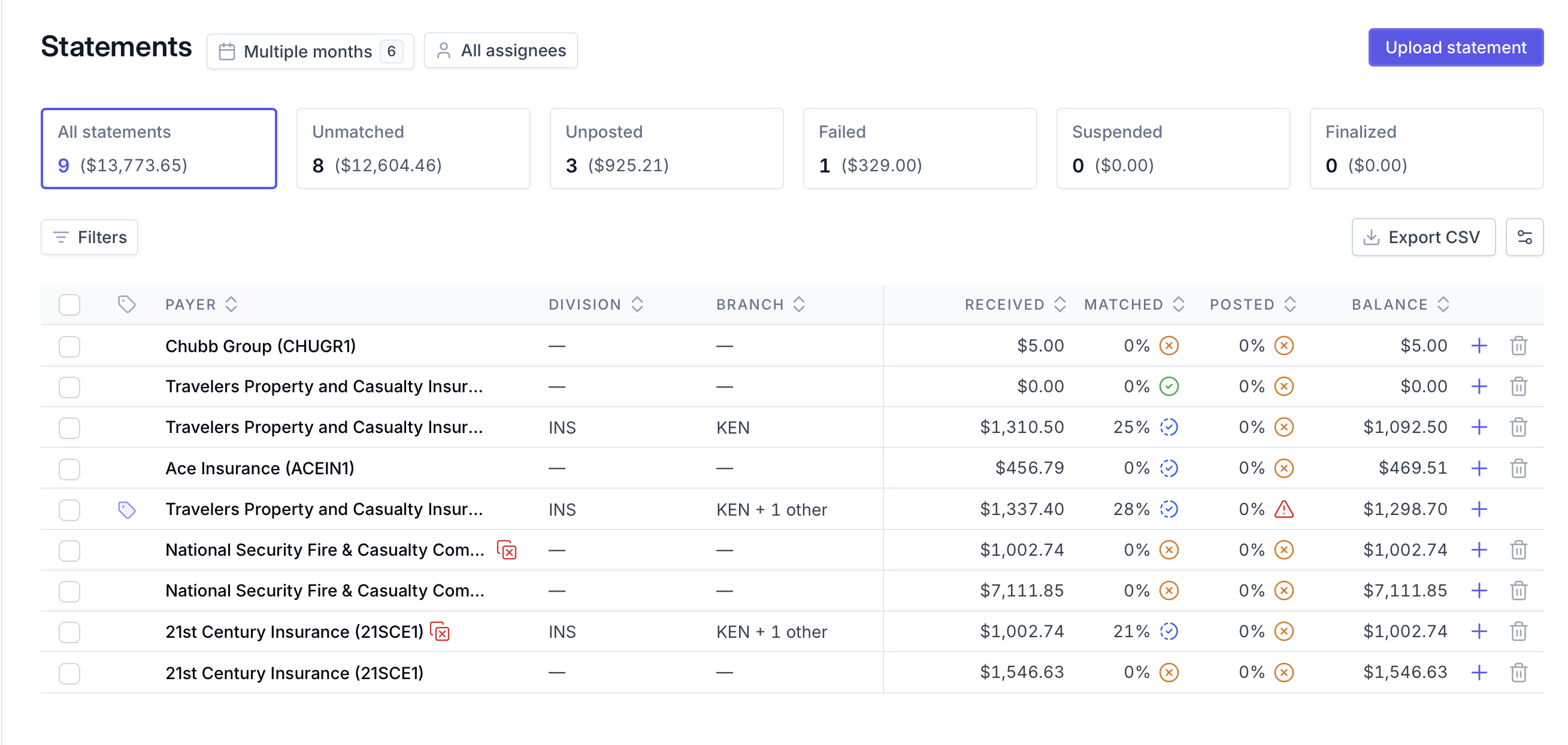
The Statements Dashboard provides visibility into entries that are ready to post. The Unposted filter allows you to quickly find statements containing entries that have been matched but not yet posted to your AMS.
Find Entries That Are Ready to Post
To identify statements with entries that are ready to post:
Navigate to the Statements Dashboard.
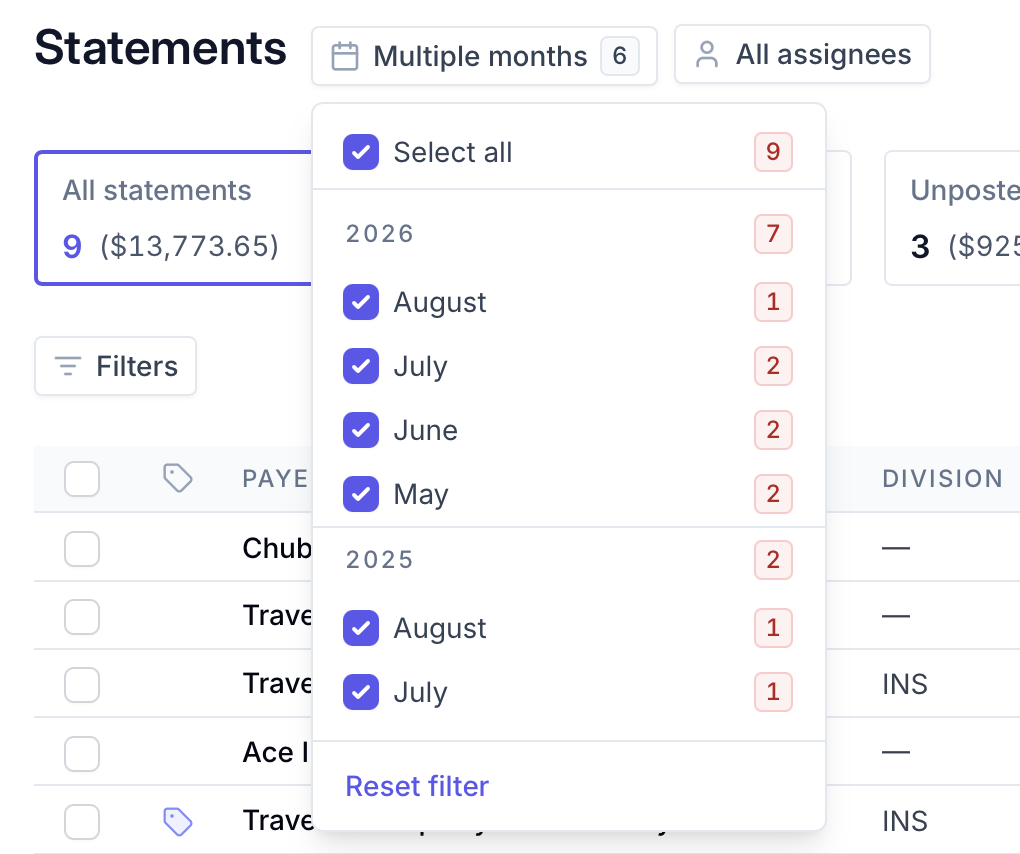
Select the accounting month or months you want to review.
Click the Unposted filter at the top of the dashboard.

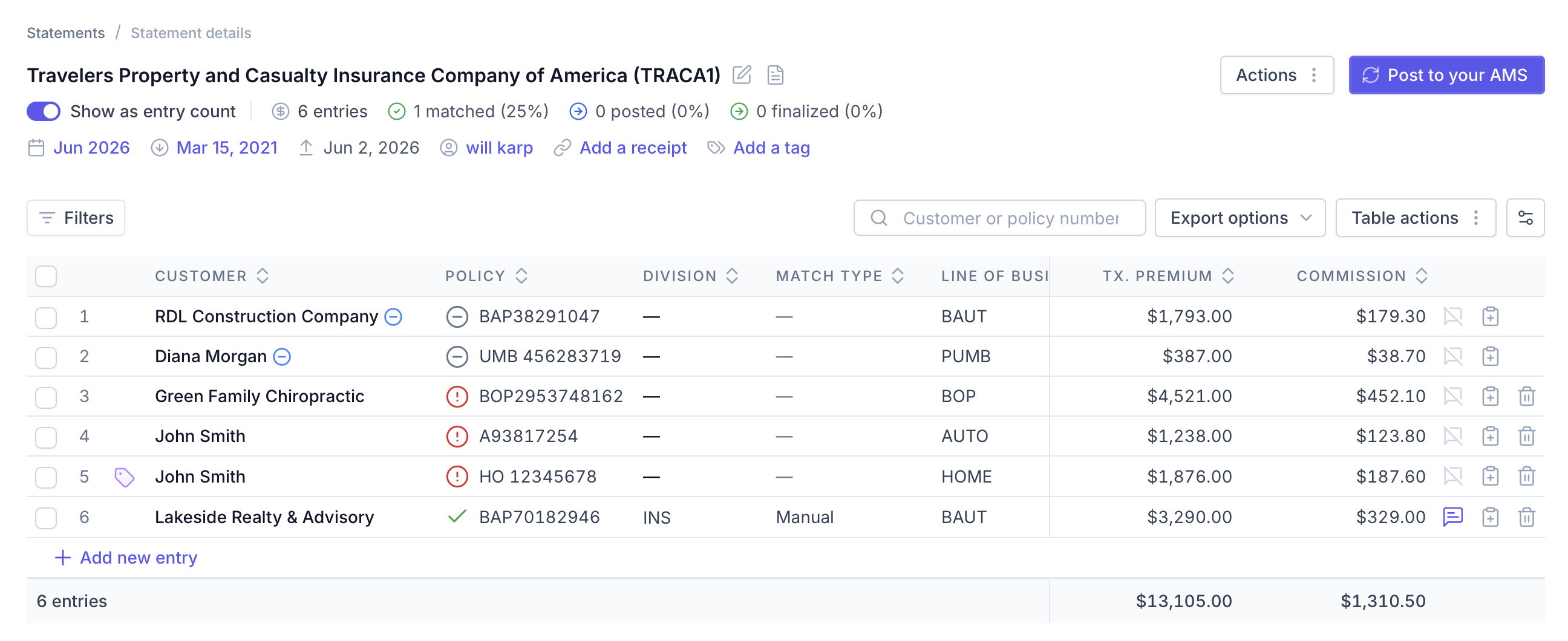
Select a statement from the filtered results to review its matched, unposted entries.
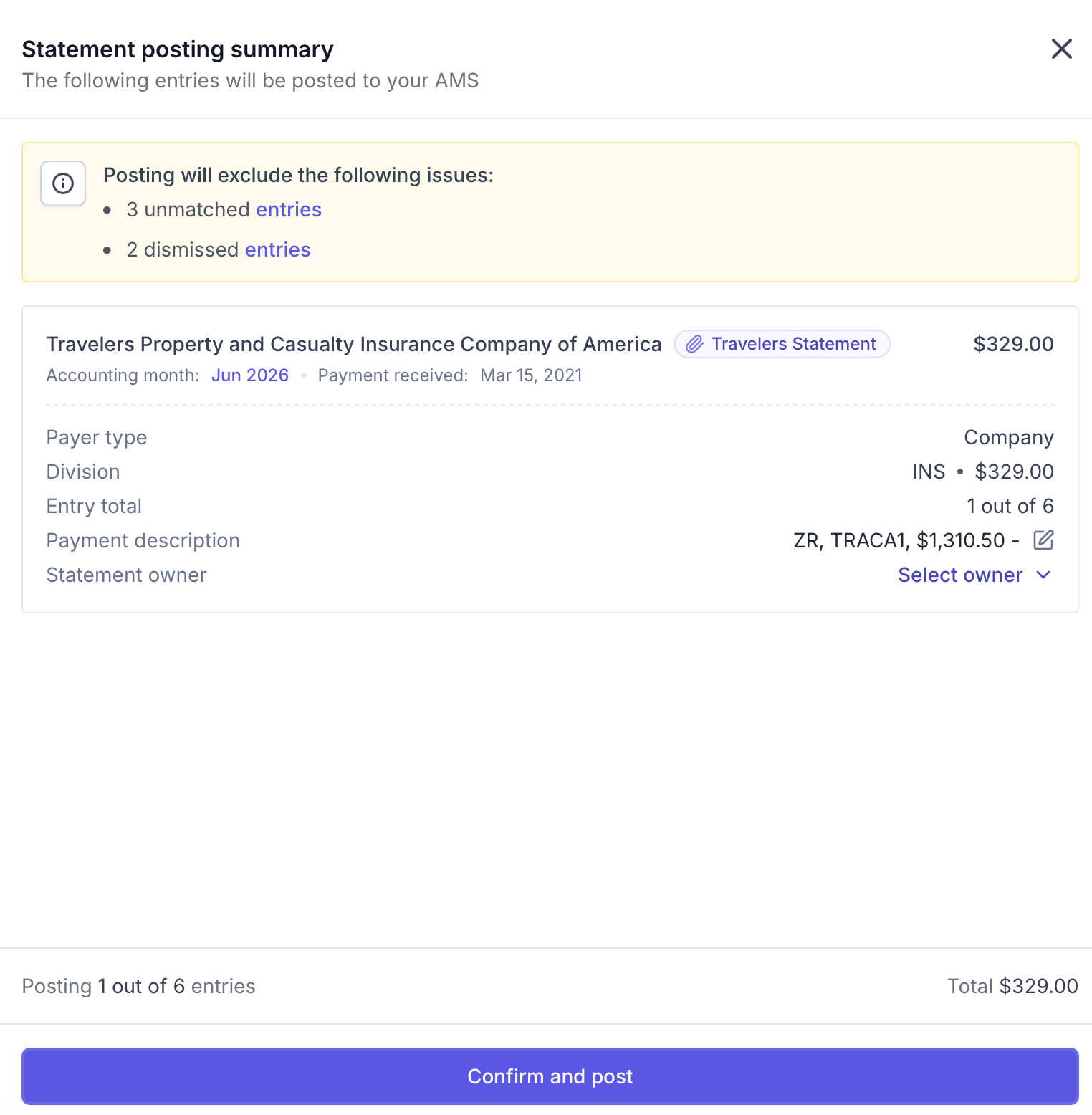
Complete the posting workflow when you are ready.
The Unposted filter surfaces statements containing:
Entries that have been tagged and matched
Entries that have been matched without tags
This allows you to go directly to the entries that are ready to post instead of reviewing each statement individually.
Note: A statement appears in the Unposted view when it contains at least one matched entry that has not yet been posted. Other entries on the same statement may still require review or matching.
Understand the Unposted Totals
The Unposted filter summarizes matched, unposted activity across statements in the accounting month or months currently selected.
The dashboard provides visibility into:
The dollar amount associated with matched entries that have not yet been posted
The commission amount associated with those entries
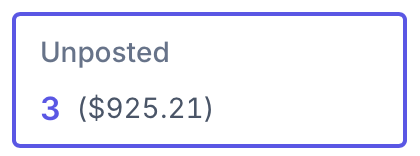
If you change the selected accounting period, the statements and amounts shown in the Unposted view will update accordingly.
Frequently Asked Questions
What does “Unposted” mean?
An unposted entry has been matched to a policy but has not yet been posted to your AMS.
What amounts are displayed in the Unposted view?
The dashboard summarizes the dollar amount and commission associated with entries that are matched but have not yet been posted.
Why might the unposted totals change?
The totals may change when:
Ascend identifies new matches after syncing with your AMS
A user manually matches or unmatches an entry
Entries are posted
The selected accounting period changes
Does Ascend continue trying to match unmatched entries?
Yes. Ascend regularly syncs with your AMS and uses updated policy information to identify additional matching opportunities.
Ascend is regularly syncing with your AMS Platform to determine if any updates allow for matches to be made. At that point, if a match can be completed, Ascend would match the entry. However, it is important to have visibility at all times of what is ready to be posted. The Statements Dashboard provides the necessary insight.
The Unposted filter in the Statements Dashboard shows you how much money across all the statements in the selected accounting month or months have 1 or more entry that has been matched but not yet posted. It also breaks down how much commission is accounted for in the matched but not yet posted category.
Contact Us
Need more help? Contact us at [email protected] for more help.