Mapping All Coverage Types
Last updated: October 7, 2026
Direct Bill Automation
This is a guide that will teach you:
How to map all coverage types for a carrier to a single line of business
When to use the Override all coverage types setting
How this setting impacts matching in Ascend
Overview
For carriers where policies exclusively map to the same line of business in your AMS, Ascend allows you to configure a designated line of business to use for all entries from that carrier.
When Override all coverage types is enabled, Ascend will use the configured line of business when matching entries to policies in your AMS, regardless of the line of business or coverage type identified on the statement.
For example, if a carrier's policies should always map to Commercial Lines in your AMS, you can configure Commercial Lines as the override. Even if an entry on the statement is associated with a different line of business or coverage type, Ascend will use Commercial Lines when matching the entry to your AMS.
Configure a Line of Business for All Coverage Types
To configure this setting:
Navigate to the carrier you would like to configure.
Click Actions.
Select Configure lines of business.
Turn on Override all coverage types.
Review the notice explaining how this setting will affect matching.
Select the line of business that Ascend should use when matching entries for this carrier.
Click Save changes.
Once saved, Ascend will use the selected line of business when matching entries from that carrier to your AMS, regardless of the line of business identified on the statement.
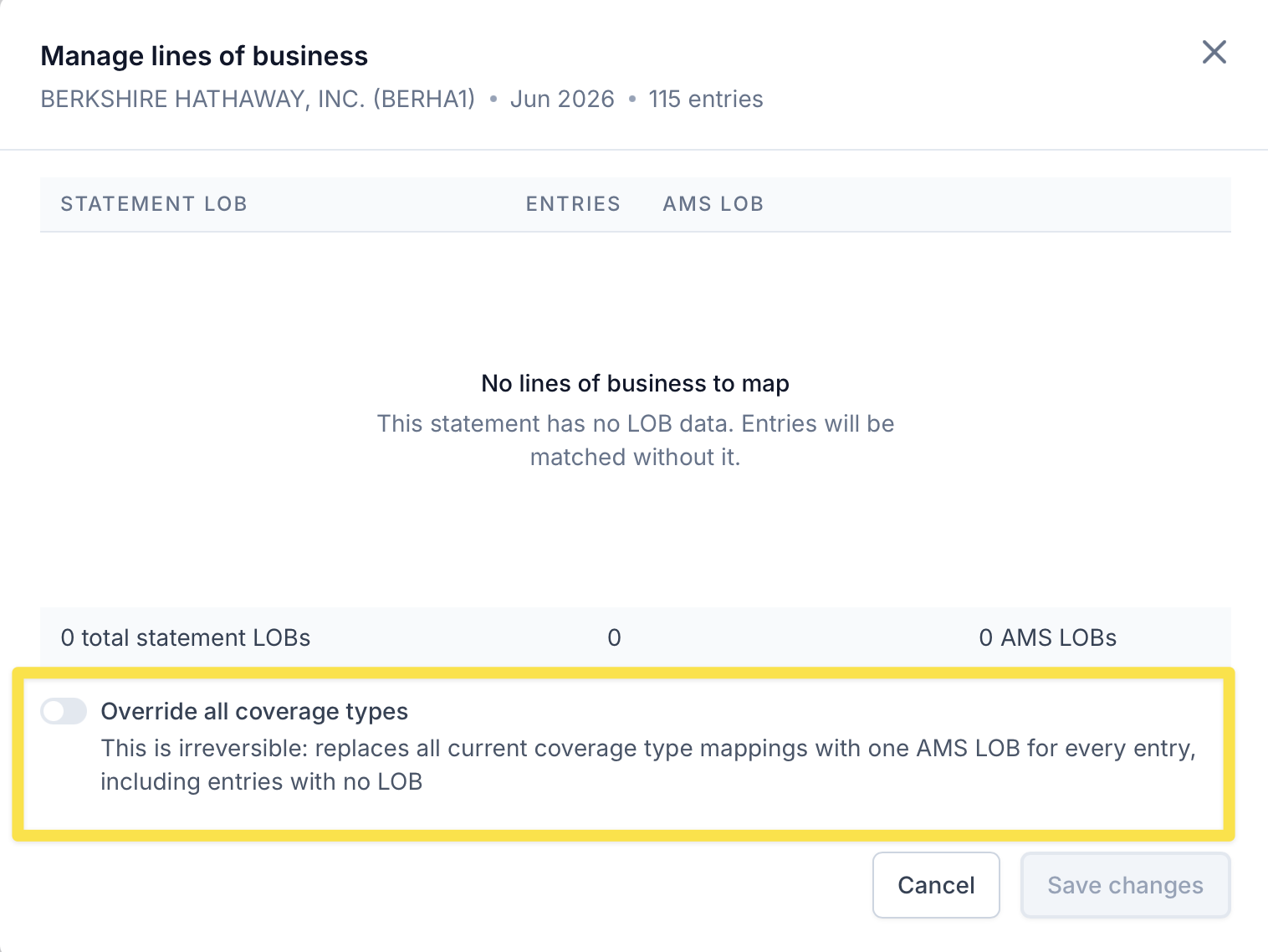
When to Use This Setting
The Override all coverage types setting is best used when a carrier's policies should always map to the same line of business in your AMS.
For example, if all policies for a particular carrier should be matched using Commercial Lines, you can select Commercial Lines as the designated line of business. Ascend will then use Commercial Lines for matching even when the statement identifies a different line of business.
If policies for a carrier can map to multiple lines of business in your AMS, you should continue configuring individual line of business mappings instead.
How This Affects Matching
When Override all coverage types is enabled:
Ascend will always use the selected line of business when matching entries from that carrier to your AMS.
The line of business or coverage type identified on the statement will not determine which line of business Ascend uses for matching.
Existing individual coverage type mappings will not be used to determine the line of business while the override is enabled.
You can return to Configure lines of business at any time to update or disable this setting.
Frequently Asked Questions
When should I enable Override all coverage types?
Enable this setting when all policies for a carrier should map to the same line of business in your AMS.
When should I use individual line of business mappings instead?
Use individual mappings when a carrier’s policies can map to multiple lines of business in your AMS.
What happens to the coverage type listed on the statement?
Ascend will disregard the statement’s coverage type for matching and use the selected line of business instead.
What happens to existing coverage type mappings?
Existing individual mappings will not be used while Override all coverage types is enabled. They will not be deleted.
Contact Us
Need more help? Contact us at [email protected] for more help.