Statement vs. Invoice Reconciliation
Last updated: September 21, 2026
This is a guide that will teach you understand best practices for:
Paying Statements
Paying Invoices
Overview
Payables teams are responsible for reconciling both statements and invoices from carriers. Ascend provides two views in the Documents dashboard to help assist with reconciling both types of documentation
Use the Documents View when you're working from the statement as a whole - for example, reviewing an uploaded document, checking its overall match status, or managing the statement itself.
Use the Entries View when you need to work at the policy or transaction level - for example, combining or splitting entries, resolving a discrepancy on a single line item, or posting individual matched policies to AMS.
Paying Statements - Documents View
The Documents View shows all carrier statements and invoices uploaded to Ascend at the document level. Use this view when you want to see, manage, and reconcile a full statement as a single unit.
Under Payables, click Documents to access the Documents Dashboard, then select the Documents View.
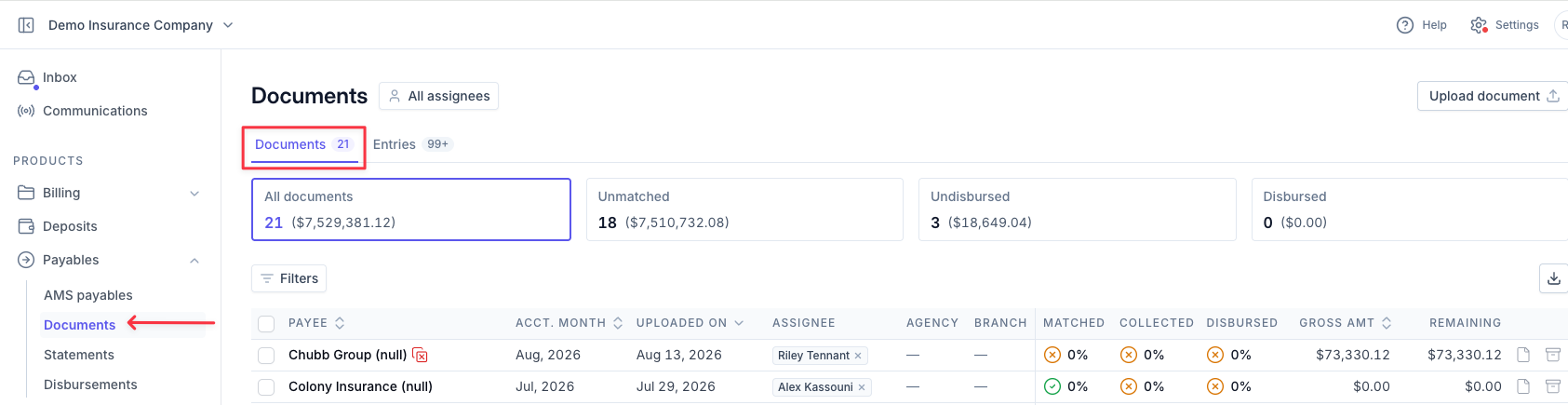
Use the quick filters across the top - All statements, Unmatched, Undisbursed, and Disbursed - to group statements by status.

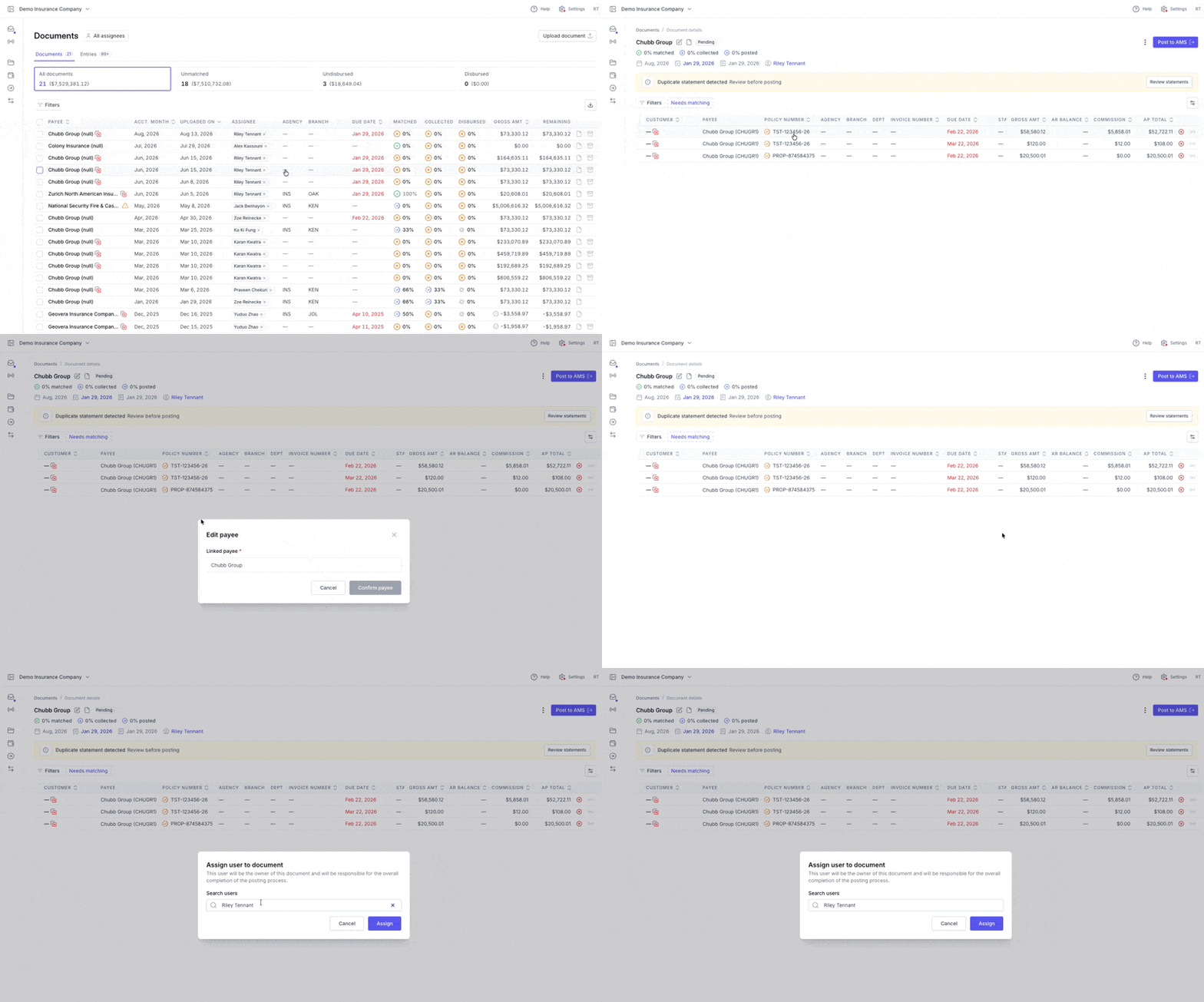
Click on a statement row to open its details, view the original document, update the payee or assignee, and work through matching for that statement.
Paying Invoices - Entries View
The Entries View provides a line-item level perspective of every transaction extracted from your uploaded documents. While the Documents View focuses on entire statements, this view helps you manage invoices.
Under Payables, click Documents to access the Documents Dashboard, then select the Entries View.
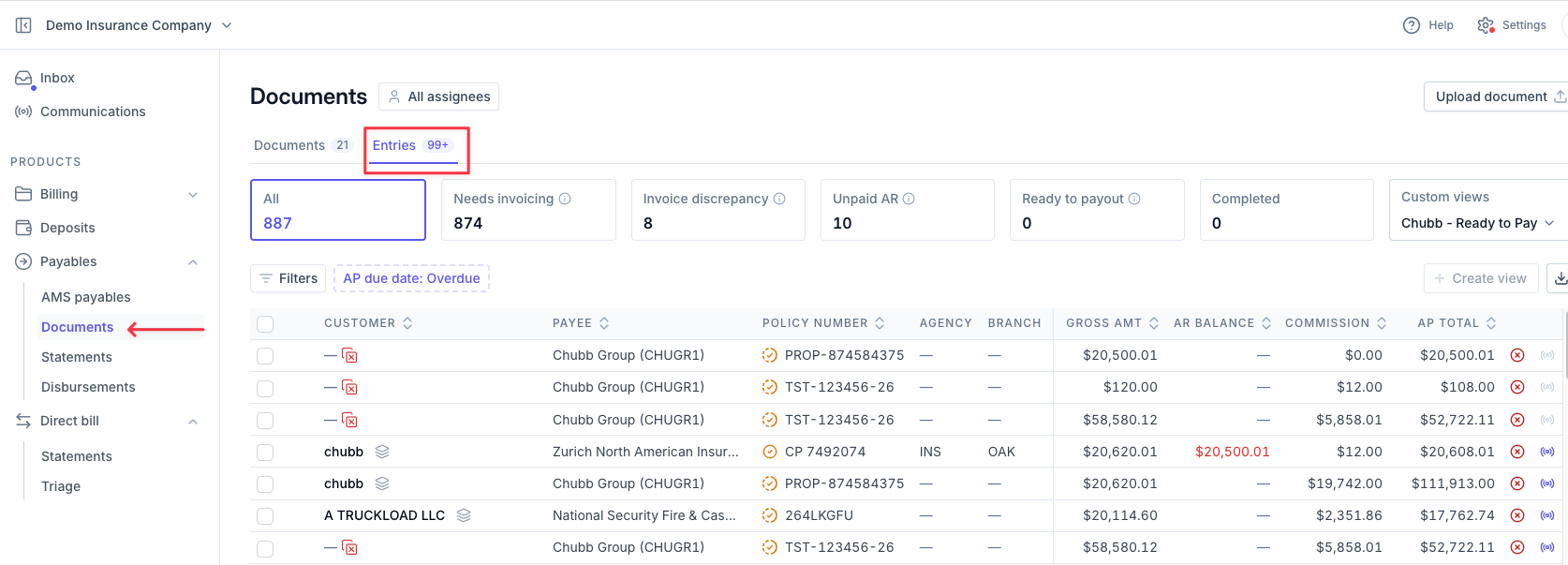
Use the quick filters across the top - Needs Invoicing, Invoice Discrepancy, Unpaid AR, Ready to Payout, and Completed - to group individual entries by status.

Contact Us
Need more help? Contact us at [email protected] for more help.