Update a Policy Effective Date
Last updated: June 22, 2026
This is a guide that will teach you:
How to update the effective date of a policy
What the limitations of these updates are
How to update the effective date of a policy
From the program page where the relevant policy exists, scroll down to the Policies section
Locate the row for the policy you'd like to update
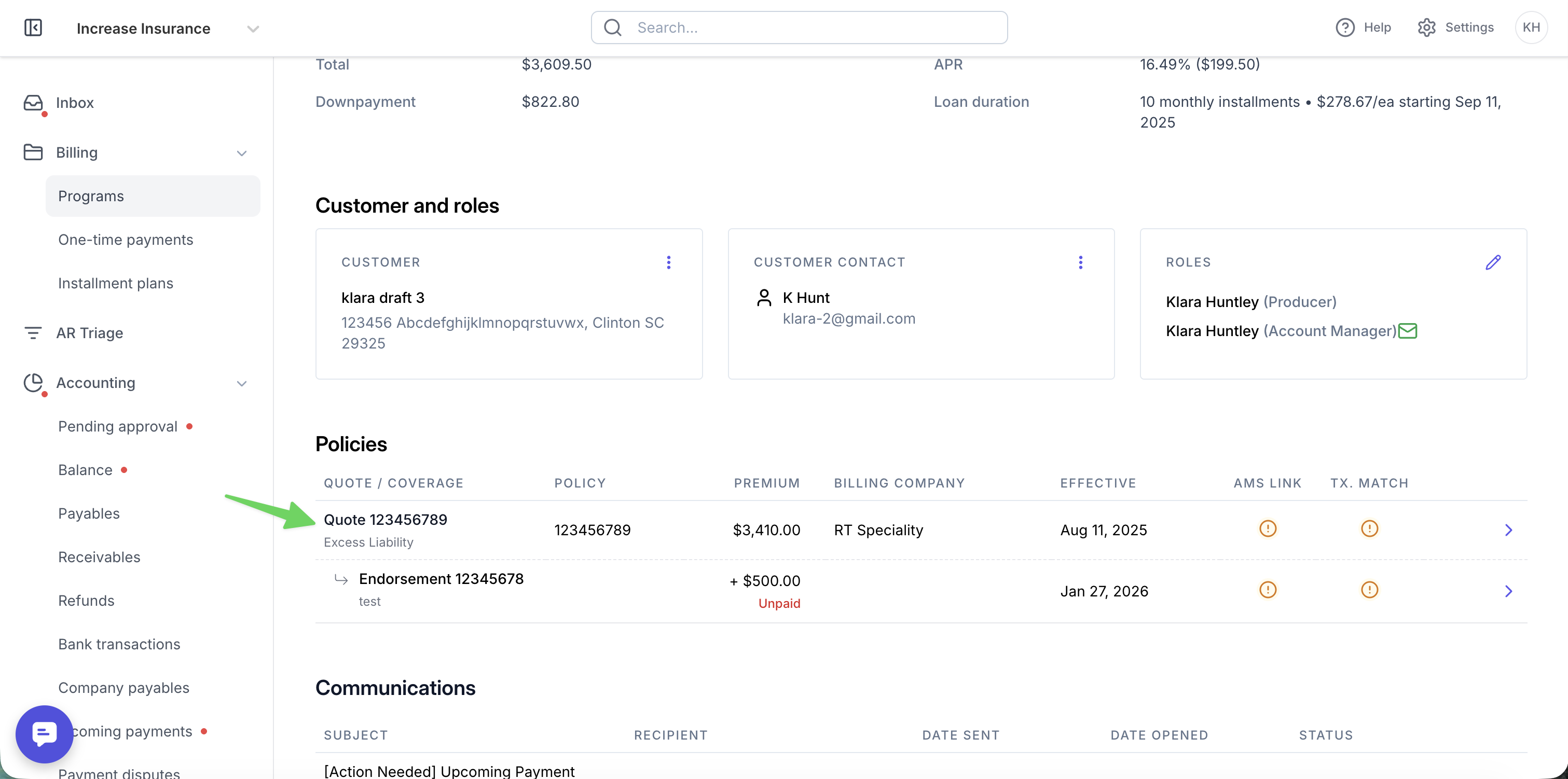
Select the Actions menu on the right-hand side
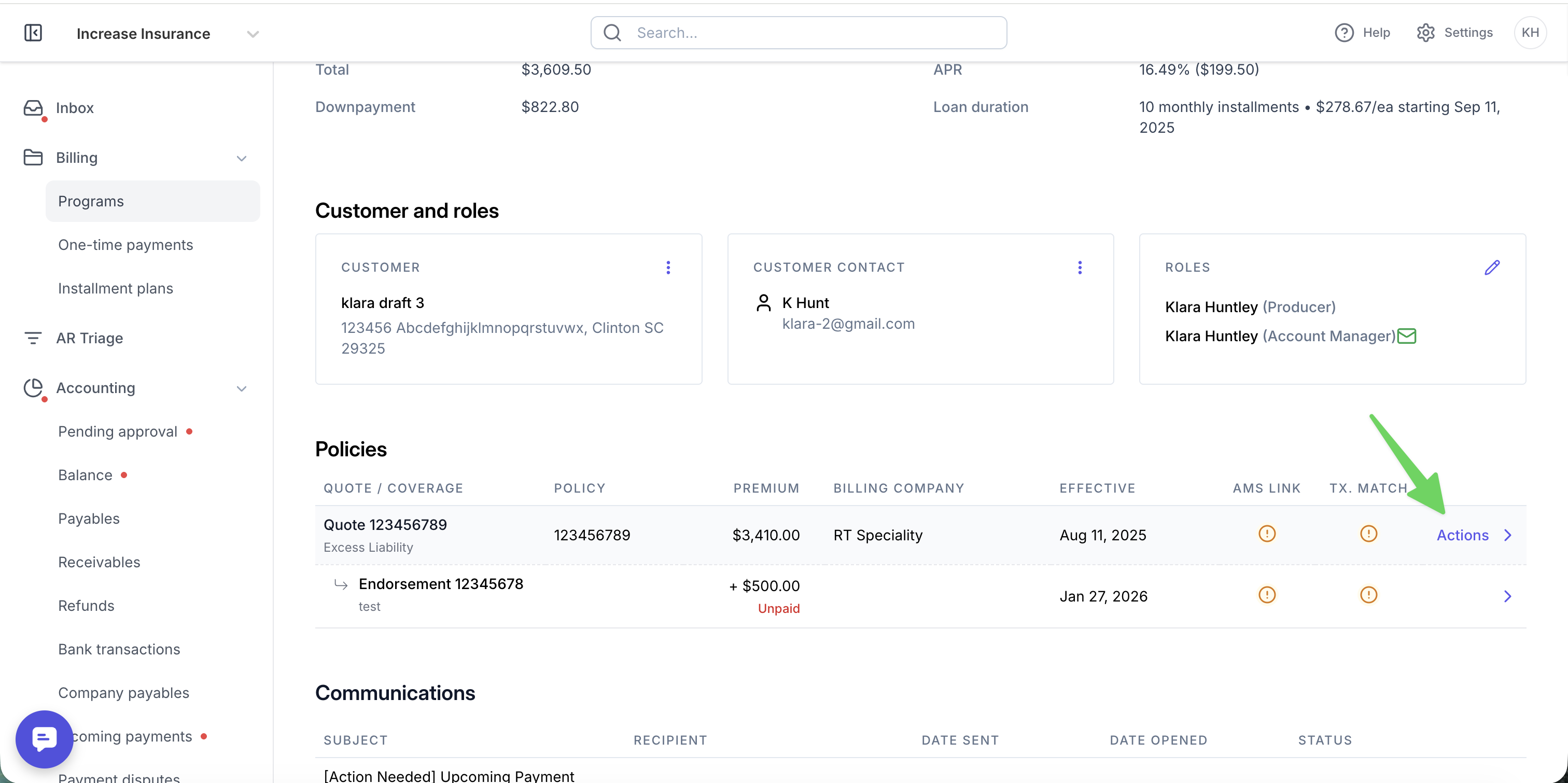
Select Edit policy from the sidebar that appears
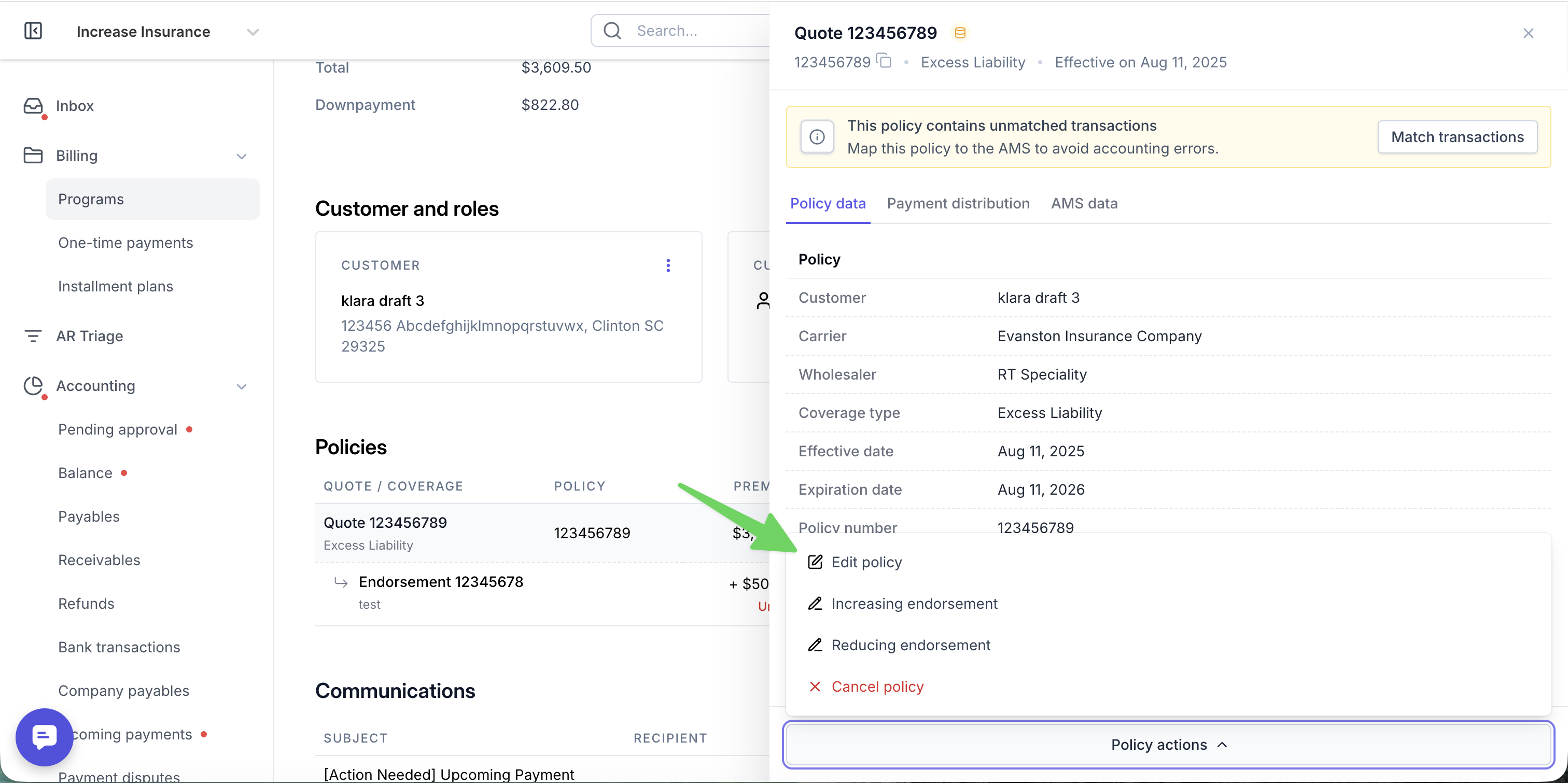
Enter the updated/correct effective term, and attach the binder showing the correct effective dates.
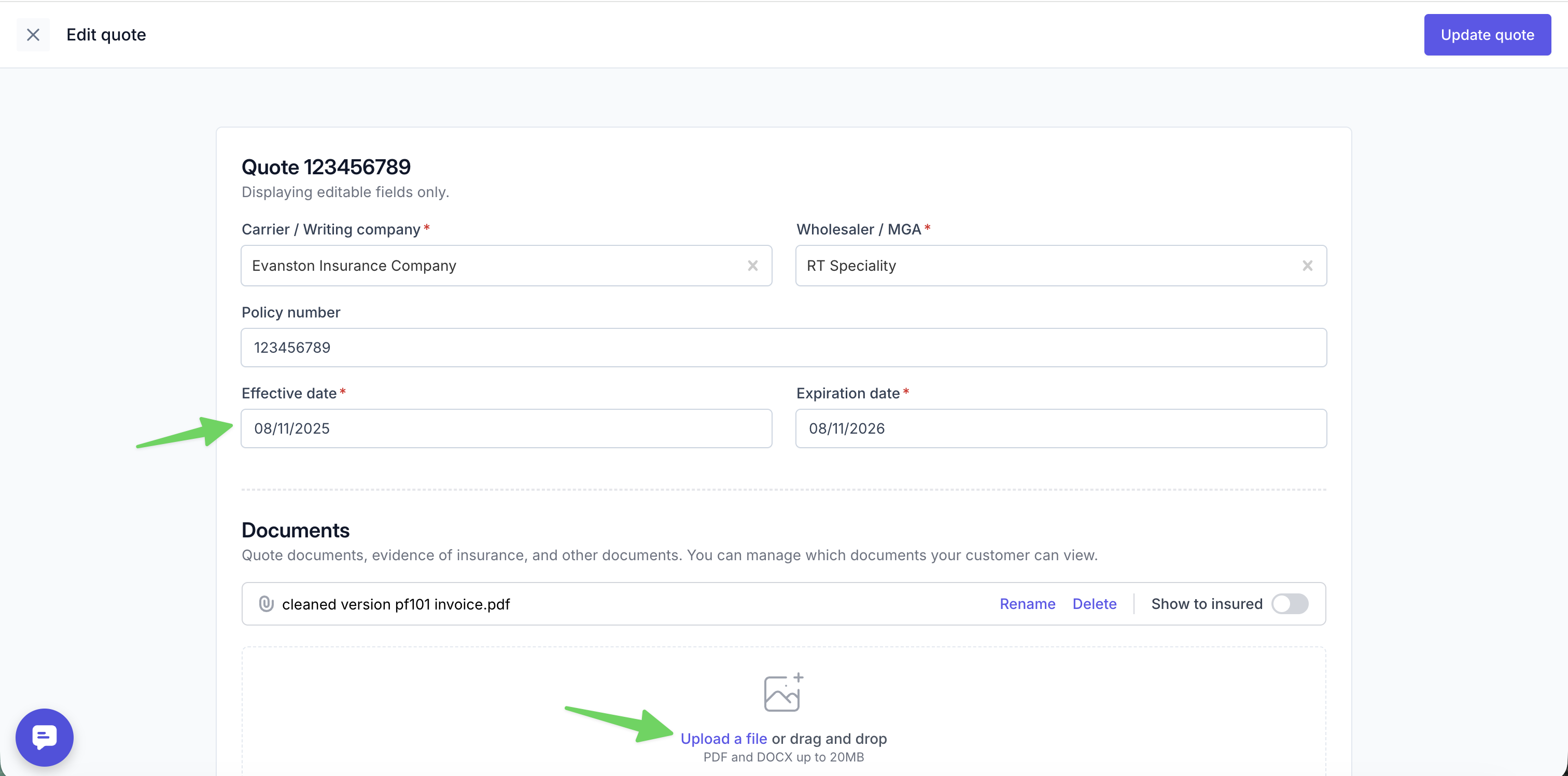
Click Update quote
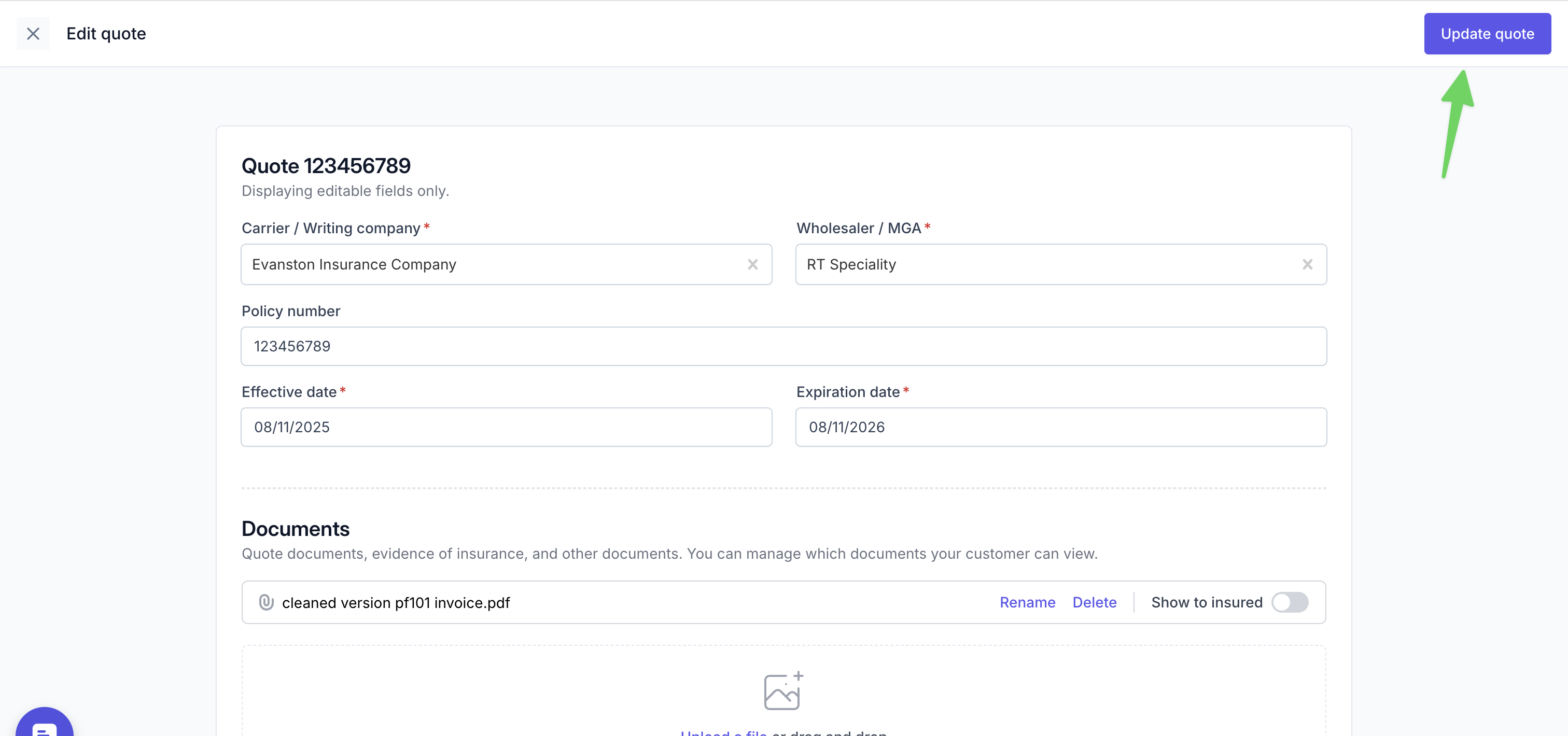
This will save the new effective date/term on the program. After an internal review by Ascend, the monthly installment due dates will also be updated to match the policy effective date.
Limitations of updating policy effective dates
The update will be blocked when attempting to make the following changes on a financed program where payment from the insured has already been initiated:
Changing the effective date to a date in the past
Changing the term length (i.e. changing a 1-yr policy term to a 10-month policy term)
Changing the date more than 2 weeks into the future
If you need to make one of the above changes, please reach out to our Ascend Support Team and provide the policy binders docs along with the request to make this update.
Frequently Asked Questions
I'm getting an error when trying to update -- why?
You might be trying to make an unpermitted change to a financed program. The update will be blocked when attempting to make the following changes on a financed program where payment from the insured has already been initiated:
Changing the effective date to a date in the past
Changing the term length (i.e. changing a 1-yr policy term to a 10-month policy term)
Changing the date more than 2 weeks into the future
Can the insured's installment date be updated with the updated effective date?
The insured's monthly installment due date will be updated after the Ascend team reviews the updated documentation provided when the policy effective dates are updated in dashboard.
Contact Us
Need more help? Contact us at [email protected] for more help.