Manage Customer Contacts
Last updated: March 17, 2026
This is a guide that will teach you:
How to update your customer's information
How to replace the customer on a program
Insureds' contact information can change throughout the life of a policy, and who best to contact can also vary. Below, we will walk through the steps to make the necessary changes, allowing the correct client to be contacted with their preferred email.
You have the ability to update contact information for the existing contact, or replace the contact with a new one.
Where to find the edit options
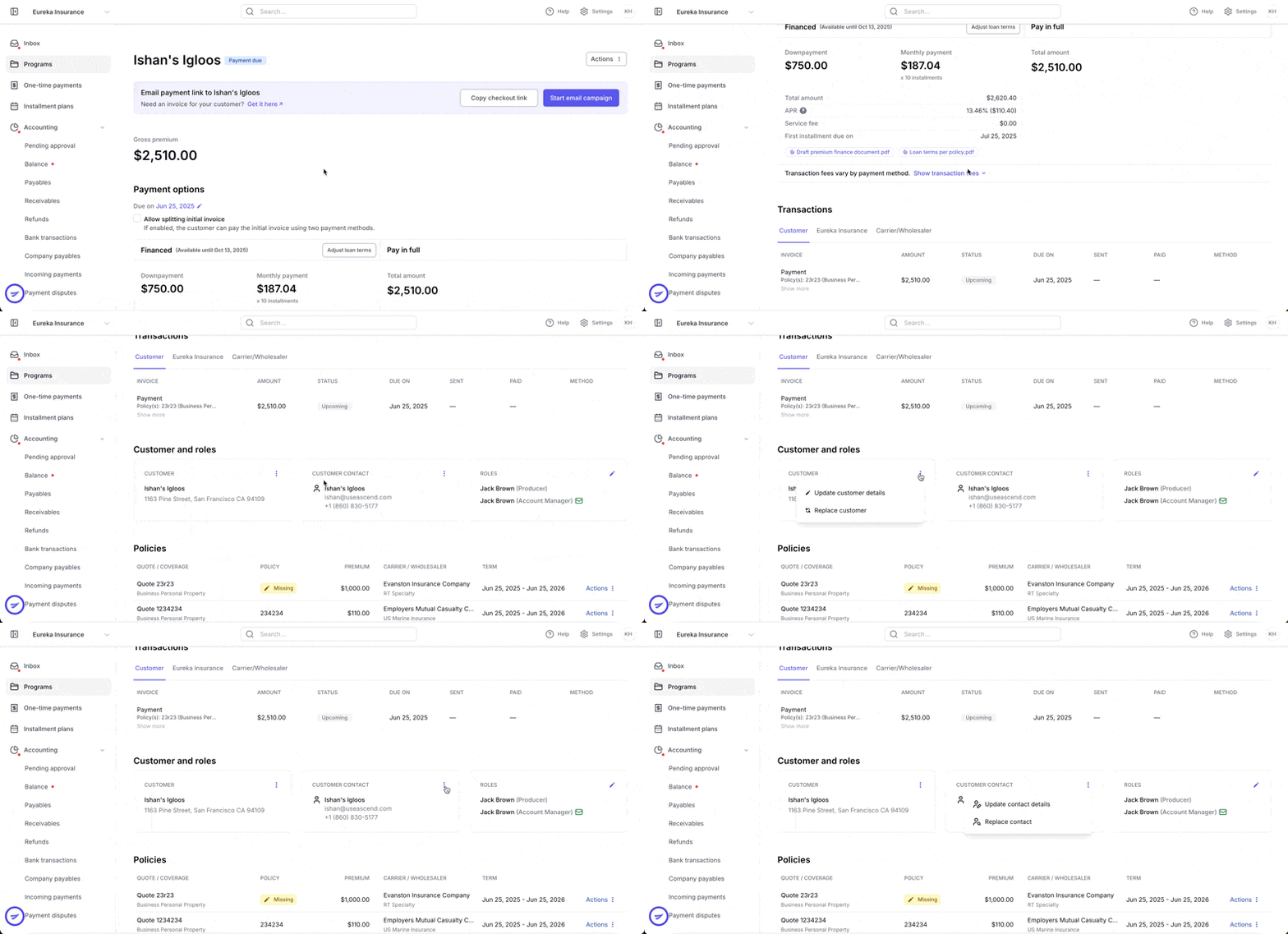
Scroll down the program page until you reach Customer and Roles. Then, select the three vertical dots at the top right corner of the field you wish to edit.
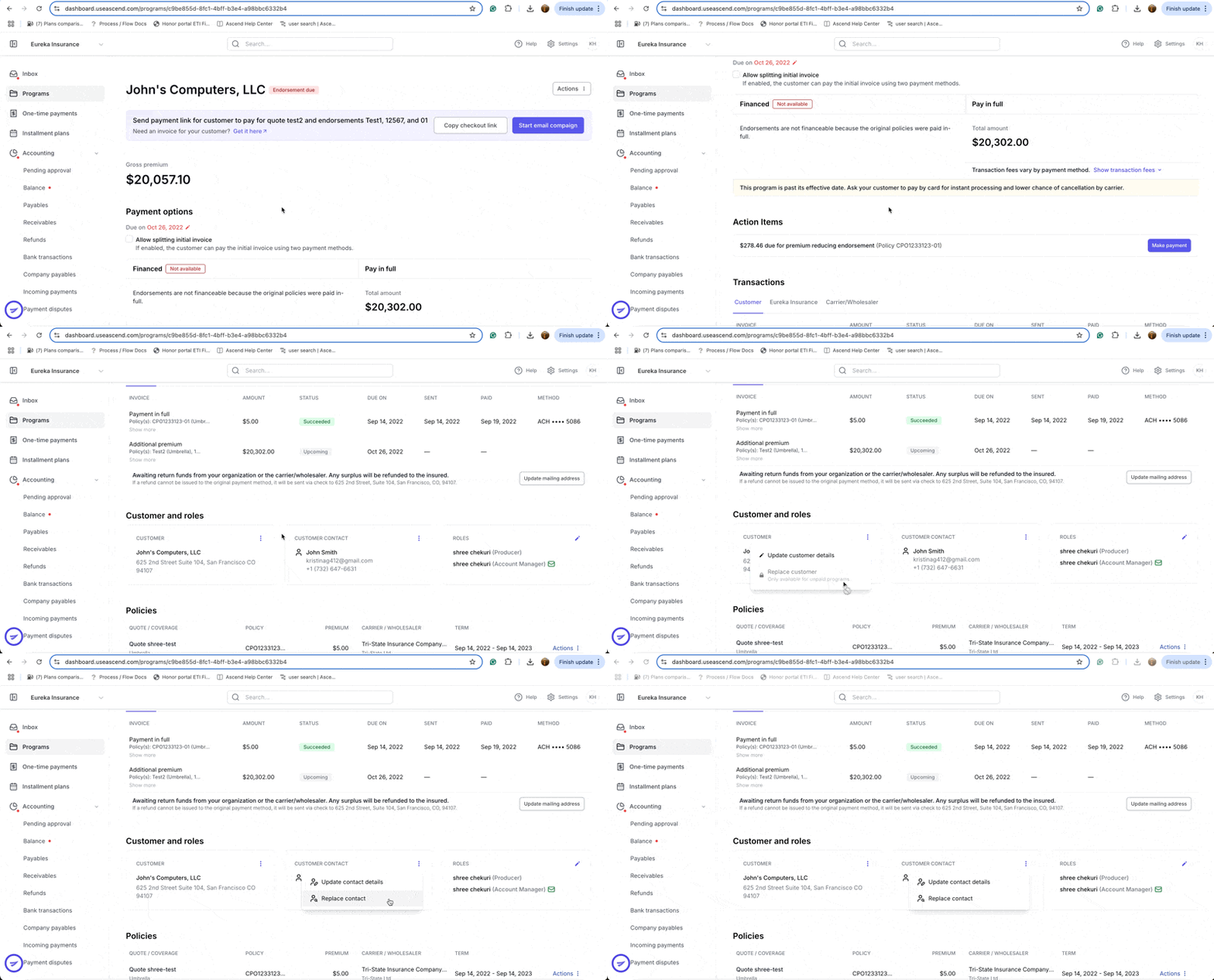
These options will be different for active programs. For example, you are not able to change the contact on an active finance agreement, since the contact is the person who signed the PFA.
Updating the Customer Details
Verification documents will be required if the program is financed.
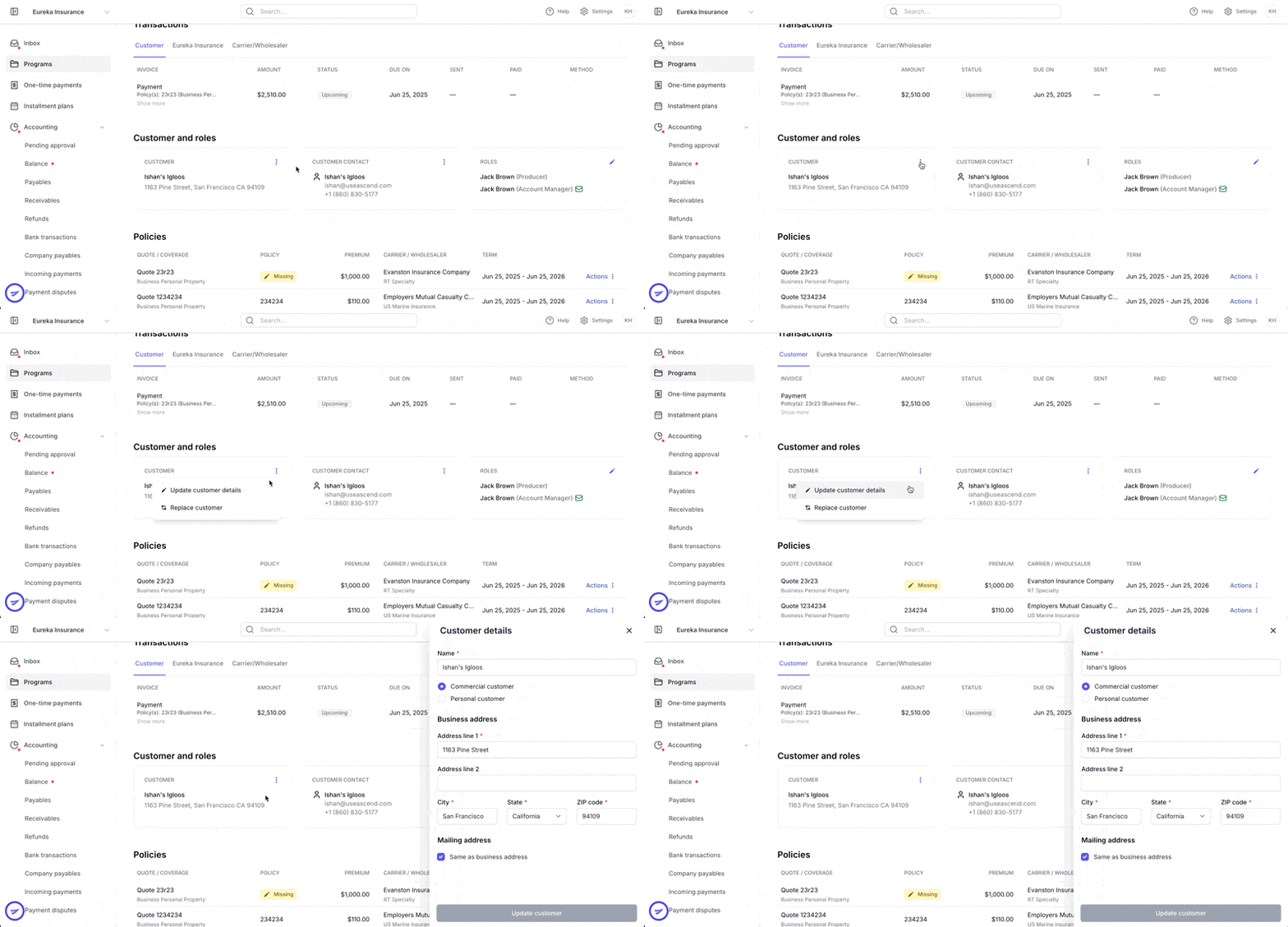
Select the three vertical lines next to the customer's name, and a pop-up will appear on the right-hand side. Here, you can update your client's address directly.
To verify an updated address, you will need to upload a document. The document must be from a third party (cable company, tax document, utility bill, photo ID, etc.) that lists the insured and the updated address.
Updating the customer's details will apply to all programs and invoices connected to this customer.
Replacing the Customer
You can choose to create a new customer in this flow or use an existing one
This action is limited to programs that are not yet active.
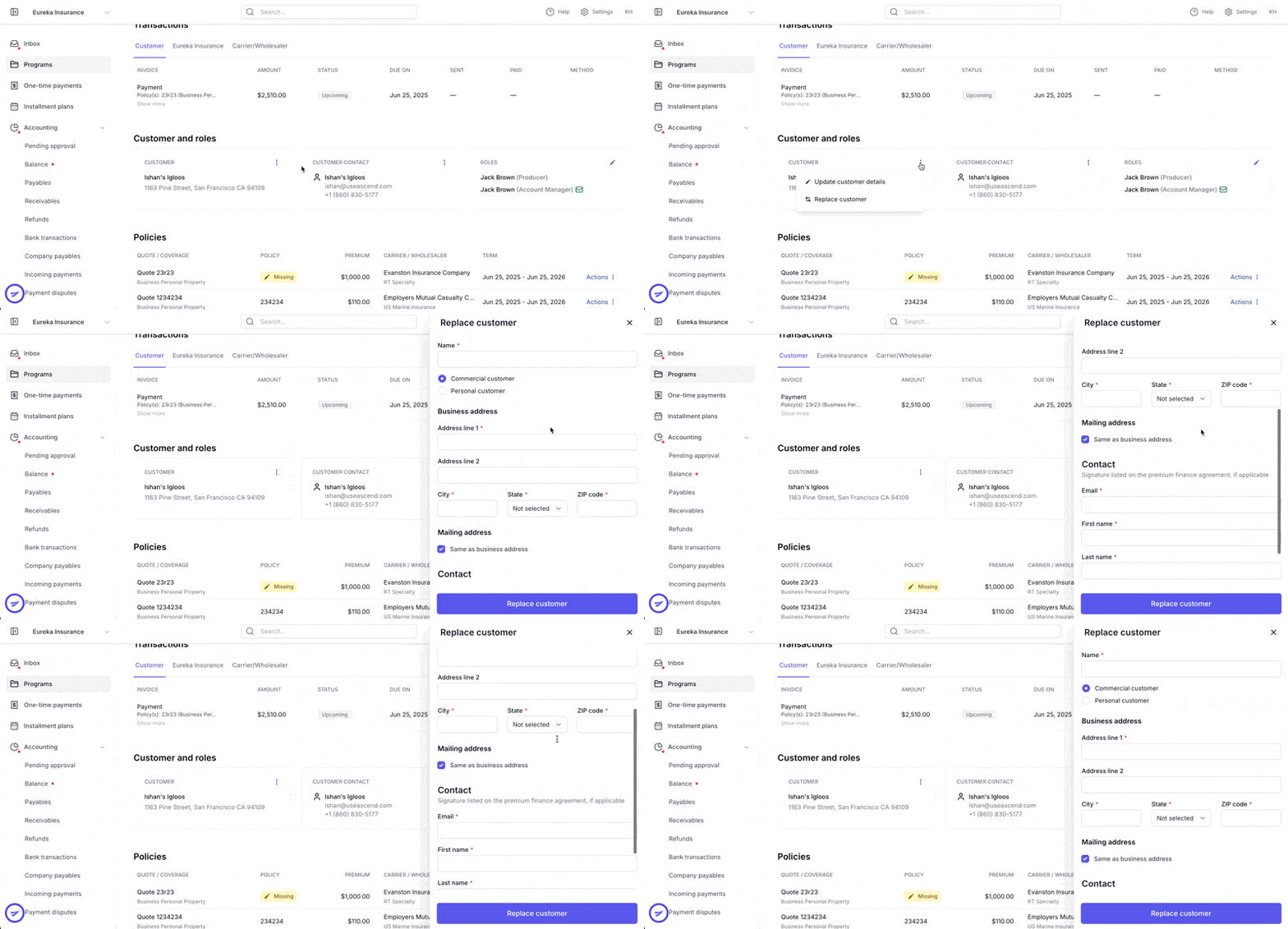
Replacing the customer will apply to all programs and invoices connected to the customer that is being replaced.
Updating the Customer's Contact Details
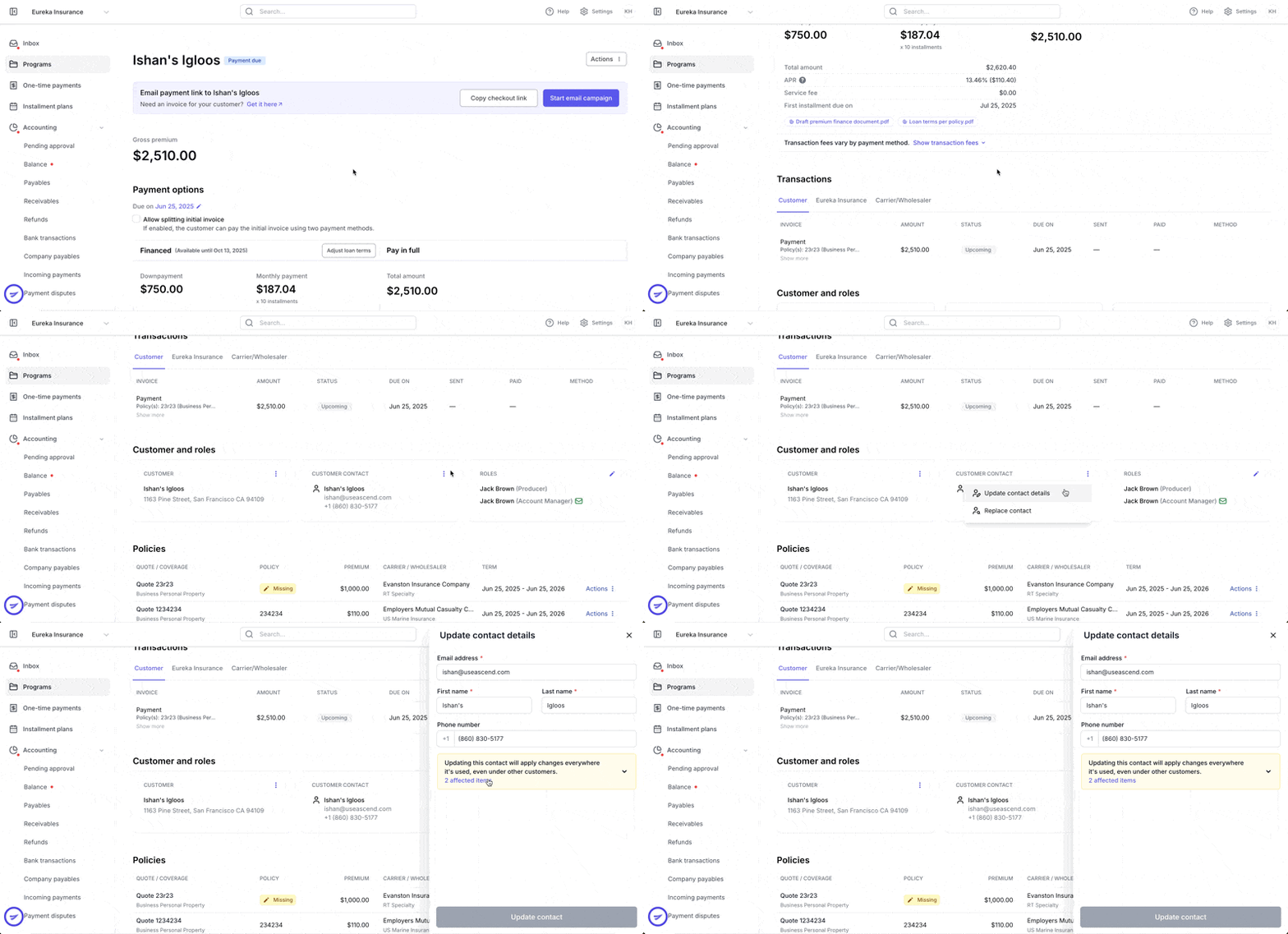
If the new email entered is associated with another contact, you will receive a suggestion to replace the contact instead and won't be able to proceed.
Updating the contact details will apply to all programs connected to this contact.
Replacing the Customer's Contact Details
You can choose to create a new contact in this flow or use an existing one
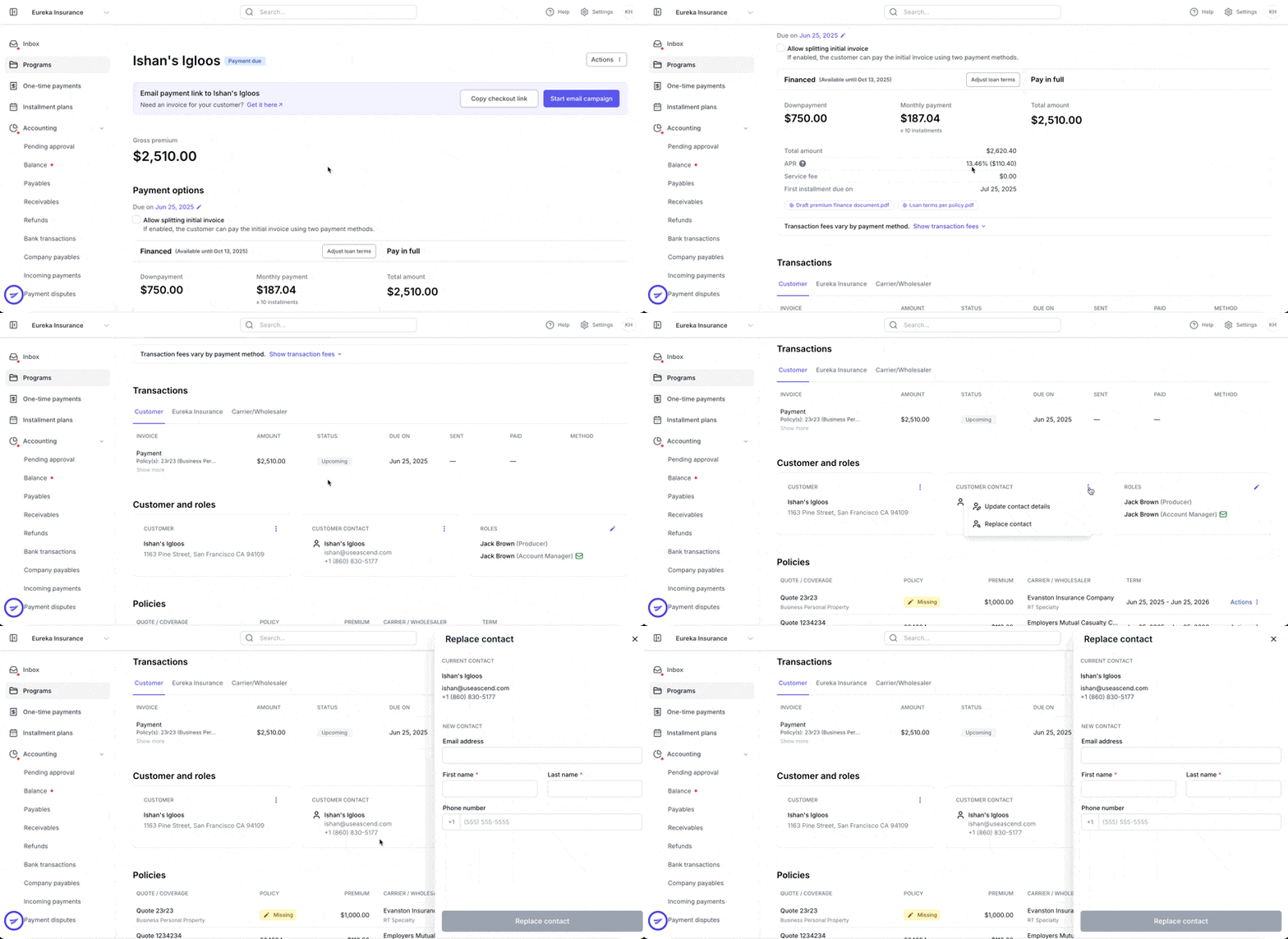
Replacing the contact details will apply to all programs and invoices connected to the contact details that are being replaced.
Contact Us
Need more help? Contact us at [email protected] for more help.