Cancelations, Refunds, and Reinstatement
Last updated: August 13, 2026
This is a guide that will teach you a how to and answer questions around:
Voluntary cancelations for both billing types
Agency Bill
Direct Bill
Nonpayment cancelations
Refunds
Reinstatements
FAQs
Cancelations
Direct Bill Cancelations
When you need cancel a policy for an insured you can do easily in the Ascend dashboard. Below we will breakdown the cancelation workflow:
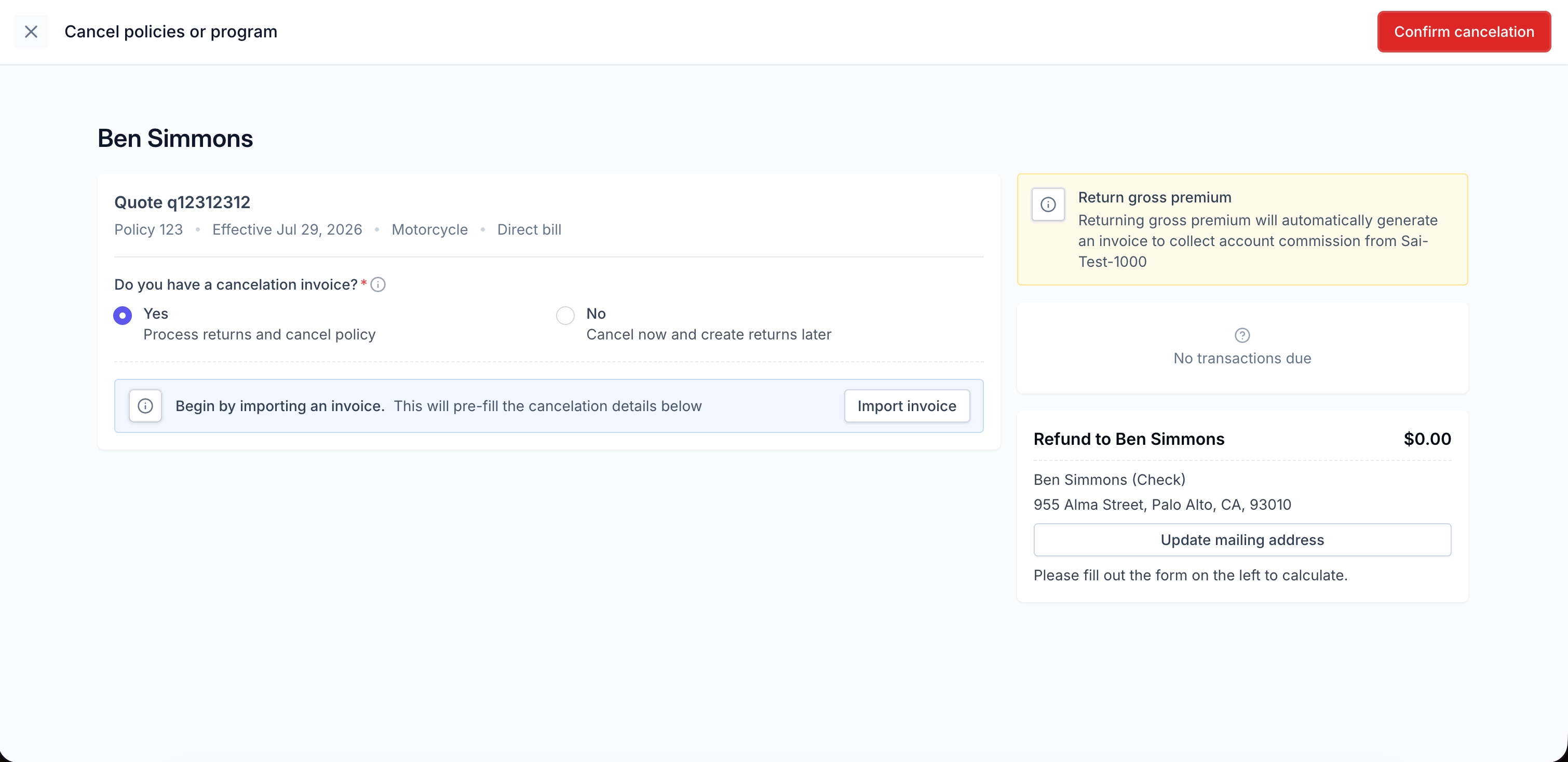
Upload the cancelation invoice
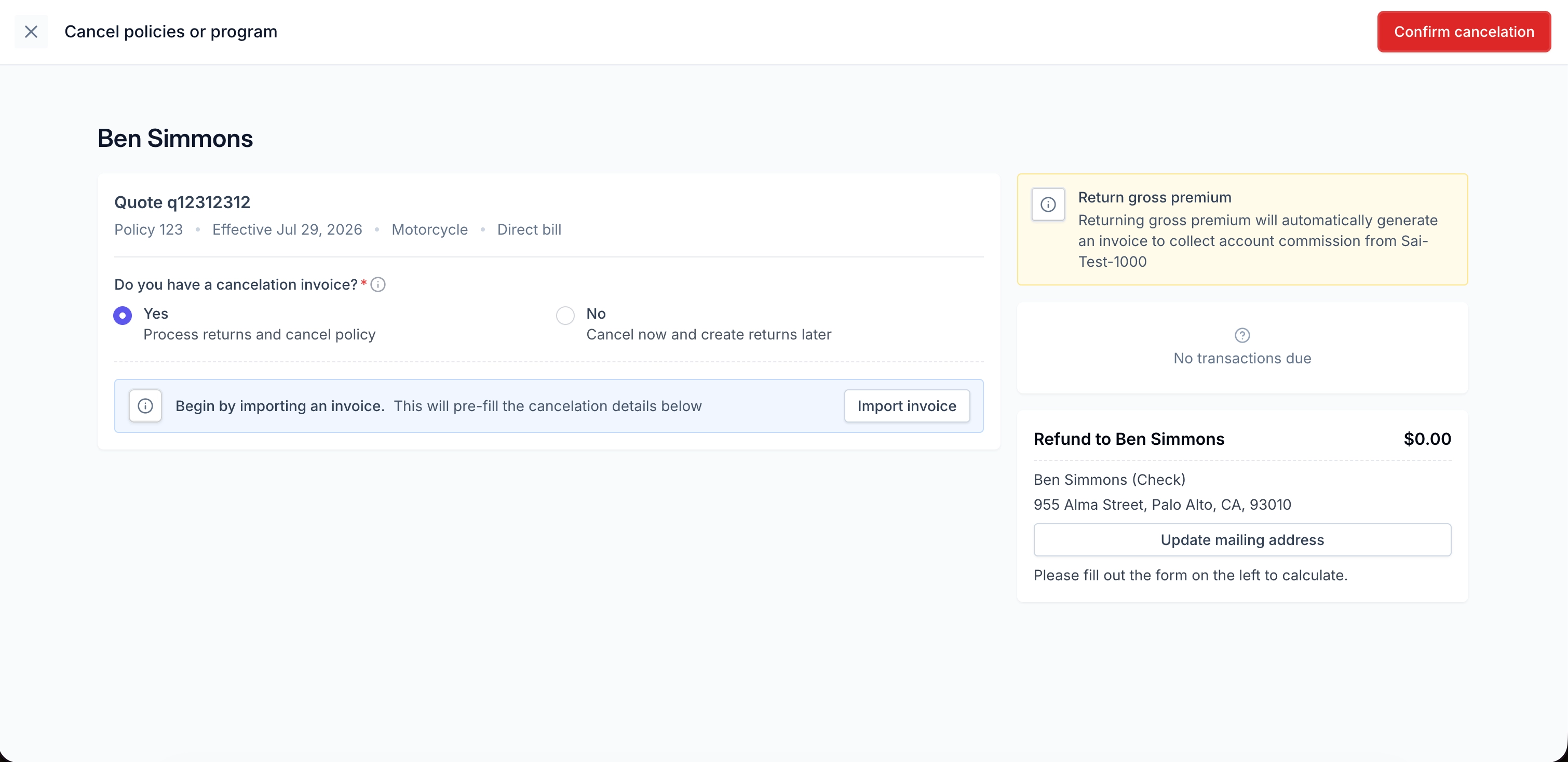
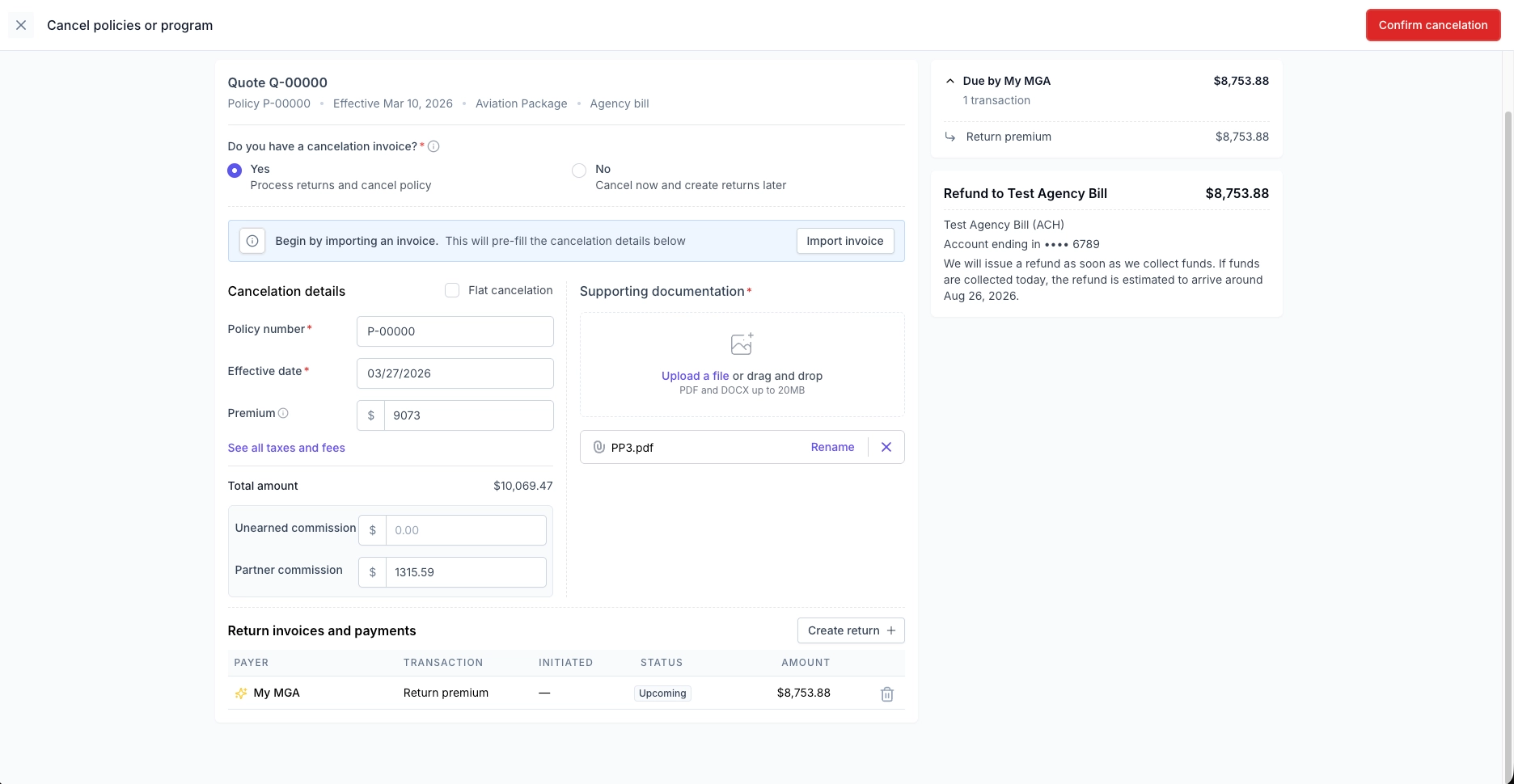
Information will pre-fill based on the document uploaded, verify that it is accurate
Premium = Gross premium (can include fees, or fees can be broken out individually)
Partner commission = Partner commission to collect back. This will create an invoice for the partner to pay back unearned commission, and will be auto-deducted if that setting is enabled.
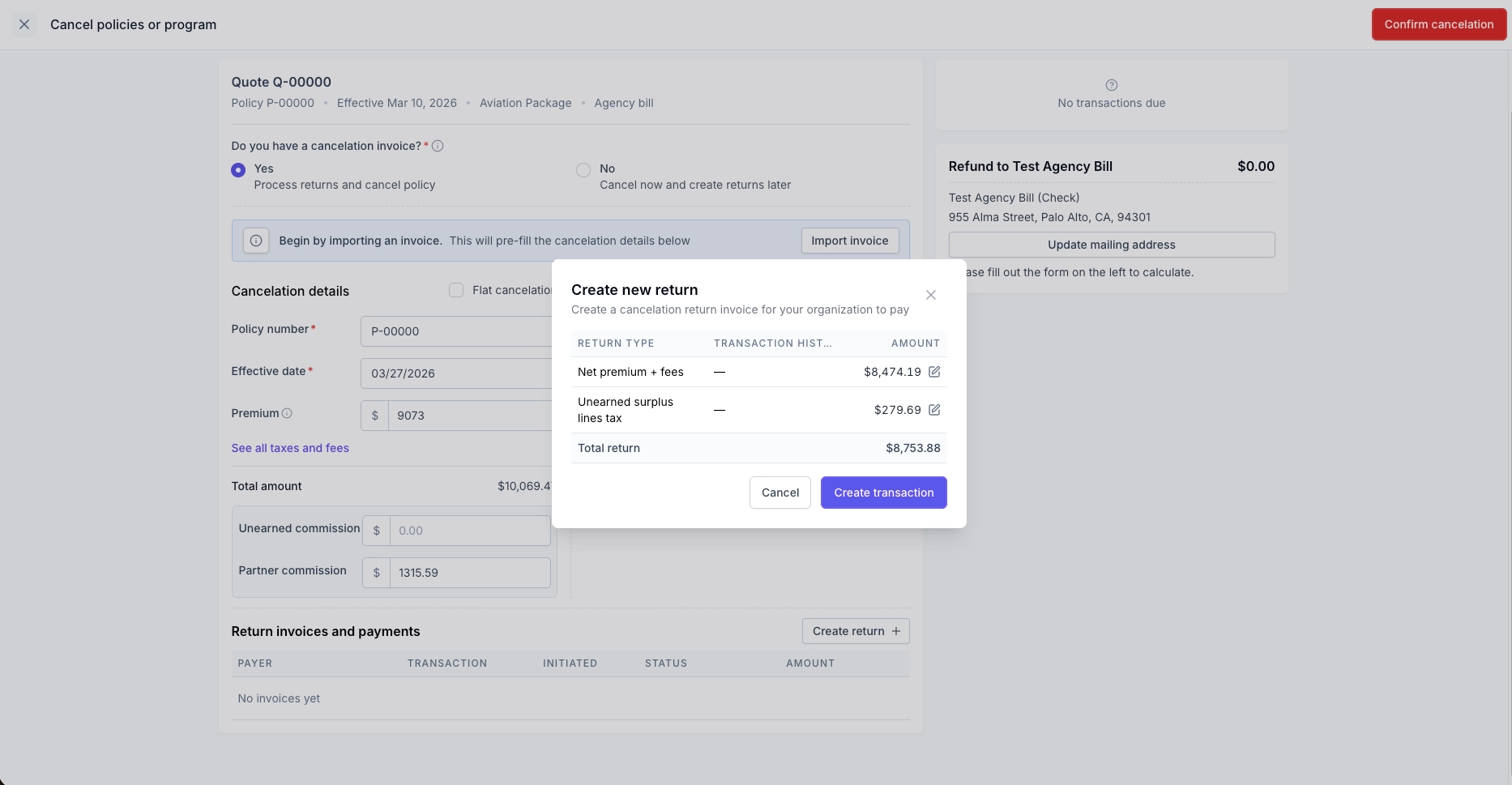
The amounts entered in the cancelation details will determine how the suggested return invoice attributes the funds (premium vs partner commission). If the suggested return invoice is deleted and manually created, then the attribution comes from the ‘Create new return’ modal in the next step below.
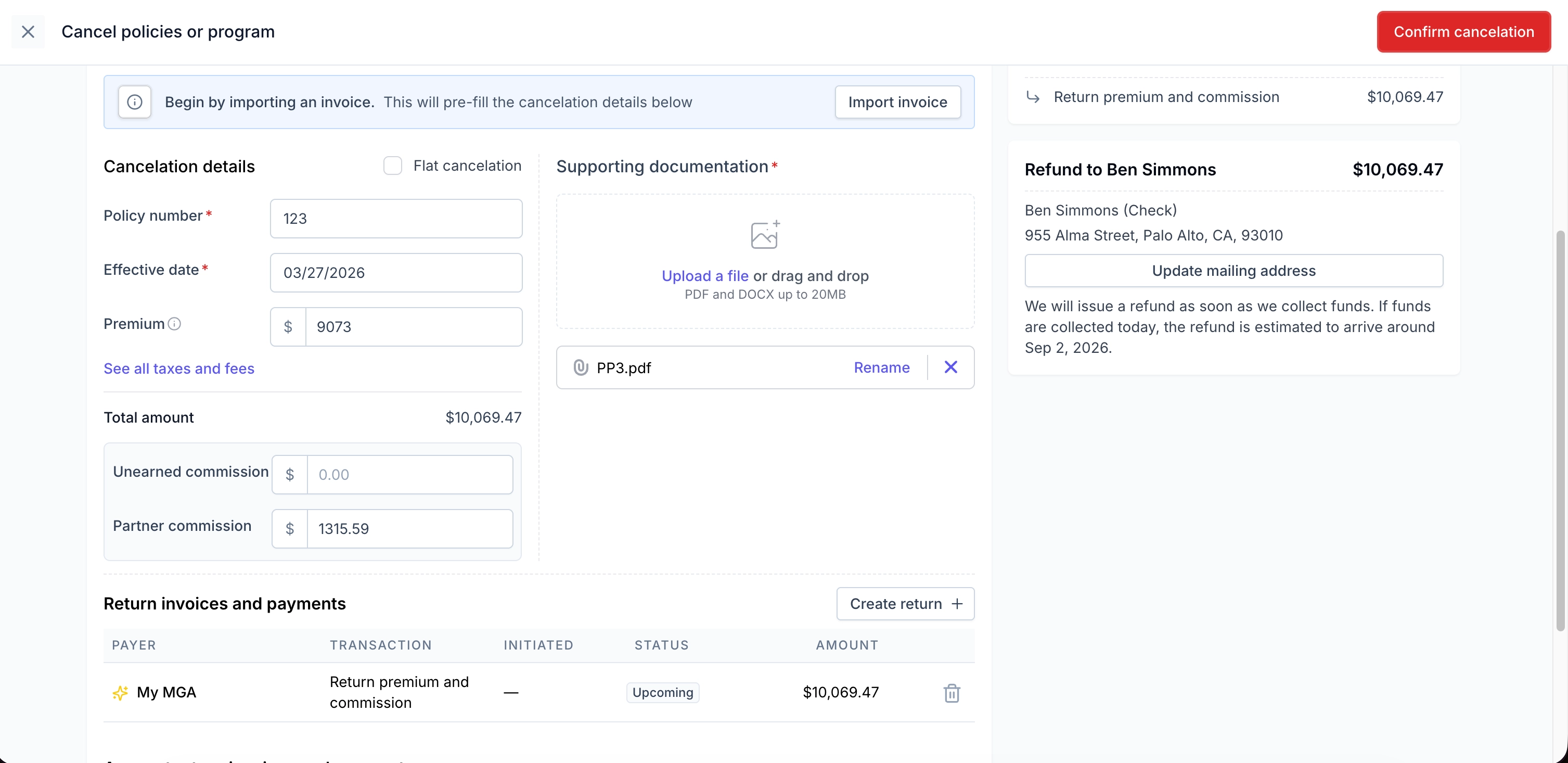
For the suggested return invoices (with the lightning icon), the partner commission amount is determined based on the ‘Partner Commission’ field entered in the cancelation details
Create return invoice if suggested return is invalid
MGA returns gross premium amount including taxes/fees
Once the return invoice is paid, the partner commission invoice will be created for the partner based on information entered in the modal below
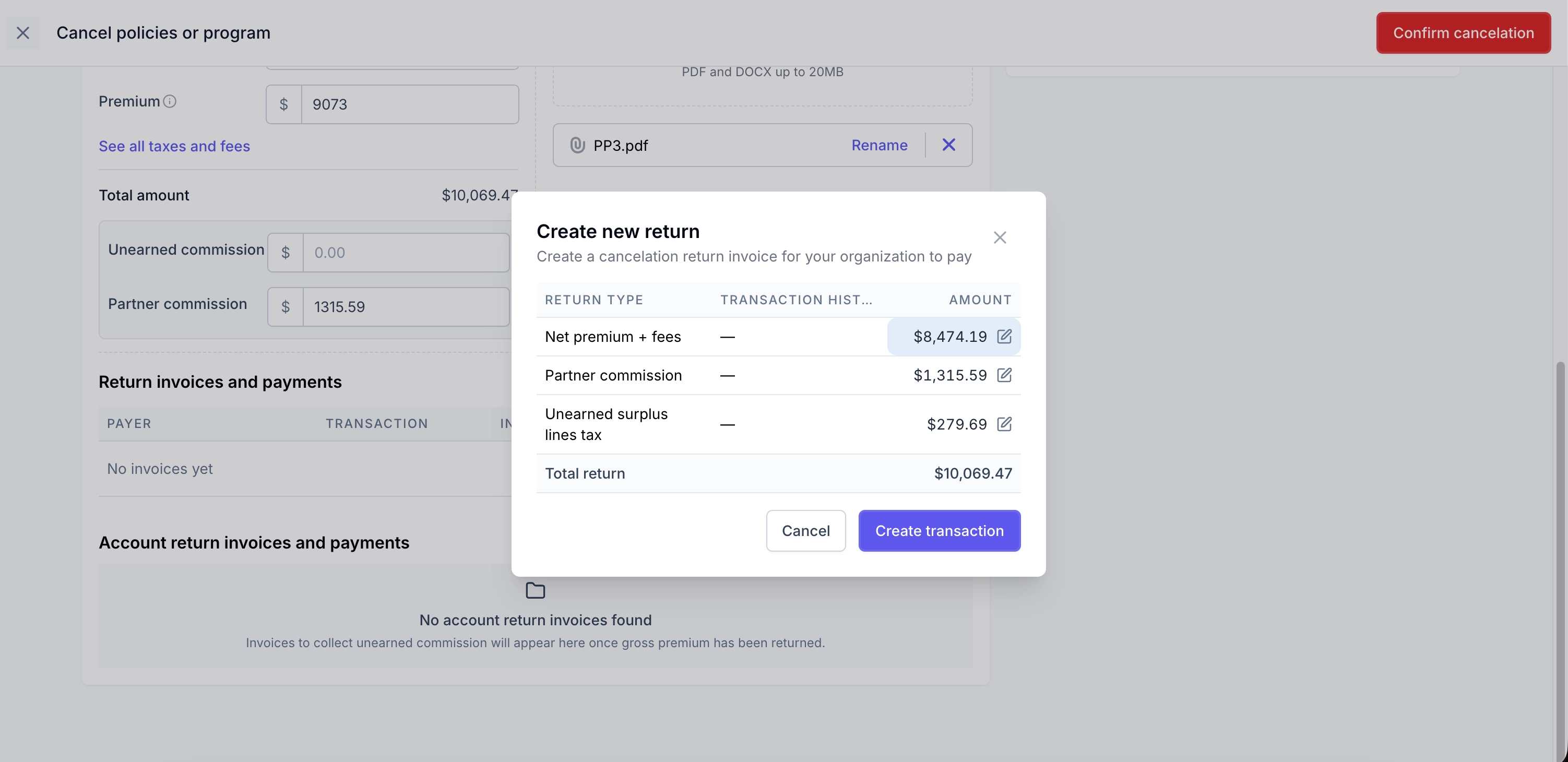
Select Confirm cancelation
There are cases where your company will receive Notices of Cancelation from Honor Capital/ETI Financial for your direct bill Ascend programs. You will need to go in to the Ascend program and follow the same steps as above for those cases.
Interest on the balance of the loan will accrue until the loan is paid off.
Any return premium will first be applied to the loan balance. After the loan is paid off a refund will then take place. We go further in to this in the refunds section below.
We bill your company for the unearned partner commission. An invoice is automatically created to then collect those funds from the partner agency.
Agency Bill Cancelations
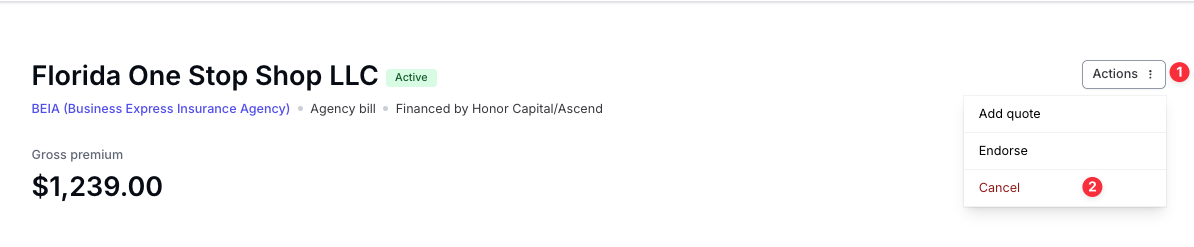
From the program page select Actions > Cancel
Upload cancelation invoice
Verify that cancelation invoice information is correct
Manually create return invoice if suggested return is invalid (MGA returns premium amount less partner commission)
Confirm cancelation
Refunds for Agency Bill programs go back to the partner agency or finance company, if outside financing was used by the retailer
If financed they will always go back to the finance company
Return Funds and Refunds
Once canceled Ascend will automatically create invoices for you to return funds. They can easily be updated or paid for under the Action Items header.

Your company pays the unearned commission on behalf of the partner agency.
An invoice is automatically generated for your company to recover the unearned commission from the partner agency.
You can pay these return funds invoices via each program page or in bulk via the balance tab.
Direct Bill (Financed)
MGA Returns Funds
↓(3–5 business days ACH clearance)
Ascend Applies Funds to Loan
↓(1-2 business days)
Ascend Sends Refund Check (If excess funds)
Direct Bill (Paid in Full)
MGA Returns Funds
↓ (3–5 business days ACH clearance)
Ascend Refunds Insured (via original payment method)
Agency Bill (Outside Financed)
MGA Returns Funds
↓ (3–5 business days ACH clearance)
Ascend Sends Check to Finance Company
Agency Bill (Paid in Full)
MGA Returns Funds
↓ (3–5 business days ACH clearance)
Ascend Refunds Partner via ACH
Reinstatements
In most scenarios, programs cancelled in Ascend can be reinstated. Any paid-in-full or agency bill programs may be reinstated, up until the policy expiration date.
For financed programs, the client's loan will need to be brought fully current for a Notice of Reinstatement to be issued to the carrier/MGA. Ascend generates a reinstatement link that is inclusive of all installments and fees that the insured missed during the canceled period.
Reinstating a program is as simple as selecting Actions > Reinstate program from the program page.
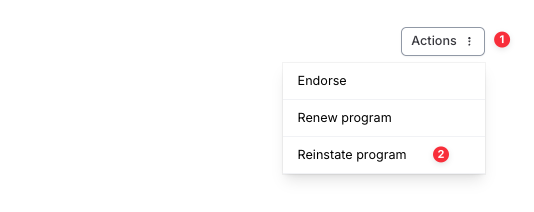
When a reinstatement is created Ascend:
Reverses any pending cancellations
Voids unpaid invoices, payouts, and refunds
Creates new invoices to collect money back from the necessary parties (if needed)
Reactivates the quotes and program
Handles the money flow - making sure funds are properly routed
Loan Reinstatement Timeline (Direct Bill programs only)
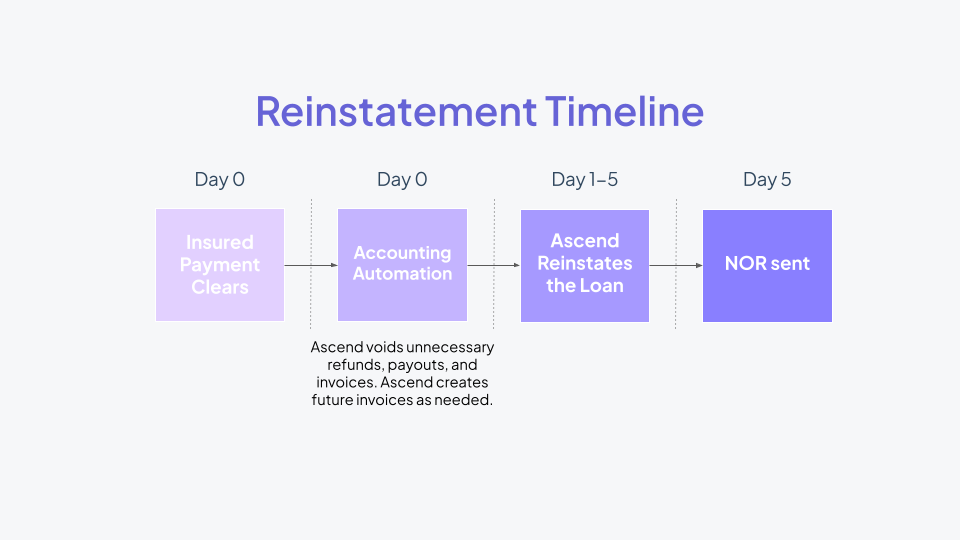
Keep in mind that reinstatement begins once the insured's payment clears, not once it is initiated.
Day 0: Client's payment clears to Ascend. Ascend voids unnecessary refunds, payouts, and invoices. Ascend creates future invoices as needed.
Days 1 - 5: Ascend will reinstate the loan
The effective date of the Notice of Reinstatement will reflect the day after when the client's reinstatement payment clears.
Day 5: Ascend will send the Notice of Reinstatement to MGA & Notice of Reinstatement document will become available on the client's program page within the Financing documents button.