Premium-reducing Endorsements for MGAs & Wholesalers
Last updated: May 30, 2025
This is a guide that will teach you:
When to create a premium-reducing endorsement
How to create a premium-reducing endorsement
What happens next after endorsement creation
FAQs
An endorsement is a change to an existing insurance contract that changes the funds and/or terms of the original policy. There are two types of endorsements:
Premium increasing
Premium reducing
This article is about premium-reducing endorsements. For information about premium-increasing endorsements, check out the article here.
How-to guide
Step-by-Step Instructions
Navigate to the relevant program page in the dashboard.
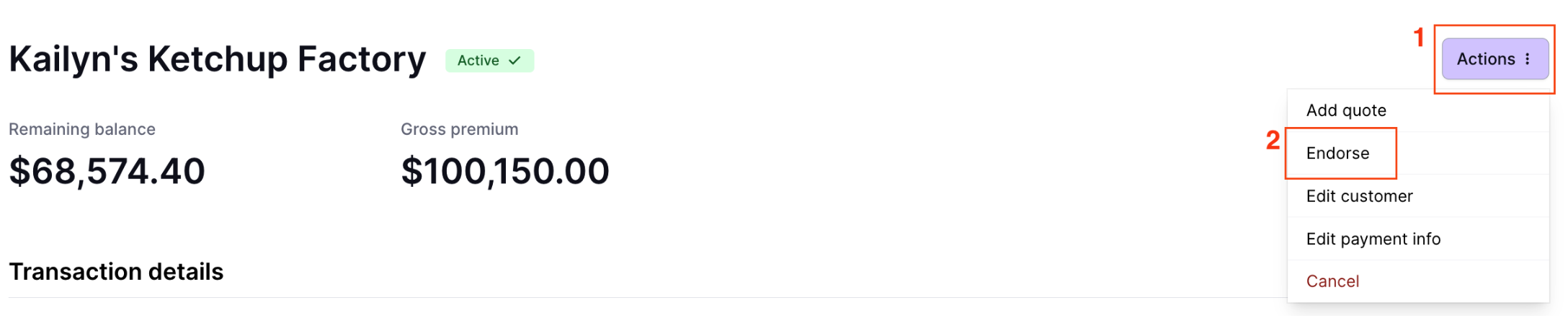
Click the Actions button on the top right corner and click Endorse.
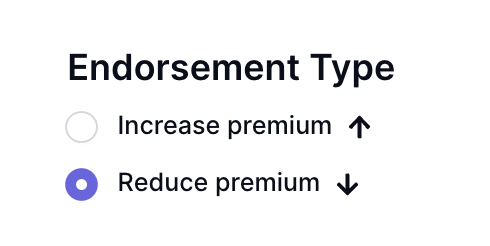
Select Reduce premium on the following page.
Select which quote this endorsement applies to, then enter the relevant endorsement details regarding return premium, difference in taxes and fees, etc. All details are required.
If you are endorsing a direct bill program, you will also need to calculate and enter the amount of unearned commission due back from the partner (retailer/wholesaler). Ascend automatically collects these funds back.
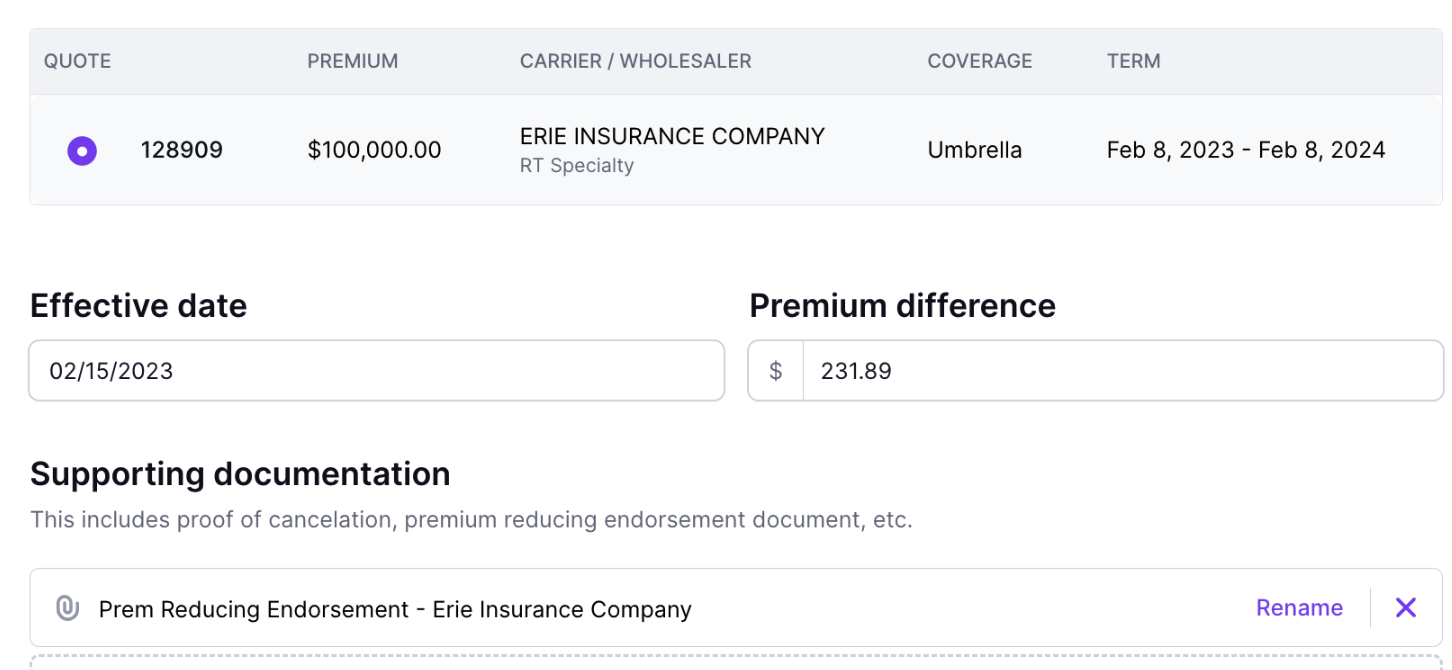
Attach your endorsement invoice, Ascend does not currently generate one for you.
Click the Create Endorsement button (top right).
✅ You've processed the endorsement!
Refunds
For Financed Direct Bill Programs:
After you've processed the premium-reducing endorsement, Ascend will hold the endorsement details until your accouting team transactions return premiumback to us..
Once received, the credit will be applied to the insured's outstanding loan balance. This will result in lower monthly payments.
Creating an endorsement does not result in immediate lowered monthly payments for the remainder of the insured's loan. Ascend needs to receive the return premium and apply it to the loan balance before we can adjust monthly payments.
For Paid in Full Programs (agency bill or direct bill insured):
Once your accounting team sends return premium back to Ascend, we will refund the amount received back to the recipient according to the following logic:
If direct bill insured and financed, a check will be issued to the insured's address on file.
If direct bill insured and paid in full
If original payment was made <5 months from the refund date, payment will be issued to the original payment method.
If original payment was made 5+ months from the refund date, payment will be issued via check.
If agency bill and paid in full, a check will be issued to the partner (retailer/wholesaler).
If agency bill and financed with an outside finance company, a check will be issued back to the finance company (IPFS, First Insurance, etc.)
Frequently Asked Questions
I put the wrong amount into the Premium difference box. What do I do?
If your accounting team has not yet sent return premium, you can adjust the endorsement by scrolling to the "Policies" section on the program and clicking Actions > Edit
If your accounting team has sent return premium, please notify Ascend Support via email at [email protected]. We will help fix the mistake!
What if I don't have the endorsement from the carrier yet but know the endorsement details? Can I process the endorsement anyway?
No, please wait to process the endorsement through the Dashboard until you have the calculated return premium and unearned commission. To ensure that the correct figures are entered and adjusted, documentation is required.
On a financed direct bill insured program only, can my insured get the amount of the premium-reducing endorsement refunded instead of applied to their loan balance?
No, the credit from the carrier will be applied to the customer's outstanding loan balance in all scenarios.
Contact Us
Need more help? Contact us at [email protected] for more help.