Data Discrepancies
Last updated: July 24, 2025
This article will teach you:
What are data discrepancies
How to detect if a program has discrepancies
How to interact with the feature
How to find programs with data discrepancies across your agency
Data Discrepancies are mismatches between the manually inputted data in a program and the figures on an uploaded document such as an invoice. Ascend's Data Discrepancies feature allows program creators to review and correct mistakes in the program creation process - all at the click of a button.
Note that the Data Discrepancies feature only applies to programs created manually. Ascend now automates the program creation workflow with our Smart Inbox feature available to Ascend Plus users. For more info on this, please click here.
How to detect if a program has discrepancies
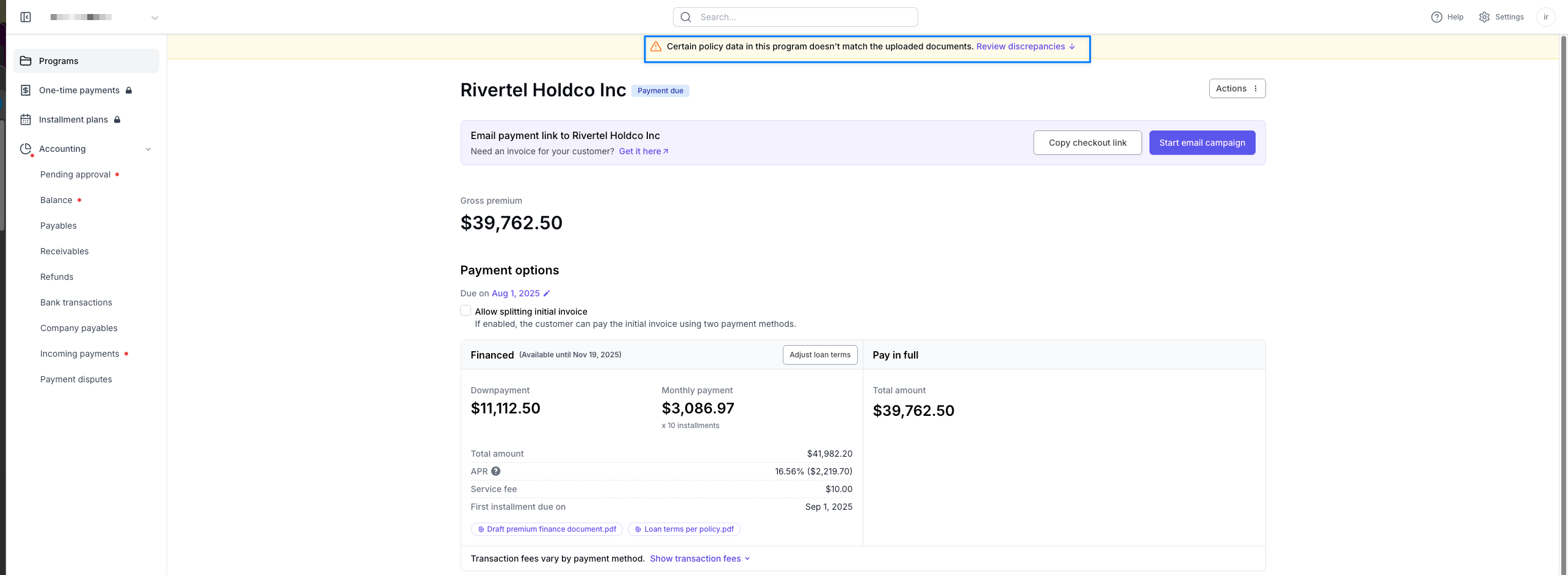
Any program with discrepancies will have a banner at the top of the program page prompting agents to Review Discrepancies
Interacting with the Data Discrepancies Feature
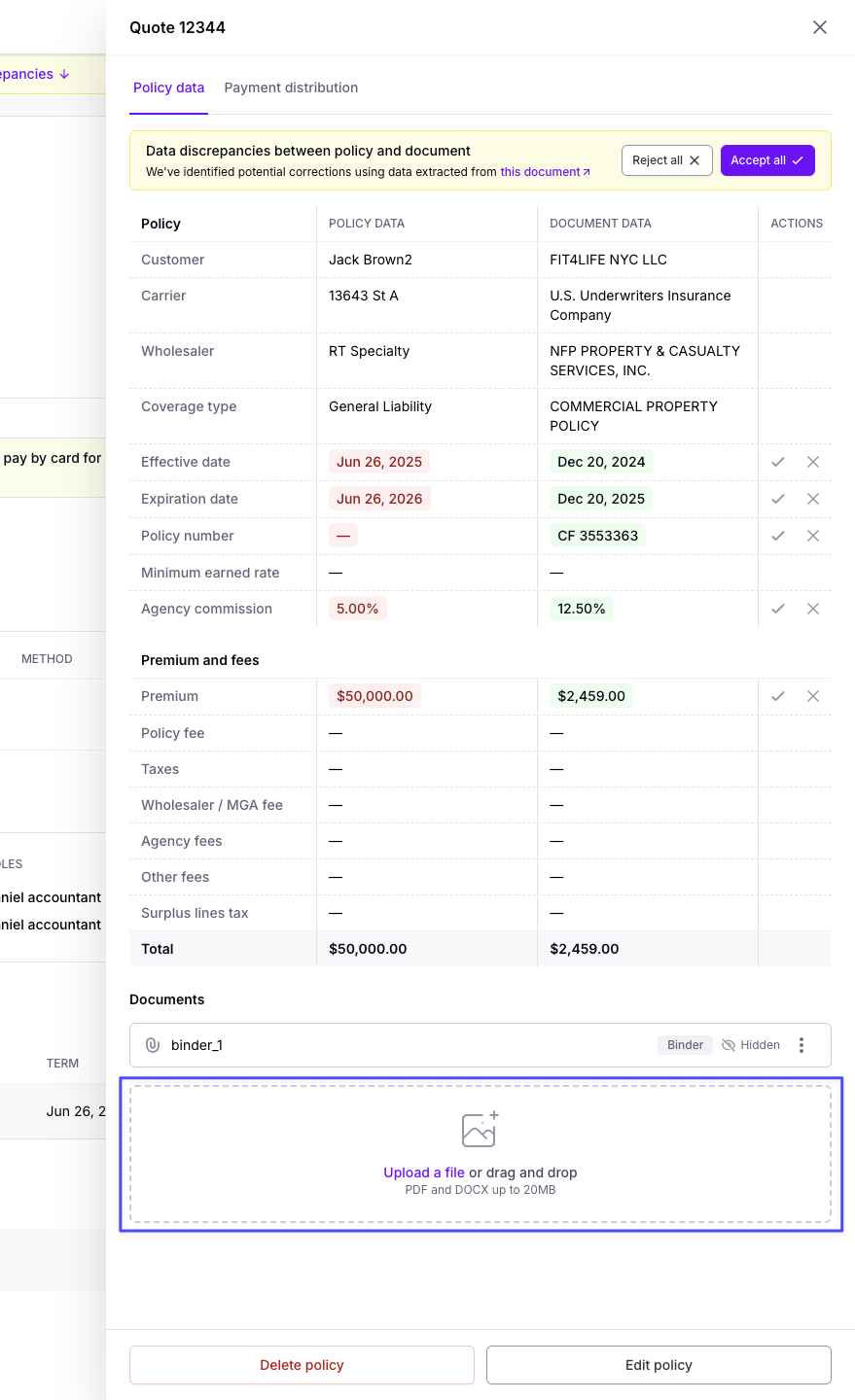
Step 1: Upload an invoice/binder/quote to a manually created program by dropping the document in the highlighted box
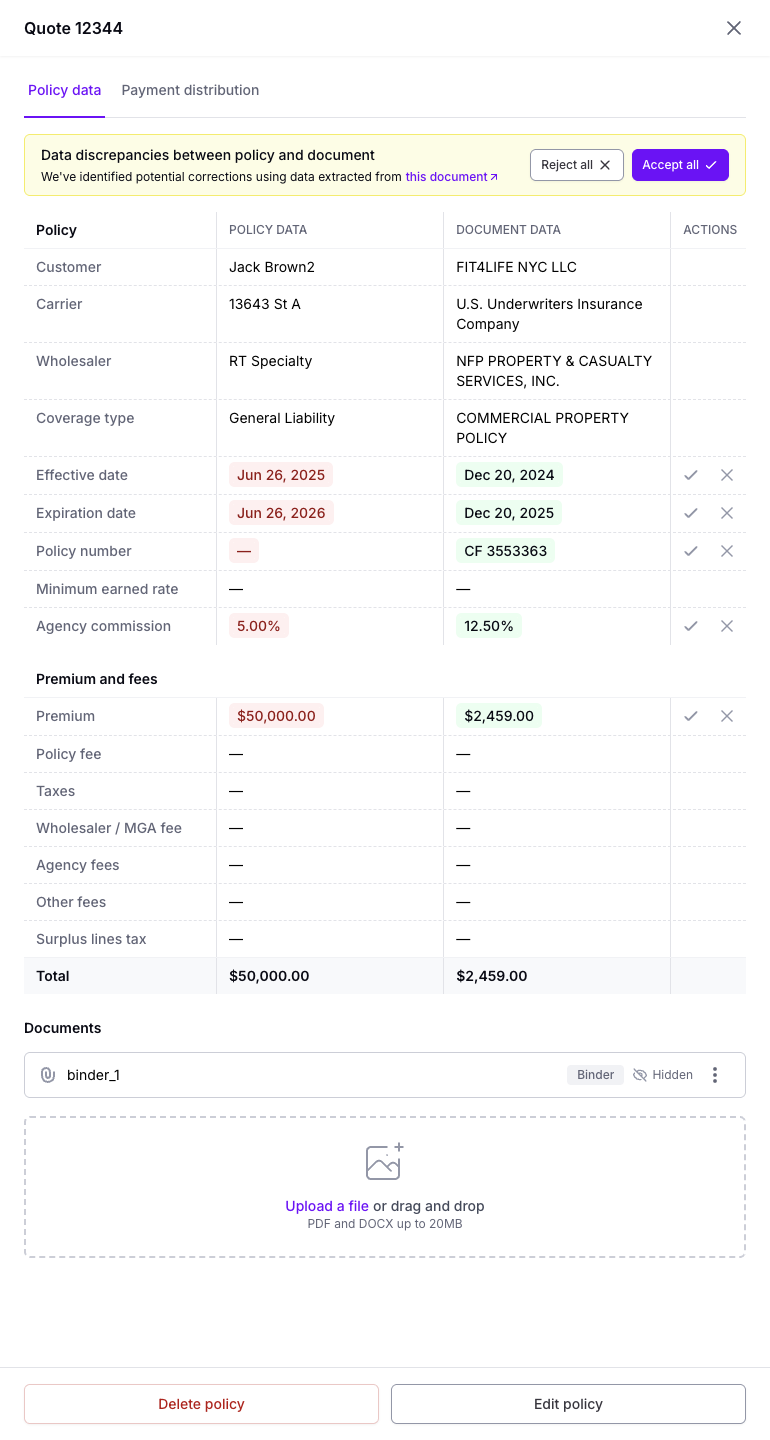
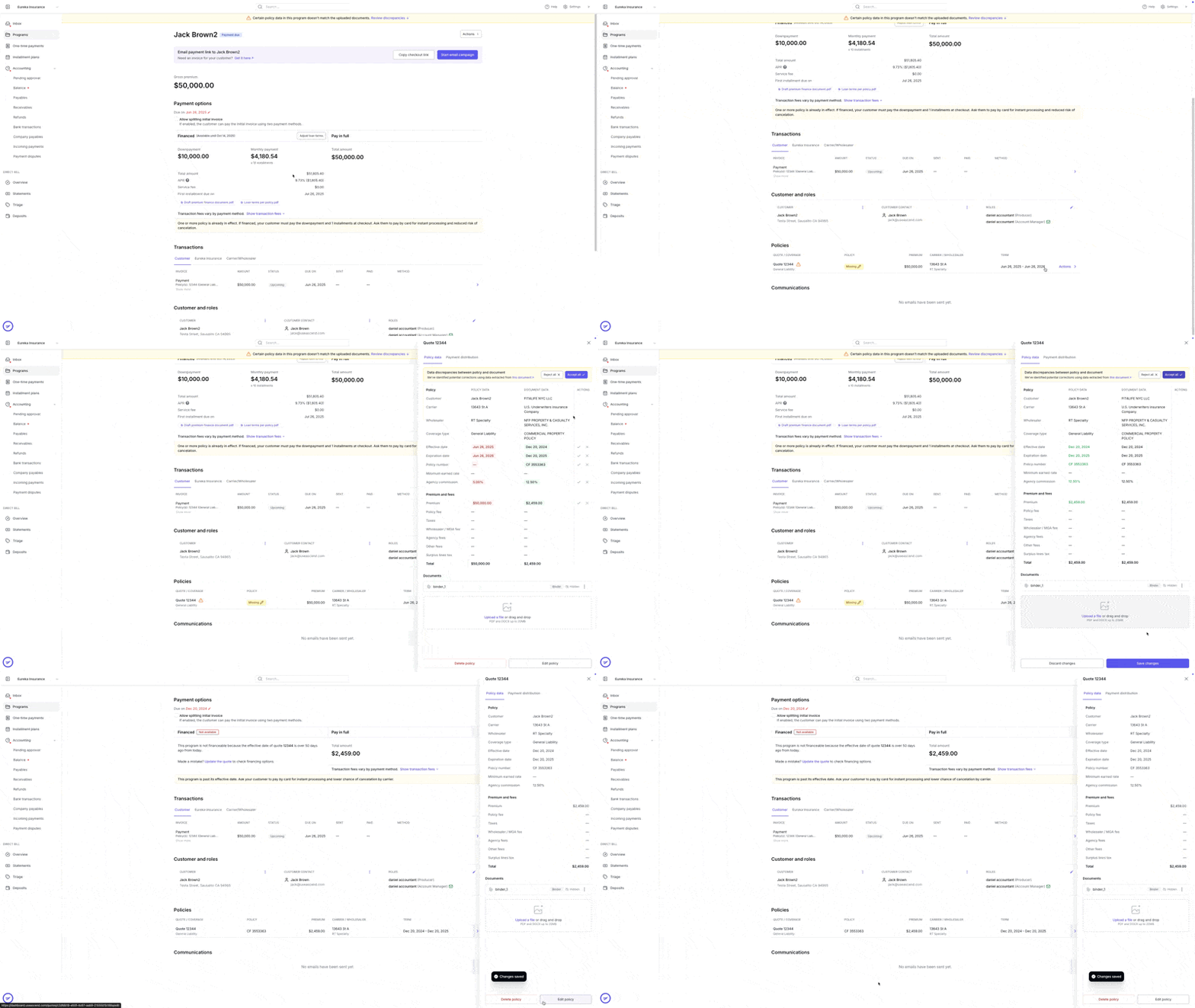
Step 2: Once the document is uploaded, Ascend's document reader will compare the values in the document to the values entered on the policy and create a comparative table between the Policy Data and the Document Data
Policy Data refers to the values entered by the agent.
Document data refers to the values scanned from the document.
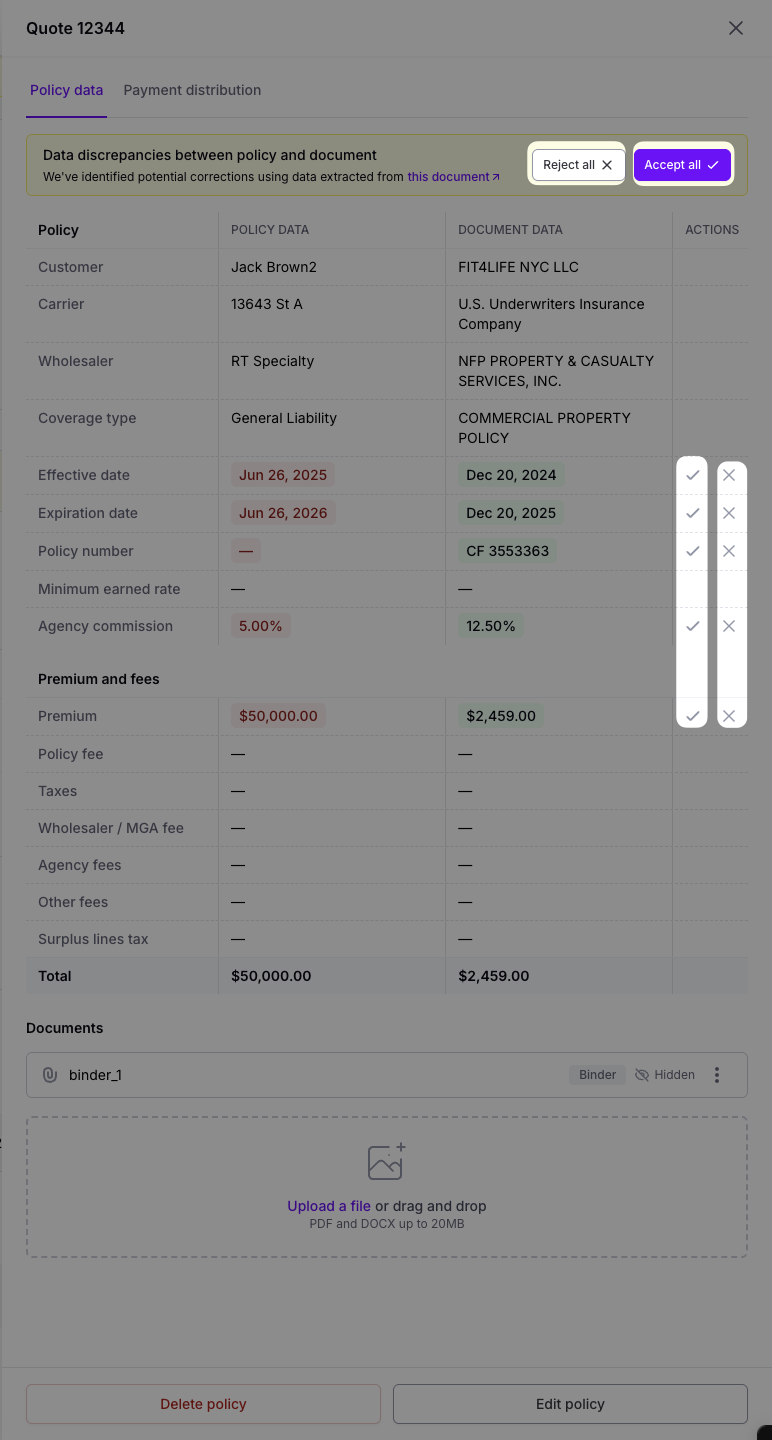
Step 3: Once your agency reviews the discrepancies between the policy data and the Document data, you have the choice to accept or reject the corrections.
Accepting a correction would replace the policy data with the document data. Rejecting a correction would keep the policy data as is. Your agency can collectively Accept or Reject corrections through the Accept all/Reject all buttons or individually Accept or Reject corrections using the check mark/cross mark.
Below is an example of what Accepting changes does to the program
How to locate Data Discrepancies across your Agency
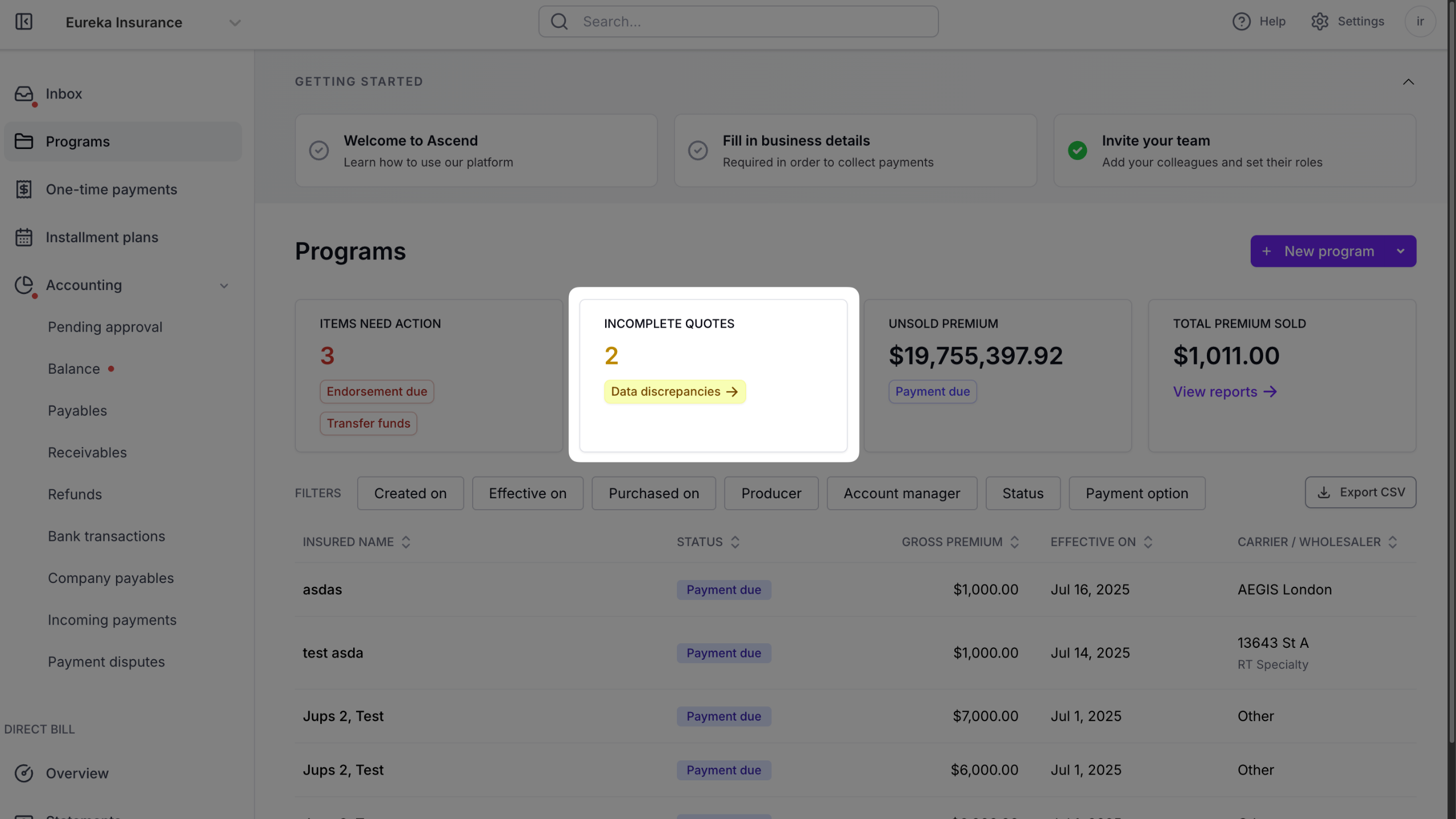
If you'd like a bird's eye view in terms of what programs have data discrepancies, you can view that from the Incomplete Quotes box on the Program page
Please reach out to us at [email protected] and let us know if you come across a correction suggested in the Document Data column that is incorrect. Flagging these mistakes will help us improve the system and your overall experience.