Premium Finance Agreement posting to Applied Epic
Last updated: August 13, 2026
When your insured finances a policy through Ascend, they sign the Premium Finance Agreement (PFA) electronically at checkout. If your organization uses the Applied Epic integration, Ascend can automatically upload that signed agreement into Applied Epic and attach it to the correct policy.
Set up
Navigate to the Applied Epic Integration Settings
Select Automation controls
Enable auto-upload premium finance documents, and select a target folder.
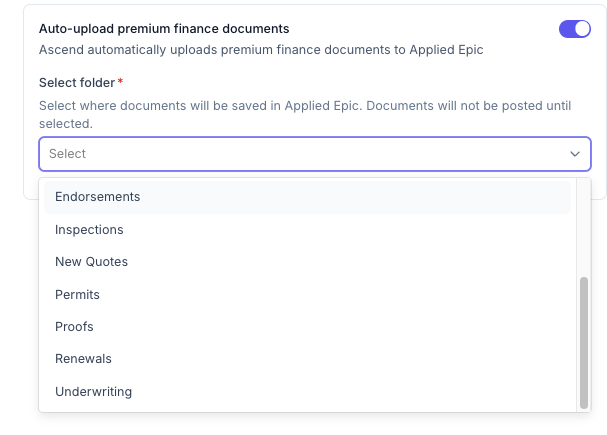
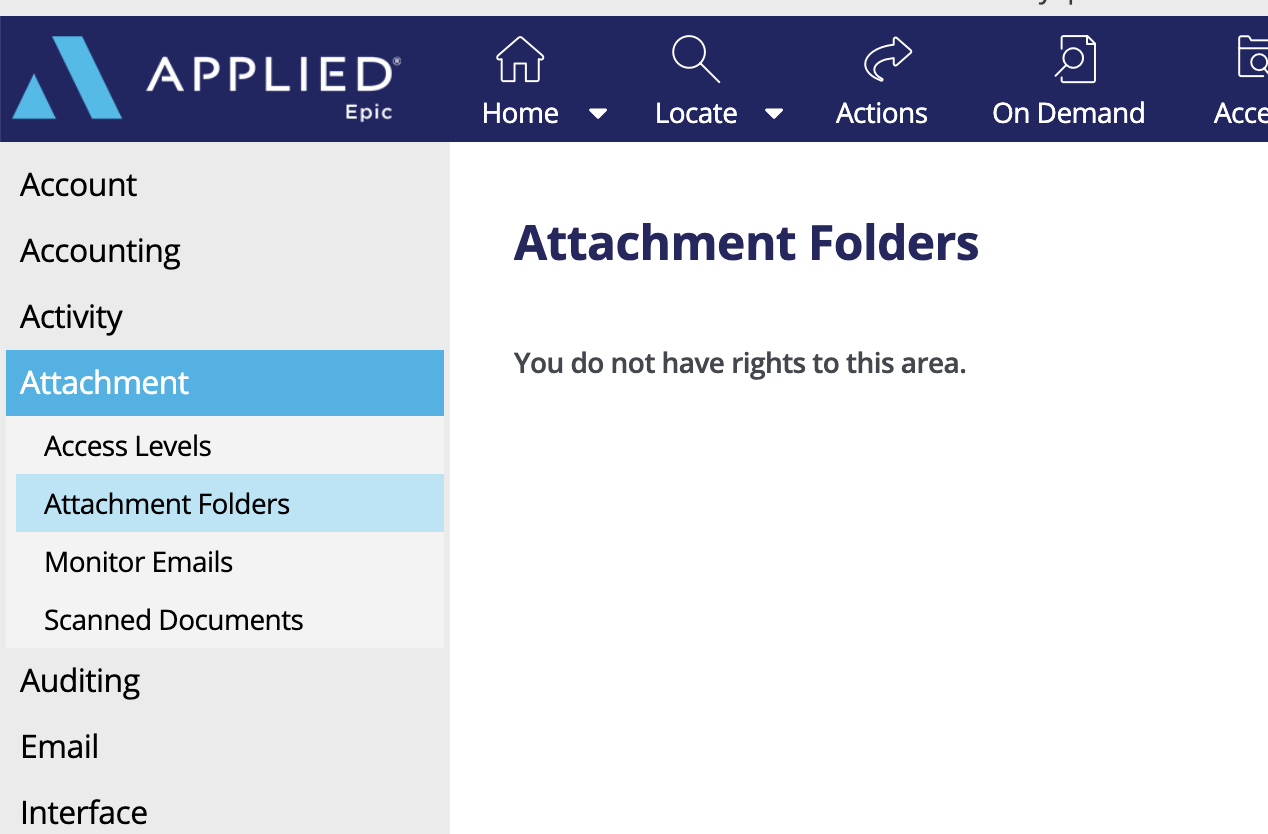
You may want to create a folder in Applied Epic specifically for this purpose. You can find this feature in
How it works
What happens automatically
At checkout — The insured signs the PFA. Ascend stores the signed document.
After reconciliation — Once the payment is reconciled in Applied Epic (receipts posted, credits applied, funds transferred), Ascend uploads the PFA to the folder you configure in Epic.
On each policy — If the program includes multiple policies, a copy is attached to each linked policy in Epic.
How documents appear in Epic
The PFAs can be found in the Attachments section of the customer Account in Epic. It will be attached at the policy level.
Each file is named for easy identification, for example:
Premium Finance Agreement [Contract #] Initial Bind [Date/Time]
For endorsements, the label will say Endorsement instead of Initial Bind.
When it runs
Posting happens after the transaction is successfully reconciled in Applied Epic — not at the moment of checkout. That way the PFA lands in Epic alongside the related financial activity.
If posting fails for a policy (for example, a policy/account mismatch in Epic), Ascend tracks the status and can retry. Your team can also trigger a manual repost if needed.
Manual posting
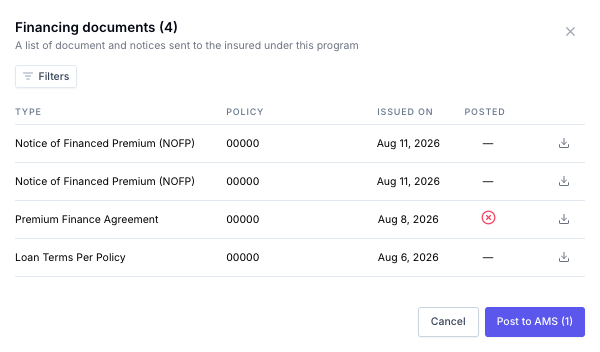
If necessary, PFA documents can be posted to Epic via a manual trigger.
Go to the relevant program page
Click Financing documents button in the Loan details section.

This will open a window with a list of documents related to the program, and their AMS posting status, you can manually post from this screen.