Finance Estimate Tool
Last updated: May 30, 2025
This is a guide that will teach you:
How to create a premium finance estimate using Ascend
Sometimes it can be helpful to have a quick estimate of premium financing terms before going through the entire invoicing process.
Ascend has a tool that allows you to produce a finance estimate without entering all the data necessary to create a program.
How to create a finance estimate
Start by clicking the dropdown arrow next to "New Program"
Enter the premium, taxes, and fees on the policy to the best of your ability
Click "Calculate loan terms"
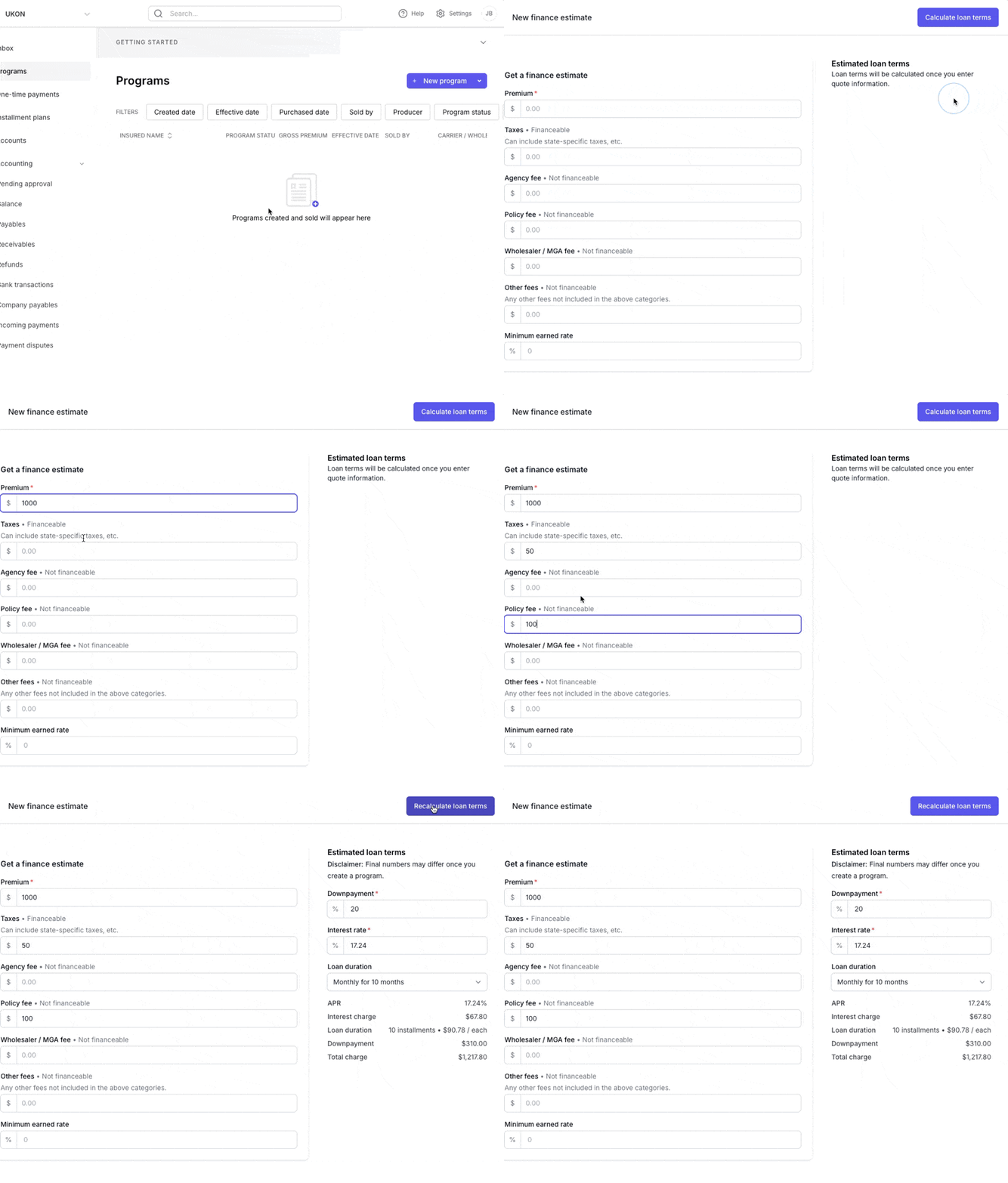
Please note that you should include any fees that will be on the policy at bind, as fully-earned fees are added to the down payment. Excluding fees in the estimate means the actual down payment will be higher than quoted.
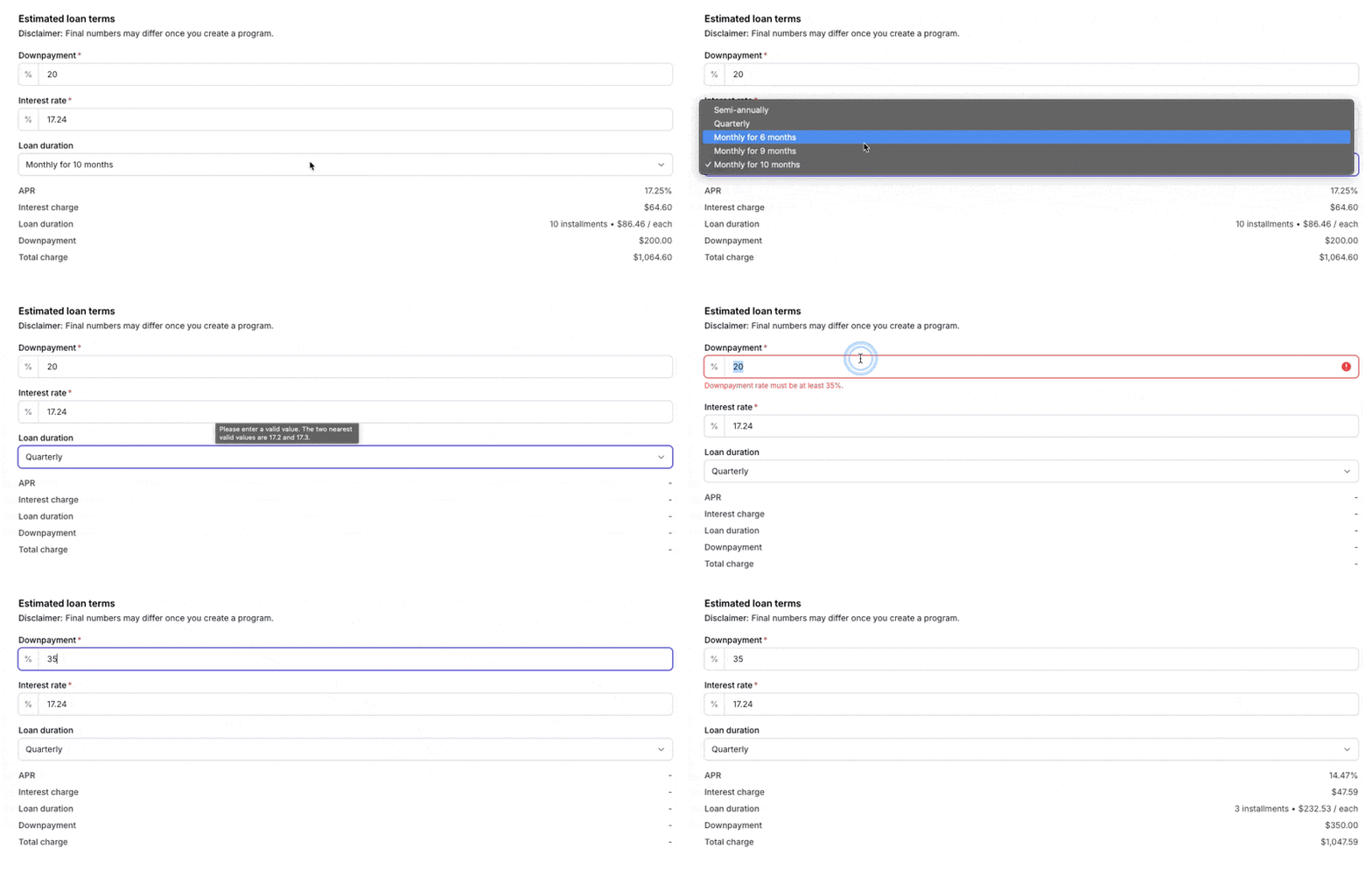
The tool also gives you the ability to customize the loan to see what different options would look like:
Contact Us
Need more help? Contact us at [email protected] for more help.