Automated Invoicing - Ascend AI
Last updated: May 12, 2026
This is a guide that will teach you:
What is Ascend's Automated Invoicing feature?
How to use automated invoicing to upload policies/quotes into the Ascend dashboard
Ascend's Automated Invoicing
This feature allows you to upload a quote, binder, or invoice and automatically locates policy/quote details like premium, fees, taxes, commission, etc. to create the program in Ascend.
Our system uses AI to scan the document and auto-fill the values it can locate within the uploaded document, most commonly, premium, fees, taxes, and commissions.
You are responsible for checking all fields that are pre-filled to confirm accuracy. Ascend is not responsible for incorrect values pulled from documents using the Automated Invoicing feature.
Automated invoicing will help your team avoid funding issues caused by manual data entry and reduce the amount of time it takes to input quotes/policies into Ascend.
The automated invoicing feature can be enabled for your agency's Ascend workspace by sending a request to [email protected].
Step by Step Instructions
Click +New program on the homepage here to start the program creation process

Click the Import Invoice button in the right corner of the section titled "Auto-fill program data"

Upload a quote doc, invoice doc, or binder doc, and click Begin import
You should only add 1 document that corresponds to 1 quote or policy
NOTE: The max file size allowed is 10MB. If you have a document larger than 10MB, please reduce the size or remove pages, and re-upload.
Enter the Contact details
Scroll to the Quote section, and confirm all details are properly filled in.
NOTE: You are responsible for checking all fields that are pre-filled to confirm accuracy. Ascend is not responsible for incorrect values pulled from documents using the Automated Invoicing process.Confirm the minimum earned rate, agency fee, commission, and all other fields
Click Save program
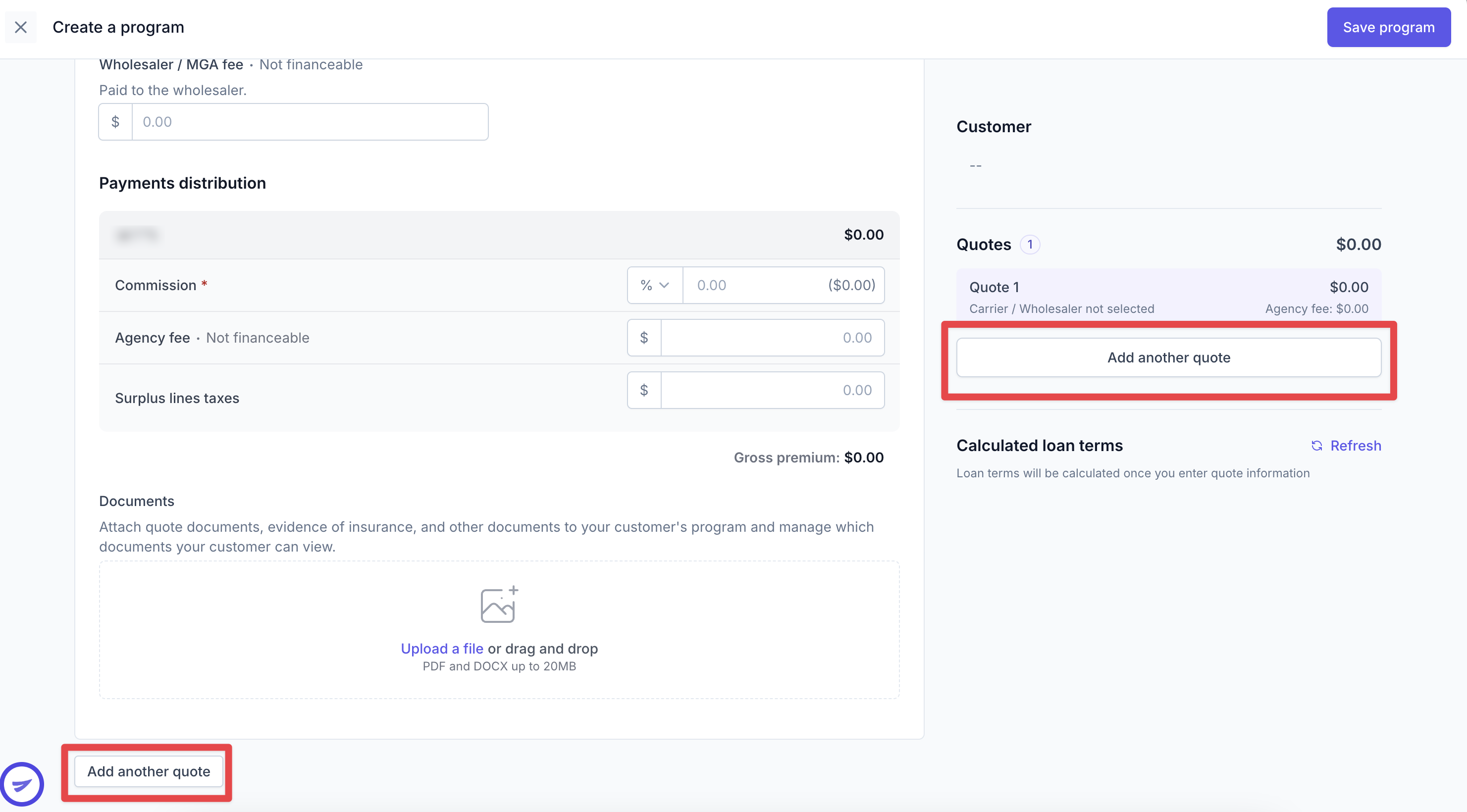
Note: If you want to add multiple quotes/policies to one program, clicking "Add another quote" will allow you to create a new quote/policy on the same program. This will add both policies to the Ascend invoice, payment link, and finance agreement:
Frequently Asked Questions
Do I need to double-check the quote details that were automatically filled before saving the program?
Yes, the agency users are responsible for checking all fields that are pre-filled to confirm accuracy. Ascend is not responsible for incorrect values pulled from documents using the Automated Invoicing process.
Why won't my file upload?
In order to be uploaded successfully, files must be:
10MB or less in size
PDF document type
Can I upload multiple documents at the same time to make multiple quotes?
Yes, you can add 1 document that has multiple quotes OR you can add multiple docs and we'll create multiple quotes.
Contact Us
Need more help? Contact us at [email protected] for more help.