Ascend Integrations: Hawksoft
Last updated: April 6, 2026
This is a guide that will teach you:
How to set up the Ascend integration with Hawksoft
How to use the Ascend integration with Hawksoft
Integration Set Up
To install the HawkSoft Integration, you will need to do 3 things:
Subscribe to the Ascend app in the HawkSoft marketplace.
In HawkSoft, click the Gear Icon in the top right corner, and select Marketplace from the dropdown menu.
Add your HawkSoft Agency ID into Ascend
Start the initial import of data from HawkSoft into Ascend
You can do so here.
Note: your HawkSoft Agency ID can be found on the login window.
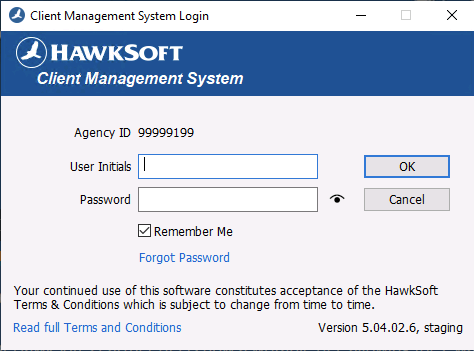
Update your HawkSoft Agency ID into Ascend Dashboard at https://dashboard.useascend.com/settings/integrations
Using the Integration
How to create a program in Ascend from HawkSoft
Click the +New Program button from the Ascend programs homepage here
Click the Import from HawkSoft button in the right corner of the Customer section
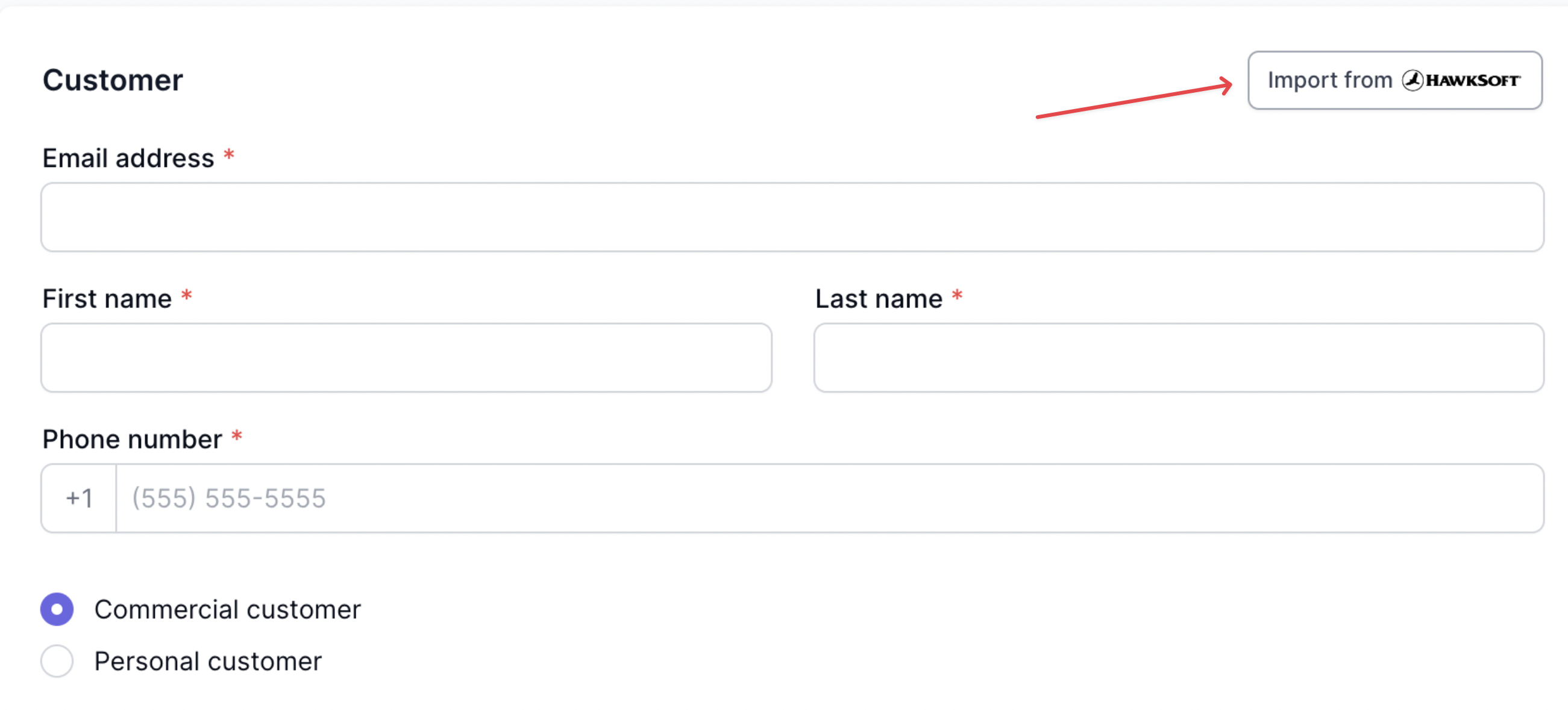
Type in the insured's name or business name into the search field and select the customer from the dropdown, then select which policy(s) you'd like to import to the program
A policy must be Agency Bill and not be expired to be pulled into the policy list in Ascend
The customer's info should auto-populate, along with some policy/quote details
Verify the policy details are accurate, and enter the remaining required info that doesn't auto-populate from HawkSoft:
Minimum earned rate
Once all details are confirmed to be accurate, click the Save program button
Your program is now ready to send the payment link to the customer!
Field Mapping from HawkSoft to Ascend
Insured Information
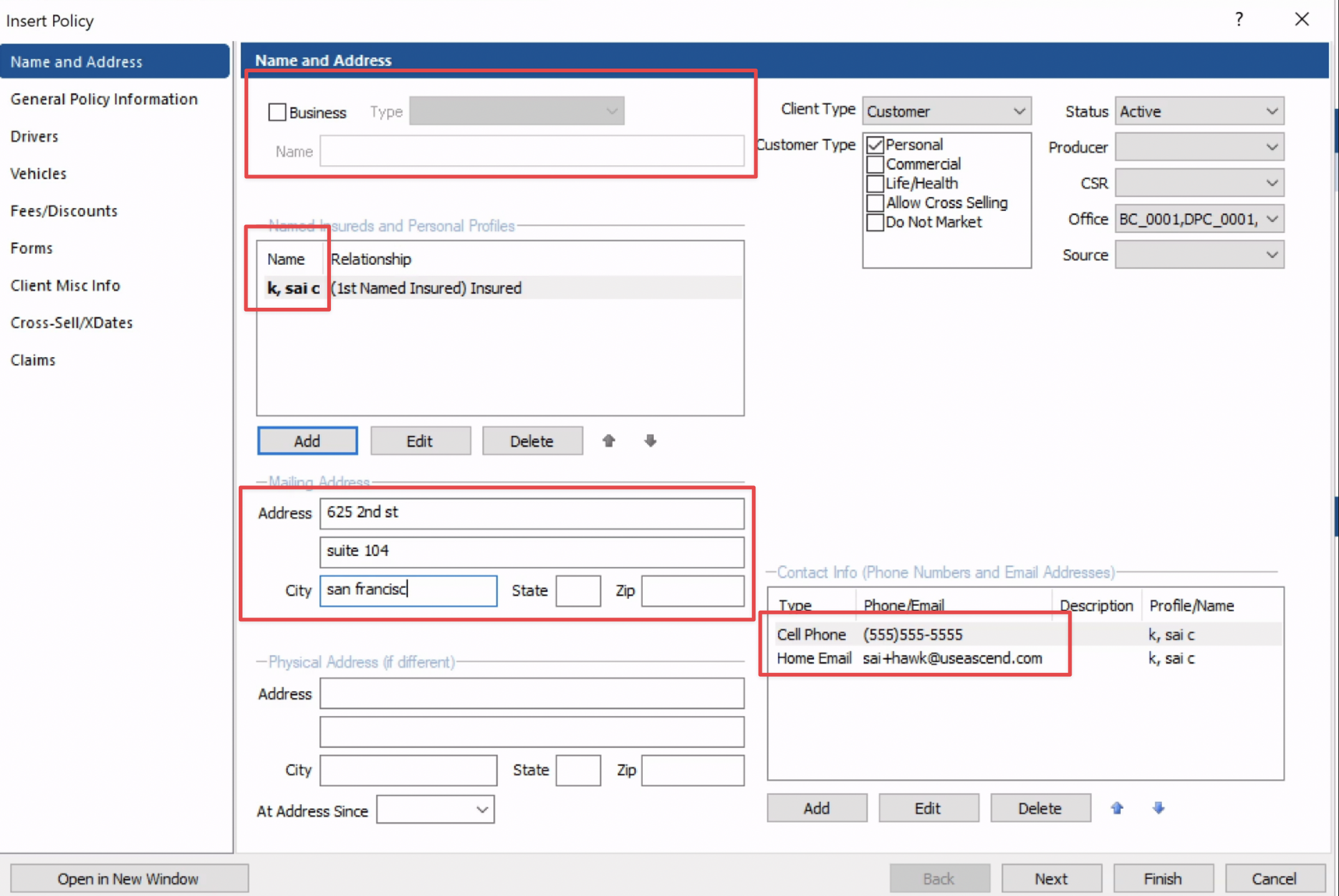
Insured and business information is pulled from the Name and Address section in HawkSoft. The fields that we pull to create the Ascend program are:
Insured Name
Insured Business Name
Mailing Address
Phone
Email
Policy Information
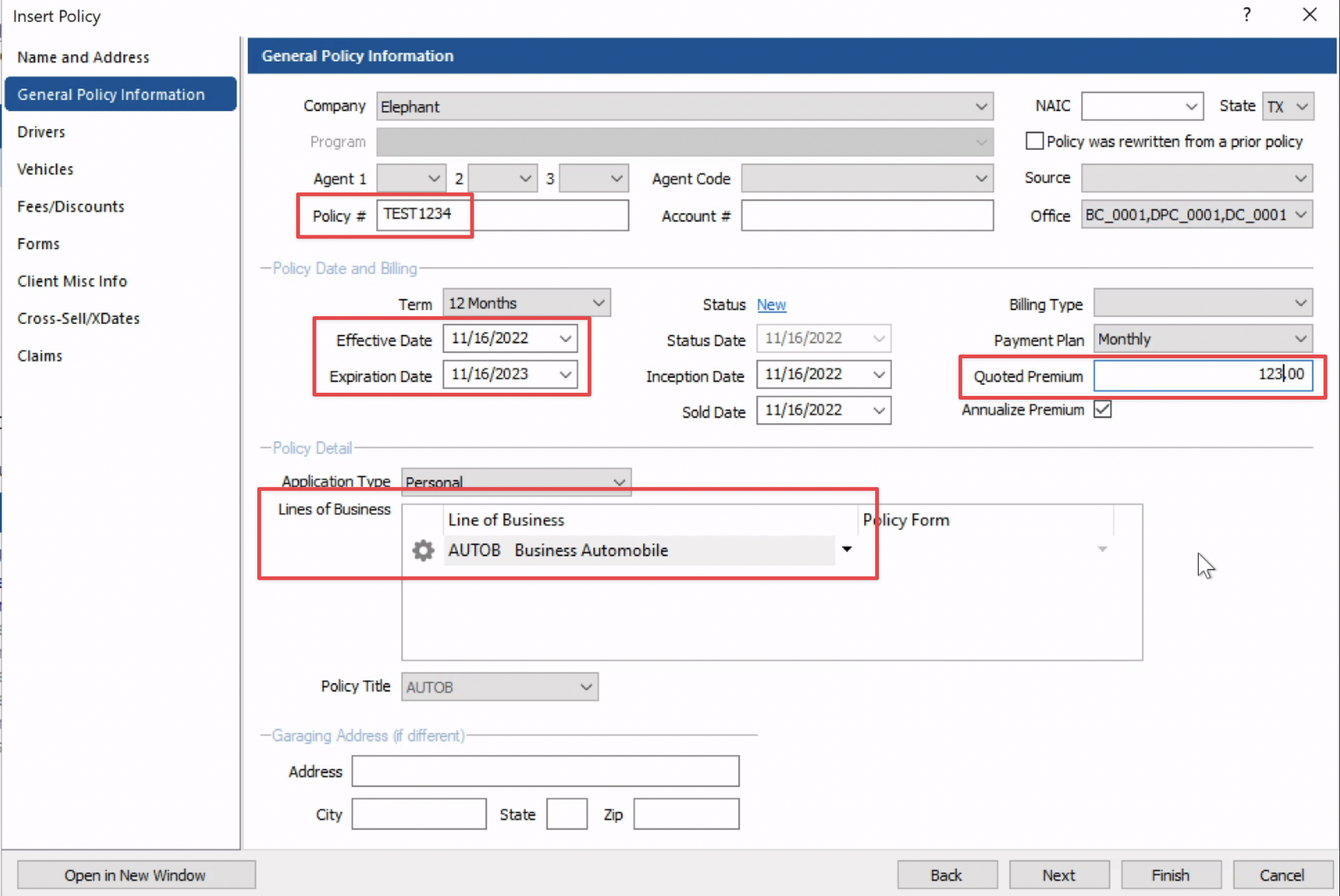
Policy information is pulled from the General Policy Information section in HawkSoft. The fields that we pull to create the Ascend program are:
Writing Company
Billing Company
Policy Number
Line of Business
Effective Date
Expiration Date
Quote Premium
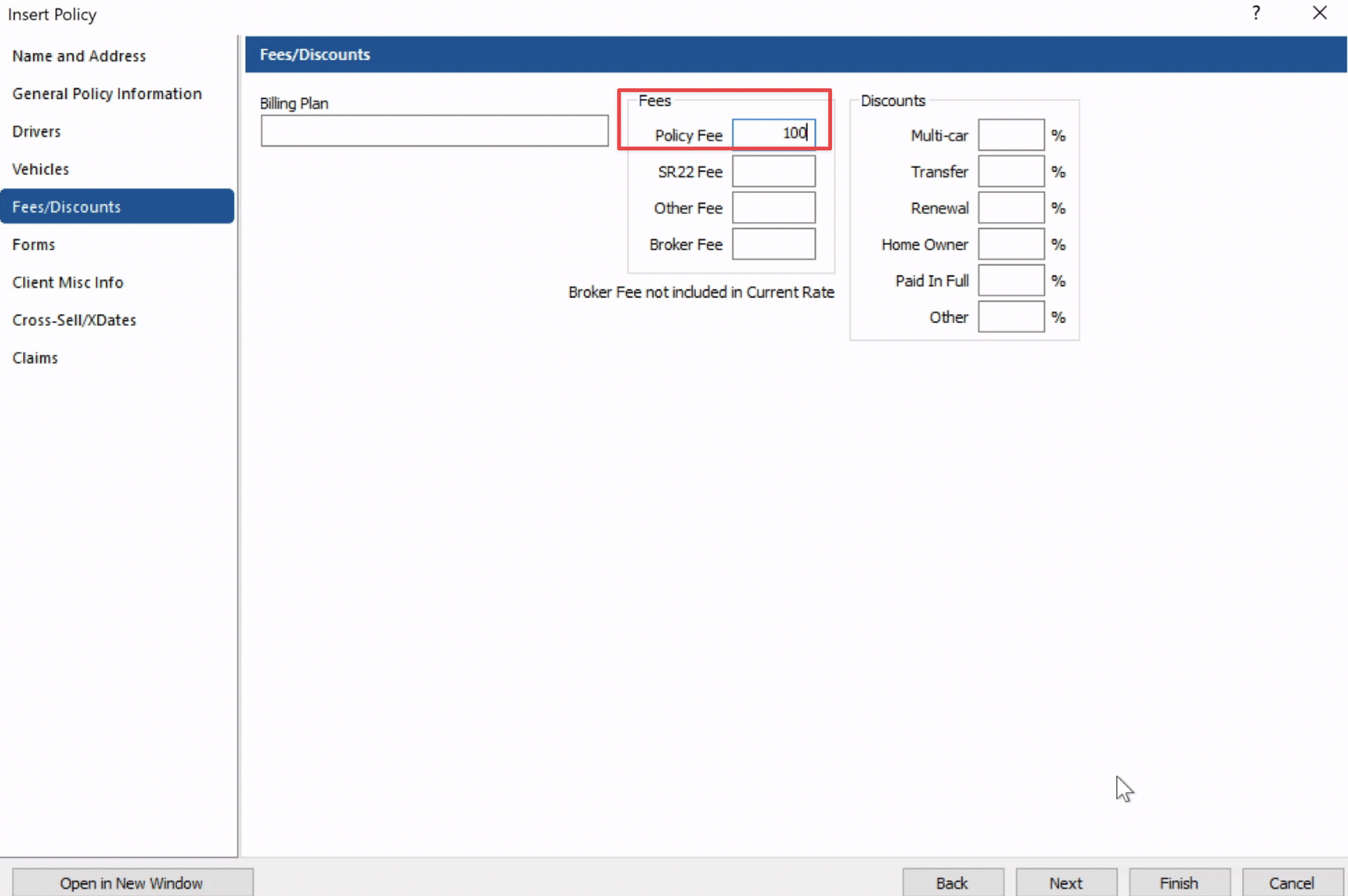
Fees
FAQs
Q: Does Ascend write back to Hawksoft?
A: No, Ascend does not currently write back to Hawksoft
Q: How do I link a program/policy in Ascend to a customer I just added in Hawksoft?
A: We are not able to link Ascend Programs to Hawksoft customers after the program has already been created.
Contact Us
Need more help? Contact us at [email protected] for more help.